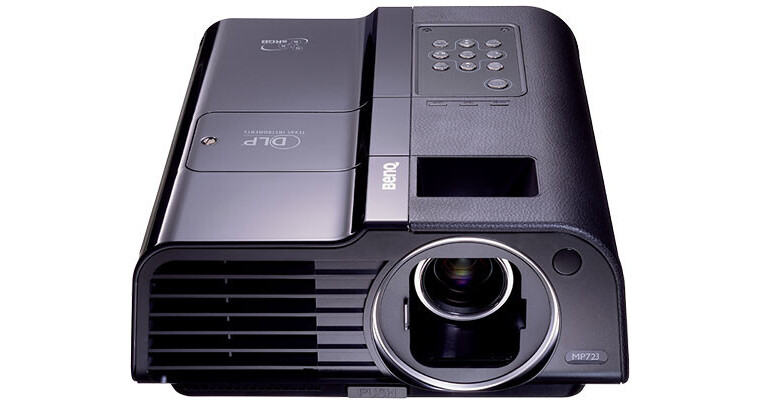
The BenQ MP723 Portable Projector is small in size and high in resolution. At only 5.9 lbs, the projector provides sharp XGA resolution for presentations that are nothing short of extraordinary.
At 3300 ANSI lumens and a 2000:1 contrast ratio, the MP723 provides the brightness and clarity required in a variety of presentation environments. This projector is perfect for multimedia presentations in educational or small-business settings. At a resolution of 1024 x 768 and 4:3 aspect ratio, the MP723 provides the feature set of a higher-end, fixed-installation projector in a portable projector package.
11 Application Modes
A wide range of application modes provides instant access to optimized presets for specific usage scenarios.
Bright Lamp Rated at 3300 ANSI Lumens
The MP723's lamp provides a clear, vivid image even in environments such as the typical classroom where it's impractical to block out extraneous light.
BrilliantColor
Texas Instruments advanced on-chip BrilliantColor technology boosts mid-tone colors, increasing overall brightness and producing a more vibrant picture.
Unishape
Unishape is a sophisticated technology that processes light emitted from the projector lamp to increase brightness and contrast, provide more flexible color correction, and enable full digital control.
3D Color Management
3D color management lets users fine-tune the hue, saturation, and gain of primary colors to achieve the exact picture quality desired.
Wall Color Correction
Wall color correction provides automatic optimization for different surfaces, such as a classroom blackboard, that might be used to display content instead of as a regular projector screen.
Auto Off
An automatic power-down function when the projector is not in use extends the life of the lamp.
Presentation timer
An on-screen timer helps users run presentations more smoothly while keeping the audience's attention focused on the show and not their watches.
Quick Auto Search
This feature automatically detects when a video source is connected, for plug-and-play simplicity that will get you up and running with a presentation without hassles
Panel key Lock
Locking down the keypad puts an end to the embarrassment and disruption of accidentally pressing a control button and activating the associated function during a presentation.