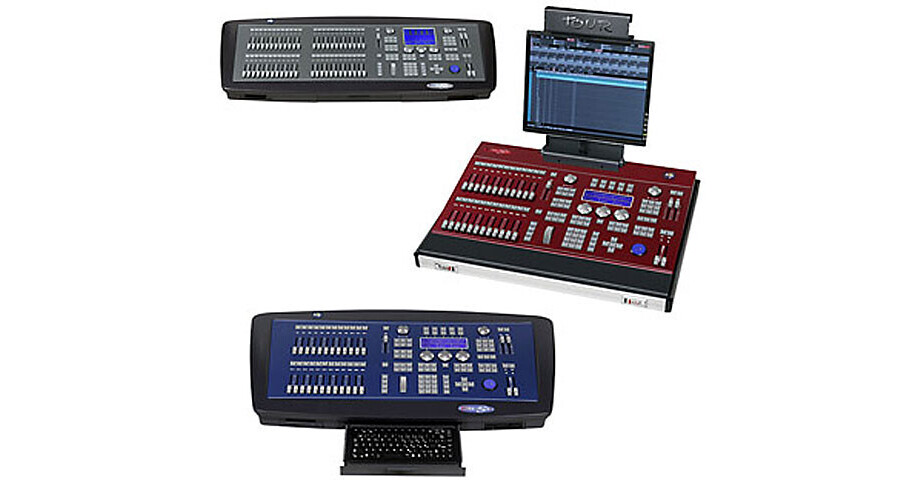
The NSI/Leviton 8700GS Control Console is everything the sophisticated lighting professional needs to make creating designs, programming shows, and executing masterpieces easy and rewarding. This console features an integral keyboard and outputs for all your needs.
This 8700GS model offers 1024 channels of control, with 48 sub-masters. It also features one in, and two DMX512 output ports.
User Interface
48 Sub-Masters, assignable as scenes, channels, effects, attribute control, rate control or cue lists
Cross fader for precise cue control -- manual or automatic
Grand Master, Effects Master and Sub-Master Master
Vertical Level Wheel, multi-color trackball for auto-device position control and mouse emulation
Three horizontal Encoders for attribute control, one for screen control
Ten soft keys with bank control to access groups, macros, positions, colors, etc.
Set Up
Interactive patch across all channels -- local and network
Responsive curves - custom curves can be applied to any conventional channels
Complete on-board fixture library and data storage -- easy update from disk, USB or Ethernet
Software updates are down loadable from NSI website
Print-to-text for hard-copy record of all show data
Software updates are down loadable from NSI website
Print-to-text for hard-copy record of all show data
All console functions have built-in test routines.
Merge selected parts of any stored show into current show
Multi-lingual: English, French, Spanish, German
Playback
24 Masters, sub-master recall, cue list, effects, rate/speed control
Effects live modification: speed, pattern, mode, direction, HTP, LTP and priority for each channel
Effects live modification: speed, pattern, mode, direction, HTP, LTP and priority for each channel
Editing
Blind and Live editors
Palette Libraries for quick recall of: position, color, beam, gobo, dimmer, extra, fan-out and flip
Effects: Chase -- direction, attack, rate
Auto shape creation adjustment for: Amplitude, velocity, offset
Quick functions: Undo, copy, exam, modify, exchange, edit+, next, text, macros
Recording
Immediate next cue, recording by double-press of record button, active channels only selection
Multiple cue parts, each with own timing for simultaneous complex event recall
Link macros, events, etc., to cue execution
Six pre-defined attribute timing patterns can be applied to any cue
Learn-time auto-times playback based on manual execution
Cue times entry via cue-list or command line, default cue time definition