
Holiday Headstart

Video Chat with a Pro Audio Expert - Live

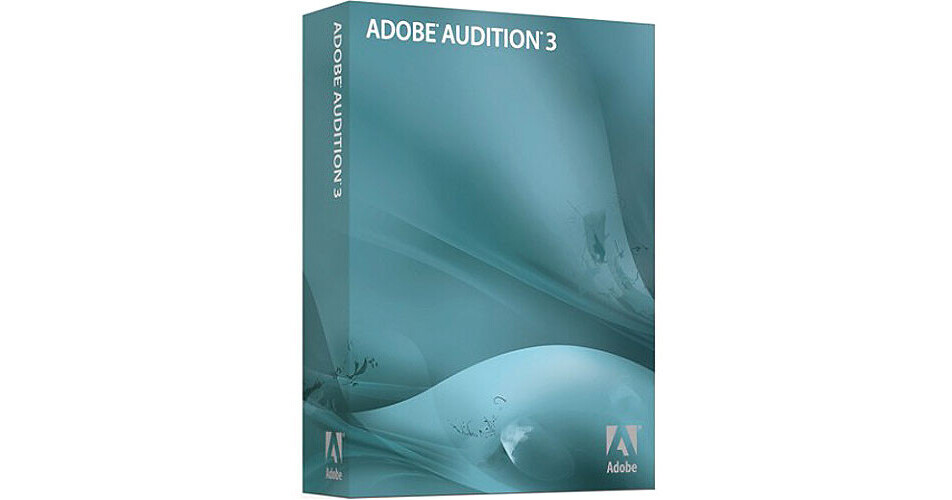
Adobe Audition 3 - Audio Recording, Mixing, Editing and Mastering Software

BH #ADA3 • MFR #22011292
Print
Adobe Audition 3 - Audio Recording, Mixing, Editing and Mastering Software
Key Features
  • Unlimited Tracks
  • Up to 80 Inputs
  • Audio Effects and DSP Tools
  • VSTi Support
Adobe Audition 3 from Adobe is software for recording, mixing, editing and mastering audio and contains a full feature set to achieve those ends. The software provides an all-in-one tool set for professional audio production and is perfect for the sound designer, musician, recording engineer, mastering engineer, or other audio-centric professional.

Faster multi-track editing is possible by providing "click-and-drag" fade handles on multi-track clips and in the edit view. Free-form selection in the frequency space with the Effects Paintbrush allows the user to apply effects in varying degrees to that selection. The Spot Healing Brush smooths over selected regions and automatically repairs clicks, pops, and other noises.

A large selection of effects are available for all aspects of music creation and support for VSTi virtual instruments further enhances the usefulness of the software. Direct to CD burning is also provided.

More Details
No Longer Available
No Store Display
Ask an Expert
866-839-7214

Adobe Audition 3 Overview

Adobe Audition 3 from Adobe is software for recording, mixing, editing and mastering audio and contains a full feature set to achieve those ends. The software provides an all-in-one tool set for professional audio production and is perfect for the sound designer, musician, recording engineer, mastering engineer, or other audio-centric professional.

Faster multi-track editing is possible by providing "click-and-drag" fade handles on multi-track clips and in the edit view. Free-form selection in the frequency space with the Effects Paintbrush allows the user to apply effects in varying degrees to that selection. The Spot Healing Brush smooths over selected regions and automatically repairs clicks, pops, and other noises.

A large selection of effects are available for all aspects of music creation and support for VSTi virtual instruments further enhances the usefulness of the software. Direct to CD burning is also provided.

Recording and Mixing
Unlimited number of tracks in "Multitrack View"
Files can be quickly edited together by dragging clips and controlling automatic cross-fades with on-clip handles
Powerful low-latency mixing engine
Recordable parameter automation allows the user to move volume, pan and effects controls while listening, and record the changes in real time. Changes appear as editable envelopes in the time-line
Duplicate audio tracks
Over fifty audio effects and DSP tools
MIDI timecode (SMPTE/MTC) master or slave support allows for synchronizing audio playback with computers, video decks, or any hardware device that supports MTC
Plug-in delay compensation
Record up to eighty live inputs simultaneously in a multi-track session
Creation and Arrangement
VSTi support. Record and edit MIDI in the piano roll editor
Radius time stretching from iZotope can alter tempo without changing pitch, or change pitch without tempo distortion, using the high-quality time-stretch algorithm
Analog-modeled guitar effects
Video in Surround Encoder
Flexible looping tools allow for quickly constructing high-quality music for songs or soundtracks. Loops automatically match global session tempo and key
Includes approximately 5,000 performance-based, 32-bit royalty-free music loops in many styles
Twenty royalty-free, ready-to-play music beds in 15- and 30-second lengths
Beat detection finds and marks beats automatically making new loop file creation a snap. Greatly assists DJs and others who need to quickly match beats among multiple files
MIDI files inserted into multi-track sessions play in sync with audio and video projects
Edit and Master
Effects Paintbrush and Spot Healing Brush tool smooths over a selected region to automatically repair clicks, pops and other noises
Automatic phase correction tool
Adaptive Noise Reduction tool intelligently remove noise that changes over time, including whines, buzzes, colored noise from fans or airplanes, etc.
Mastering effects provide everything from gain to reverb
Spectral-frequency display tools and spectral pan and phase displays
Integrated CD burning
Delete Silence feature detects and removes silence between words or other sources
Reduce or boost the vocal or instrumental portions of a track by isolating audio based on pan position or phase. Use this feature for powerful editing or to create a cappella or karaoke-ready tracks
Group RMS normalization
Broadcast Wave support
High-quality sample rate conversions

Adobe Audition 3 Specs

System Requirements
Intel Pentium IV (1.4GHz for DV, 3.4GHz for HDV), Intel Centrino, Intel Xeon (dual Xeon 2.8GHz processors for HD), Intel Core Duo or compatible processor (SSE2-enabled processor required for AMD systems)
Windows XP Professional or Home Edition with SP 2, Vista Home Premium, Business, Ultimate, or Enterprise (certified support for 32-bit editions and 64-bit compatible) or Windows 7 (certified support for 32-bit editions and 64-bit compatible)
512MB RAM (1GB for DV playback, 2GB for HDV and HD playback)
10GB of available hard-disk space (when used with Loopology DVD)
DVD drive for installation
1280 x 900 monitor resolution with 32-bit video card and 16MB of VRAM
Microsoft DirectX or ASIO compatible sound card
QuickTime 7.0 required to use QuickTime features
Internet or phone connection required for product activation

Adobe Audition 3 Reviews

See any errors on this page?
Whatever You Need, We've Got It