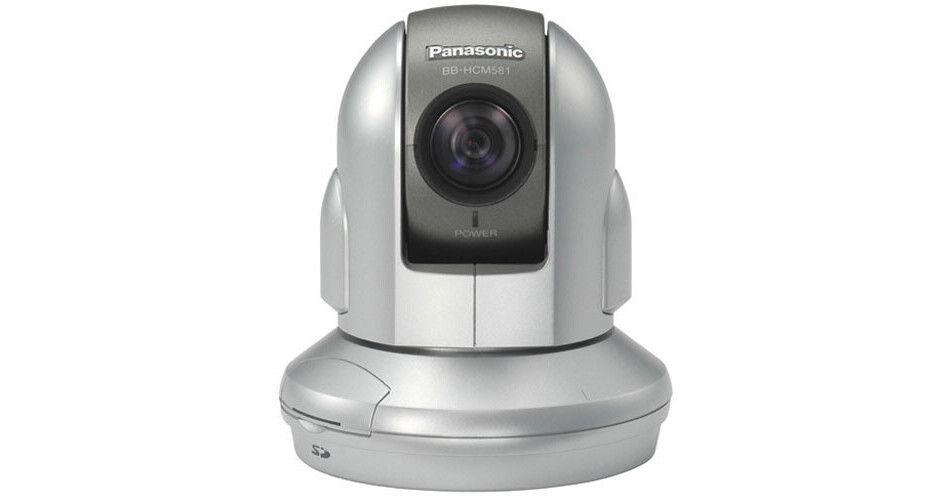
It's not every day that you come across such a feature packed network camera that is also compact and stylish. Come to think of it, everything you thought would be nice to have in a security camera, Panasonic second-guessed you and incorporated it into the BB-HCM581A-W . Here you'll find a 42x zoom for bringing objects of interest into close view. There's also a pan and tilt function so you can see to the sides of the camera. You can also take advantage of its built-in SD card slot and store images right onto the camera. Finally, this camera incorporates PoE technology, giving you greater flexibility in the installation process.
Free Remote Network Viewing
Access the camera from virtually any PC in the world, including your cell phone, using Panasonic's free viewnetcam.com remote viewing site. Here, you can assign your camera an easy to remember name (e.g., http://bob.viewnetcam.com), which will stay permanently with the camera even if you switch service providers. There's also no need to install any specialized software, as all the necessary programs are already embedded in the camera.
Remote PTZ Control
Working from a remote PC, you can activate the camera's 21 optical plus 2x digital zoom to get a closer look at a person or object. You can also pan the camera 350° and tilt it 120° in order to see more than just what's in front of the camera. Clicking on any area of the monitor will automatically bring that part of the image to the center of the screen. There's also a Home Position button, which when pressed, will return the camera to its original position.
SD Card Slot
Images can be recorded to an optional SD memory card that goes right into the camera. This provides you with a quick and easy method for handing over event material to the authorities. Images from the SD card can be viewed over the network same as live camera images. You can also use an SD card as a recording backup method in the event of network downtime.
PoE (Power over Ethernet)
With the addition of an optional PoE injector, you'll be able to power the camera via its Ethernet connection. This provides you with great flexibility in the installation process. You can now easily place the camera near ceilings, in hallways, elevators, outdoor locations (with appropriate housing) and similar areas with no direct access to an AC outlet.
Simultaneous MPEG-4/MJPEG
Simultaneous MPEG-4/MJPEG transmission gives you better control over how data is distributed over the network. For example, you can view images in the faster MPEG-4 mode and at the same time send images to a network recorder using the slower but higher quality MJPEG compression method.
2-Way Audio
With the addition of a microphone and speaker, you'll be able to hear and speak with a person at the camera location over the network. This is a highly useful feature in both security and non security based applications. Two-way audio is not possible using a cell phone.
Motion Detection with Email Notification
Built into the camera is a motion detection function configurable for size and sensitivity. Motion detection images can be recorded to the SD card for future review. You can also program the camera to send snapshots of motion detection images to an FTP server or to an Email address of your choice.
Analog Video Output
An analog video output means you can send images to a local TV or VCR at the same time the camera is transmitting digitally over the network. This provides you with a recording backup method in case of a network failure. An analog video output also comes in handy during installation and servicing, as it allows you to attach a handheld monitor and see in real time camera and lens adjustments.