Video Chat with a Pro Audio Expert - Live

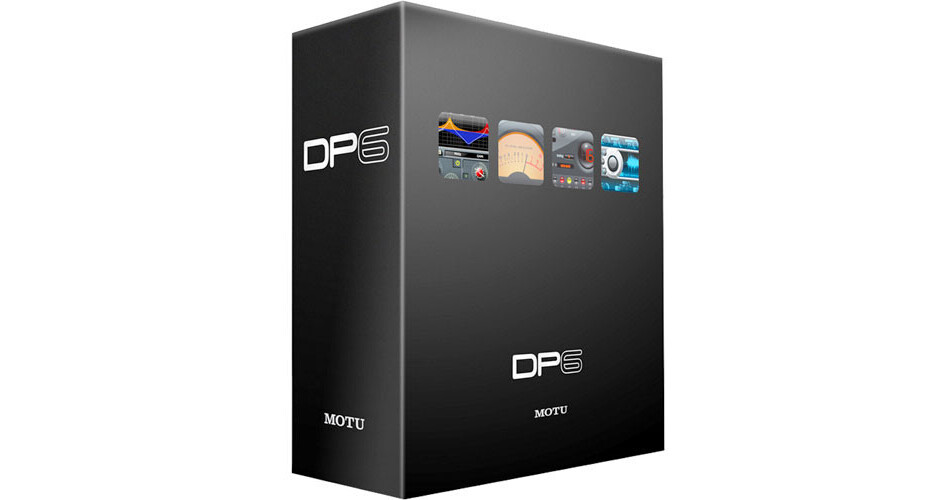
MOTU Digital Performer 6 - Audio Workstation Software - Educational Discount or Competitive Upgrade

BH #MADP6U • MFR #6052Q
Print
MOTU Digital Performer 6 - Audio Workstation Software - Educational Discount or Competitive Upgrade
Key Features
  • Unlimited Audio Tracks
  • Surround Sound Support
  • Expanded Audio File Support
  • Track Comping
Digital Performer 6 from MOTU is an integrated MIDI and audio sequencer, suitable for studio recording, film scoring, live performance and remixing. The software provides an easy to understand work flow, with all the features needed for full audio and MIDI production.

Features include unlimited tracks, unlimited undo, support for surround sound, 64-bit mastering tools, sample-accurate editing of audio and MIDI, automatic tempo calculation for film scoring, and much more. For beginners and experts alike, Digital Performer 6 delivers advanced features in an intuitive, streamlined design.

Version 6 enhancements include a new user interface with streamlined operation, track compilation, two new audio processing plug-ins, film scoring enhancements and expanded audio file support. Plug-in and virtual synthesizer functioning has also been enhanced.

More Details
No Longer Available
No Store Display
Ask an Expert
800-606-6969

MOTU 6052Q Overview

Digital Performer 6 from MOTU is an integrated MIDI and audio sequencer, suitable for studio recording, film scoring, live performance and remixing. The software provides an easy to understand work flow, with all the features needed for full audio and MIDI production.

Features include unlimited tracks, unlimited undo, support for surround sound, 64-bit mastering tools, sample-accurate editing of audio and MIDI, automatic tempo calculation for film scoring, and much more. For beginners and experts alike, Digital Performer 6 delivers advanced features in an intuitive, streamlined design.

Version 6 enhancements include a new user interface with streamlined operation, track compilation, two new audio processing plug-ins, film scoring enhancements and expanded audio file support. Plug-in and virtual synthesizer functioning has also been enhanced.

Note:
This package can be purchased as either an Educational Discount version, or as a Competitive Upgrade. The Educational Discount version requires proof of current educational status, while proof of competing product ownership is required for the Competitive Upgrade.
Advanced Features and Intuitive Operation
Provides a comprehensive environment for editing, arranging, mixing, processing and mastering multi-track audio projects for a wide variety of applications, while allowing for the simultaneous recording and playback of multiple tracks of digital audio and MIDI data.
Vertically resizable track list provides a better look at each track's settings and graphic overview.
Zooming and navigation controls have been unified throughout the software. Live window resizing allows the user to see the contents of the window as it is resized. Additional waveform coloring options are now available.
Complete Mac OS X support takes full advantage of sample-accurate MIDI Time Stamping, Core MIDI patch list support, Audio Unit plug-ins and virtual instruments, support for multiple Core Audio interface drivers and more.
Beat Detection Engine
Employing sophisticated transient detection technology, the Beat Detection Engine analyzes audio loops and audio files that contain rhythmic music to determine where the beats are in the music.
The "Set Sync Point At First Beat" command allows one to quickly align the first beat (or any beat chosen to use as a reference) to the sequence time ruler.
Track Comping
Previous versions of Digital Performer allowed for recording multiple takes into a track, and then choosing one take in the track for playback and editing. A new "Show Takes" feature allows the user to view all takes side by side.
With the Take Tool, split points can be easily made across all takes and then by simply clicking the desired section from each take, the user can assemble a composite (comp) take consisting of the sections selected from each take.
In the resulting comp take, crossfades can be applied, along with all standard operations for editing audio regions in a DP track.
Virtual Instruments
From classic FM to vintage analog, the six included virtual instruments themselves include hundreds of supplied presets.
The Nanosampler is a simple way to play and manipulate samples. Model 12 is a twelve-part programmable drum module (sample player) containing hundreds of drum samples.
DP6 now pre-renders instrument track output before playback actually begins, allowing the computer's CPU to distribute the required processing beforehand, rather than in real time.
Because they are now pre-rendered, instrument tracks can now be included in Bounce to Disk operations without the need to "freeze" the instrument track beforehand.
Audio Processing Plug-Ins
The MasterWorks Leveler is an accurate model of the legendary Teletronix LA-2A optical leveling amplifier, known for its unique and highly sought-after Automatic Gain Control (AGC) characteristics.
ProVerb is a CPU-efficient convolution reverb plug-in that delivers the sound of stunningly realistic acoustic spaces to any track or mix. Dozens of impulse responses are included, from halls and stages, to plates and cathedrals. Drag and drop any standard audio file into ProVerb's waveform display to add custom presets.
MasterWorks EQ provides five bands of EQ filtering, each with four EQ types that reflect current popular EQ styles and vintage analog EQ styles alike. Two mid bands (LMF and HMF) include shelf filtering. Two additional bands of variable slope low pass and high pass filtering are also accessible.
Plug-In Latency Compensation
Running under MAS and DAE, Digital Performer's plug-in latency compensation is sample-accurate for any MAS, Audio Unit, TDM or RTAS plug-in, including virtual instruments.
Latency compensation is especially useful for users of hardware-accelerated plug-ins such as the TC Electronic PowerCore and Universal Audio's UAD-1.
Film/Video Scoring
DP6 can superimpose streamers, punches and flutters directly on a QuickTime movie playing in Digital Performer's movie window. This allows film and TV composers to collaborate more efficiently with music editors and better prepare for and conduct live orchestra sound stage scoring sessions.
Streamers, flutters, punches and all other visual cues can be applied directly to DV output (for NTSC monitoring) without the need to bounce them to a QuickTime movie beforehand.
Final Cut Pro integration allows for a dynamic link between the FCP editor and the soundtrack producer working in DP6. This link can be managed remotely via emailed XML interchange files (which are very small) or via a dynamic link between DP6 and Final Cut running side by side on the same computer.
Supports 23.976 fps and 30-drop fps as the project frame rate.
QuickScribe Film Cues View shows film cues in a manner familiar to film composers, allowing them to see cue points (markers) with respect to beats on a time line above each staff system, complete with SMPTE time code locations, beat locations and nearest beat or half-beat. Meter changes, key changes and tempo changes can be inserted directly on the staff with convenient pop-up menus.
Smooth Audio Edits
Audio edits often produce gaps between sound bites. This is especially true when editing dialog and these gaps can be audible and usually sound unnatural. The Smooth Audio Edits feature can save hours of tedious editing by automatically filling gaps with "room tone" to mask them, complete with automated crossfades for 100% seamless transitions.
The user can create their own room tone or have the software find room tone from the original audio files so that it exactly matches the natural silences in the audio.
Freeze Tracks
Allows the user to temporarily "print" virtual instrument tracks or disk tracks with a heavy real-time plug-in processing, thus freeing up CPU resources.
If changes are required, the original track can be unfrozen and then refrozen as needed to continue adding more tracks.
Track Folders
Lengthy track lists can be organized into folders and sub-folders and with a single click on the disclosure triangle, show or hide track groups.
Folders can be put within folders for as many levels as needed and a unique color assigned to the tracks in each folder to further enhance project organization.
Enhanced Pro Tools HD Support
Includes major enhancements for using Digital Performer as a complete software front end for Pro Tools HD, Accel and MIX systems.
Supports the use of RTAS plug-ins on aux tracks and master faders. In addition, DP6 supports the use of RTAS plug-ins under DAE on post-TDM inserts.

MOTU 6052Q Specs

Software Type
Multi-track audio/MIDI recorder/editor
Audio Tracks
Unlimited - hardware dependent
MIDI Tracks
Unlimited
Sends/Inserts per Track
Not specified by manufacturer/Up to 20 (computer processor dependent)
Plug-In Support
Native
MAS
Audio Units

Pro Tools HD
TDM
RTAS
Included Effects
Almost 70 real-time MIDI and audio effects
Score Editor
Support for five different clefs: treble, bass, grand staff, alto and tenor clefs, instant music transcription from live input, floating split points, multiple voices per staff, n-tuplet recognition, "Straighten Swing" feature displays swung eighths as straight eighths (instead of triplets). Adjust Beats allows for graphically dragging beats and bar-lines to line them up with MIDI note data without changing how it plays back, variable on-screen zooming, new dynamic symbol palettes that include hairpin crescendos and decrescendos, switch staff feature, which allows a note on a piano (grand) staff to be sent to the opposite clef for proper hand positioning,
MIDI Timing Resolution
12th of a millisecond MIDI timing accuracy on input and a 3rd of a millisecond on output with OSX's MIDI Time Stamping features and a MOTU rack-mount MIDI interface (or any CoreMIDI-compatible interface that supports time stamping)
Movie Support
Movie track and Quicktime support
"Find Tempo" (from manual hit list or imported cue list)
"Insert Measures" preserves all times including SMPTE hit points following the insertion point
Sync Functions
Control over any MMC-compatible recorders and SMPTE support with MIDI Time Piece AV
Supported Hardware
All CoreAudio-compatible hardware
System Requirements
Mac Minimum:
Multi-core/multi-processor G5 or Intel-based Mac
OS 10.4.7 or higher
1GB RAM

Mac Recommended:
G4 dual 1GHz or faster
OS 10.4.7 or higher
2GB RAM or more
17" (or larger) monitor
Specialties
In addition to using Broadcast WAVE, AIFF or Sound Designer II (SDII) as native audio file formats, DP6 can now record and play interleaved audio files (stereo and surround), without the need to de-interleave them into mono files beforehand. The software also supports floating point audio files

MOTU 6052Q Reviews

See any errors on this page?
Whatever You Need, We've Got It