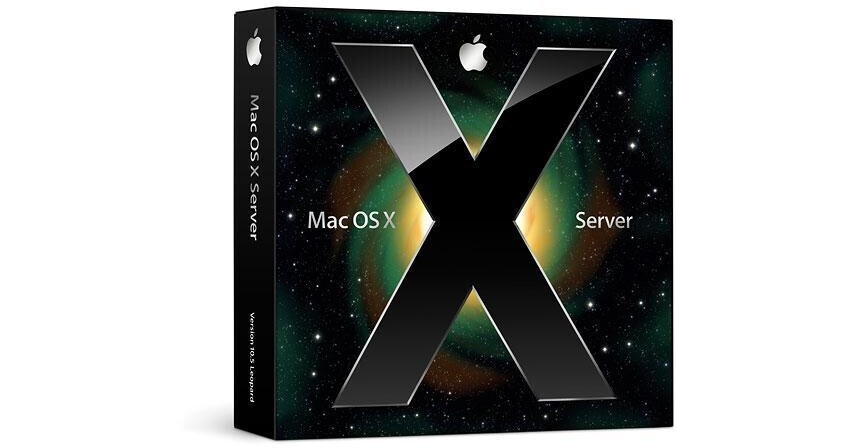
Mac OS X Server v10.5 "Leopard" from Apple is a powerful server operating system for Macintosh computers. The OS is a great option for use in professional Macintosh networks, content production environments, and web hosting applications.
This edition of the software features a 10-client license. This license makes it ideal for use in SOHO environments.
Setup and Administration
Mac OS X Server is designed so that it can be administered by almost any user; you won't need a dedicated IT department to keep it running. The Server Assistant allows nontechnical users to configure the software. The Server Preferences application allows you to manage users and groups on the server as well as to set up key services.
iCal Server
The iCal Server allows users on a network to share calendars, schedule meetings, and coordinate events. This is a great option for workgroups, small businesses, or large corporations alike. What's more, iCal Server can integrate with leading calendaring programs, without the per-user license often associated with such services.
Wiki Server
Collaboration is key to success in today's world; Leopard's Wiki Server facilitates this. Workgroups will be able to communicate via a wiki-powered intranet website. Leopard's wiki supports a group calendar, blog, and mailing list. Users will be able to create and edit wiki pages, tag and cross-reference material, upload files and images, add contents, search content, and more.
Podcast Producer
Leopard's Podcast Producer is an end-to-end solution for encoding, publishing, and distributing podcasts. It can be used for employee training, university lectures, presentations, and many other applications. Podcast Producer works to simplify the process of recording content, encoding, and publishing podcasts. These podcasts can be played via iTunes, an iPod, iPhone, or Apple TV.
Spotlight Server
The Spotlight Server indexes files on network servers. You can use it to quickly locate documents, files, and other content that is stored on the server. It even preserves file permissions, ensuring that only users who are authorized to access specific files will be able to see them in searches.
iChat Server
Leopard's iChat Server brings secure instant messaging to your organization. Employees will be able to communicate instantly via chat, without having to use a third-party service. In addition to standard text messaging, users will be able to transfer files, share a persistent chat room, conduct audio conferences, and broadcast presentations, movies, and photo slideshows to other users.
File Sharing
File Sharing is just what you think it is. You'll be able to share files between Macs and PCs, locally or over the Internet. Critical files can be stored on the server, allowing them to be accessed from any client on the network. You can even setup Time Machine backups, ensuring that critical files are protected from hard disk failures.
Mail Services
Businesses can't function in today's world without e-mail. Leopard features a mail server that complies with open standards, ensuring compatibility with existing network infrastructure. Mac, PC, and iPhone e-mail clients will be able to access the server, and there are no per-user licensing fees.
Web Hosting
The Leopard Server also allows you to host a web site. Powered by the ubiquitous Apache HTTP server, you'll be able to host anything from a basic web site to a powerful Web 2.0 application. The server supports secure web services via OpenSSL, complete with 128-bit encryption.
Directory
The Directory application is a powerful contact manager. You'll be able to access shared information about people, groups, locations, and resources in your organization. Contacts can be shared between users, and you can even use the Directory to locate shared equipment.
Client Management
Leopard also provides advanced tools for client management. You'll have access to centralized management of users, groups, and computers in your organization. The Workgroup Manager even allows you to create standardized desktop configurations, set preferences, and establish password policies.
Networking and VPN
The Server Assistant and Server Preferences applications also allow you to configure a secure Virtual Private Network. Leopard's VPN supports standards-based L2TP/IPSec and PPTP tunneling protocols for universal and secure connectivity. The server also features an integrated software firewall, protecting your network from outside intruders and attacks.