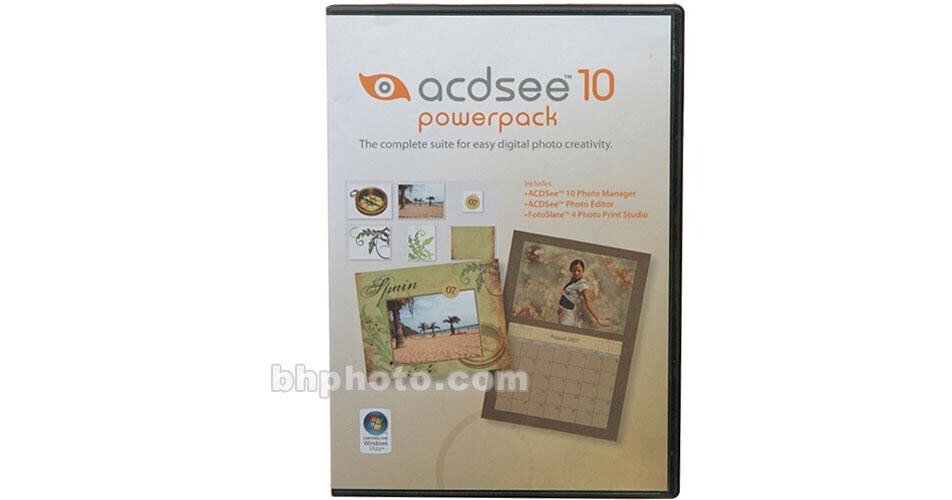
ACDSee 10 Photo Manager Power Pack

BH #ACACDPM10PPD • MFR #ACDXPPBXEN
Print
ACDSee 10 Photo Manager Power Pack
Key Features
  • ACDSee 10 Photo Manager
  • ACDSee Photo Editor
  • FotoSlate 4 Photo Print Studio
The ACDSee 10 Photo Manager PowerPack includes ACDSee 10 Photo Manager, ACDSee Photo Editor and FotoSlate 4 Photo Print Studio.

ACDSee 10 Photo Manager is the perfect solution for photo organization and sharing. Use keywords, categories and your own Windows filing system to instantly locate the right image. Plus the software allows users to easily correct or improve those less than perfect photos. Share your favorites by email, or on your free online album thanks to seamless integration with photo-sharing sites such as Flickr and SmugMug.

ACDSee Photo Editor is the perfect software for creating amazing digital projects with your photos. Take photos and combine them with digital scrapbooking kits to make pages that will be treasured for a lifetime. In Photo Editor, tasks such as writing text on a path, resizing multiple embellishments, and creating a vignette effect are all easy and straightforward. In addition to creating scrapbook pages, use ACDSee Photo Editor to create birth announcements, thank you cards and many more printable gifts for family, friends and relatives. Your imagination is the limit!

FotoSlate 4 Photo Print Studio solves all of your printing needs. Quickly and easily create contact sheets or wallet sized prints; save on expensive printer ink and photo paper with the Test Printer Paper Saver Wizards, and have fun finishing the perfect photo with over a 100 themed frames or use all of your best images to easily create custom calendars.

More Details
No Longer Available
No Store Display
This item cannot be returned.
Ask an Expert
800-606-6969

ACDSee ACDSee 10 Overview

The ACDSee 10 Photo Manager PowerPack includes ACDSee 10 Photo Manager, ACDSee Photo Editor and FotoSlate 4 Photo Print Studio.

ACDSee 10 Photo Manager is the perfect solution for photo organization and sharing. Use keywords, categories and your own Windows filing system to instantly locate the right image. Plus the software allows users to easily correct or improve those less than perfect photos. Share your favorites by email, or on your free online album thanks to seamless integration with photo-sharing sites such as Flickr and SmugMug.

ACDSee Photo Editor is the perfect software for creating amazing digital projects with your photos. Take photos and combine them with digital scrapbooking kits to make pages that will be treasured for a lifetime. In Photo Editor, tasks such as writing text on a path, resizing multiple embellishments, and creating a vignette effect are all easy and straightforward. In addition to creating scrapbook pages, use ACDSee Photo Editor to create birth announcements, thank you cards and many more printable gifts for family, friends and relatives. Your imagination is the limit!

FotoSlate 4 Photo Print Studio solves all of your printing needs. Quickly and easily create contact sheets or wallet sized prints; save on expensive printer ink and photo paper with the Test Printer Paper Saver Wizards, and have fun finishing the perfect photo with over a 100 themed frames or use all of your best images to easily create custom calendars.

ACDSee 10 Photo Manager
Instant Viewing
With ACDSee, you'll never wait for another image to open. Get instant access to your photos with the fastest viewer on the market thanks to ACDSee's Quick View mode - the fastest way to open an e-mail attachment or a file on your desktop. See your photos on a virtual calendar, fill your screen with images and quickly browse through your thumbnails with a powerful mouse-over instant previews feature.
Get Organized
With ACDSee, organize the way that works best for you. Organize your Windows file folders, add keywords and ratings - even use multi-word keywords, edit your metadata, and create your own categories. You can even assign images to as many categories as you like without duplicating files. Furthermore, ACDSee supports smart features that automatically import, rename and categorize your images when your camera, iPod, camera phone, or other device. Plus you can organize images stored on CDs, DVDs, and external hard drives without copying them to your computer with the time-saving PhotoDisc feature.
Open RAW and ZIP Files
ACDSee 10 can now browse and organize RAW images from popular digital cameras, and users can Unzip files and start viewing and organizing archived items right away, without leaving ACDSee.
Correct and Enhance Photos
Correct common problems at the click of a button - eliminate red-eye, erase blemishes and make colors true to life. With ACDSee's advanced red-eye tool, you'll get natural-looking results with custom eye colors to replace red areas. Then bring the details back into photos that are too light or dark with ACDSee's patent-pending Shadow/Highlights technology. It instantly corrects poorly exposed photos without affecting areas of the image that don't require adjustments. Even apply effects like blur, saturation and color to selected areas of your photos.
Share Your Favorite Photos
Send photos to family and friends by e-mail without worrying about resizing or switching to another application. Simplify online photo sharing with integrated uploading to sites like Flickr and Smugmug, or post a photo widget on your website or blog with your free ACDSee Sendpix online album.
Create Slide Shows & Presentations
Design your own stunning slide shows with transition effects and sound - mix audio tracks and synch songs to slides. Business persons and researchers can also create PowerPoint presentations from inside ACDSee, including notes, captions and more.
Protect Your Photos
ACDSee helps you keep copies of your images so you don't lose them if your computer fails. Use the Sync tool to synchronize your image folders with an external hard drive or networked drive. Or, use the Use the Database Backup feature to backup your photos and database information to CD or DVD. You can even schedule backups and reminders.
View, Browse and Manage over 100 file types
Get extensive format support for audio, video and images including BMP, GIF, IFF, JPG, PCX, PNG, PSD, RAS, RSB, SGI, TGA and TIFF file formats.
ACDSee Photo Editor
Edit and Stylize Your Photos
Choose from a wide range of adjustments and filters that give your photos an artistic touch. Create stunning portrait-style photos for your family-tree project with Photo Editor's Vignette tool. Add blurs, make colors more vivid, and apply various filters for dramatic effect. Best of all, with Photo Editor's Variations you can see up to 8 different previews of your original photo on screen, each preview showing a different variation of the effect you're applying.
Create Photo Crafts
With Photo Editor, you can easily make framed photos, albums, greeting cards, tags, wrapping paper, place settings, CD covers and more into personalized keepsakes. Enhance, stylize, crop, and print your photos for your paper craft project, or create an entirely digital scrapbook page. Create layouts with papers and elements from your own digital scrapbooking kits. You'll have full flexibility to rotate, layer and add artistic effects, use drop shadows and change the transparency of elements to add realism to your craft. The text capabilities of Photo Editor are also quite extensive. You can match text color to your photos or photo elements, and write text in the shape of a curve or other path - even wrap the text inside an object you've inserted (like a star or heart shape).
Easy Fixes
Use powerful and fast fix tools including Red Eye, Dodge, Burn, Sharpen, and Smudge - or try the Auto-adjustments feature for one-click Auto Color Balance, Auto Levels, Auto Sharpen, or Auto Contrast. Use Auto Fix to make all the necessary adjustments for you at once, or take full control of each adjustment using sliders.
Advanced Features
As you get more advanced and want more precision in the ways you create, explore Photo Editor's masking capabilities. Masking provides ultimate creative flexibility, allowing you to adjust the transparency (how much background is allowed to show through). By using masks you can blend images together and apply fades for even more realistic looks.
FotoSlate 4 Photo Print Studio
Save Time & Money
Dramatically reduce the time you spend making print and contact sheet projects. Turn photos into contact sheets, wallet sized prints for sharing or 5 x 7" images in no time. You can also save printing time by customizing pages exactly to your specifications and then saving them to re-use again and again. Save money on ink by using the Test Print feature to check how your print is aligned before you process the job, and by using the smart Paper Saver Wizard to automatically fit the maximum number of pictures possible onto one page. Just specify how many prints of each size you want and FotoSlate 4 instantly gives you the best fit.
Improve Your Image Quality
Improve the quality of low-resolution photos with the click of a button, thanks to FotoSlate's "Clear IQZ" digital image resampling technology. Turn low-resolution online photos (such as 75 ppi images) into better prints, and get rich, faithful color representation from camera to final print with FotoSlate.
Create Custom Calendars
Now you can load recognized holidays with local settings into your customized calendars using the improved Calendar Wizard. Simply open Calendar Object Properties, click on the Special Days tab, select the day, date, and nature of the event (such as birthdays and anniversaries), and you're set. Experiment with your projects' style by selecting from new insertable image template shapes - at the touch of a key.
Photo Frames
Get a perfect finishing touch for your print projects with frames that come in a variety of themes including family, wedding, travel, sports and many more. All you have to do is pick a frame that suits your project, then print to your heart's content.
Save Your Projects in PDF Format
The power of PDF functionality automatically compresses your files for easier, glitch-free storage. Increase your file sharing capabilities with this convenient, universal file format.

ACDSee ACDSee 10 Specs

System & Software Requirements
Windows System ONLY
  • Intel Pentium III/AMD Athlon processor or equivalent (Pentium4/Athlon XP recommended)
  • Windows 2000, XP and Vista
  • 512 MB RAM (1 GB RAM recommended)
  • 100 MB free hard drive space (1 GB recommended)
  • High Color display adapter at 1024x768 resolution (1280x1024 recommended)
  • CD-ROM Drive (for sotware installation)
  • CD/DVD Burner (for creating CDs and DVDs)
  • Microsoft Internet Explorer 5.0.0 (6.0.0 recommended)
  • Microsoft DirectX 9.0 (for DirectX file format support)
  • QuickTime 6.0 (for QuickTime file format support)
  • Ghostscript 8.0 (for PDF support)
  • Windows Media Player 9.0
Packaging Info
Package Weight
0.25 lb

ACDSee ACDSee 10 Reviews

See any errors on this page?
Whatever You Need, We've Got It