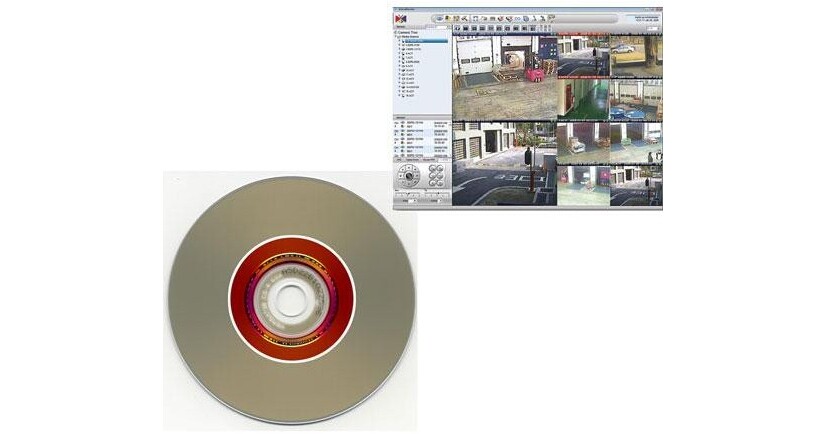
If you own a number of ACTi network cameras, you're also probably looking for a way to record them. The ACTi APP-2000-48 will allow you to manage the viewing, recording and control of up to 48 ACTi IP cameras and servers. To accommodate all ACTi camera types, this program supports MPEG-4/H.264/MJPEG compression modes as well as megapixel to QCIF resolutions. In this program you'll also find a number of recording options, to optimize data flow, to save storage space and to simplify file searching. You'll also appreciate its user-friendly navigation system, so you can quickly find the tool you need for the task at hand.
Bundled Application
The APP-2000-48 can be seen as a 3-tiered program. On top is the Management Utility, offering the main viewing, recording and archiving programs along with all their accompanying tools. Next is the Remote Utility program for viewing and for PTZ control of cameras from a remote Internet site. Finally there is the Trouble-Shooting Utility, featuring device, and NVR diagnostic and debugging tools.
1:) Management Utility
• IP Utility: Search, manage devices, upgrade firmware, backup/restore configuration
• Snapshot Utility: Create snapshots in JPEG with re-sized resolution and send via Mail or FTP
• Archive Player: Archive playing tool with playback panel and snapshot functions
• Media Converter: Converts recorded archives to AVI files
• Backup Wizard: Backup and restore configuration on NVR
2:) Remote Utility
• Streaming Explorer: Web tool to manage devices remotely, comes with PTZ configuration tool
3:) Trouble-Shooting Utility
• Camera Doctor: Device diagnosis and firmware debug tool
• AP Doctor: NVR diagnosis and application debug tool
1:) Management Utility
• IP Utility: Search, manage devices, upgrade firmware, backup/restore configuration
• Snapshot Utility: Create snapshots in JPEG with re-sized resolution and send via Mail or FTP
• Archive Player: Archive playing tool with playback panel and snapshot functions
• Media Converter: Converts recorded archives to AVI files
• Backup Wizard: Backup and restore configuration on NVR
2:) Remote Utility
• Streaming Explorer: Web tool to manage devices remotely, comes with PTZ configuration tool
3:) Trouble-Shooting Utility
• Camera Doctor: Device diagnosis and firmware debug tool
• AP Doctor: NVR diagnosis and application debug tool