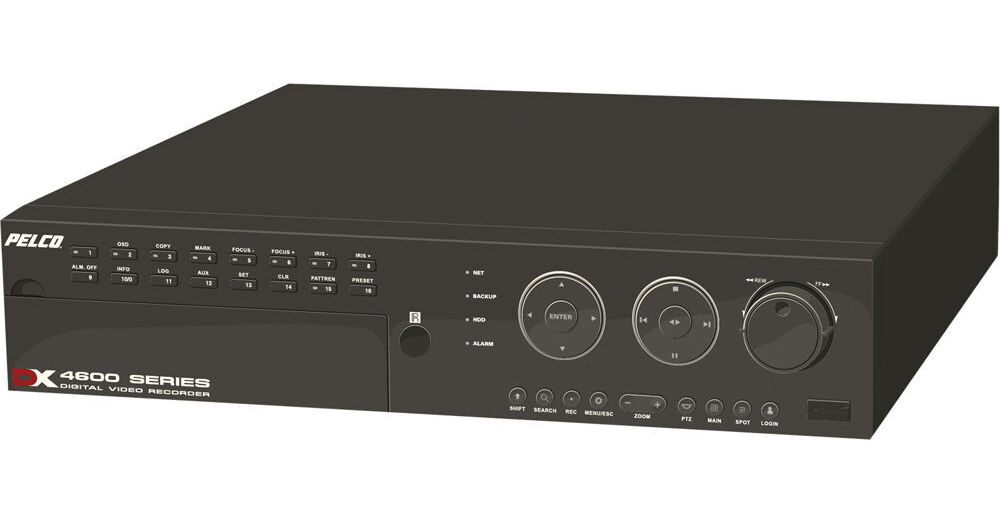
As part of Pelco's DX4500/4600 entry level series DVRs, the DX4508-500 is a great choice for those seeking Pelco-level security at an affordable price. And while this DVR doesn't have all the upgrade and expansion capabilities of some Pelco's higher end recorders it does come loaded with all of the features necessary to effectively manage the viewing and recording of a multi-camera setup in a commercial surveillance environment.
Highlighting the DX4508-500 DVR is a fast recording speed of 120 FPS, full network capabilities, local and remote PTZ control, and the ability to easily expand storage space by installing additional internal drives to the DVR (up to 3TB for DX4500, 6TB for DX4600). Pelco also designed it so that each camera can be independently adjusted for channel resolution, video quality, and frame rates. Along with configurable recording modes, this will allow system parameters to be set so that they closely match available network and storage resources.
Another strong point of this DVR is its compatibility with DS ControlPoint software, which can be used to simultaneously access cameras for viewing and control from any DX4500, DX4600, DX8000, or DX8100 DVR via a Digital Sentry system.
The remote client-to-server connectivity allows operation from a remote location, connecting multiple servers simultaneously. The remote client can be used to operate and administer both DX4500/DX4600 and DX4000 servers installed at multiple locations. For example, small sites can use the DX4000 to record and display video from 1 to 4 cameras; medium sized sites can use the DX4500/DX4600 to record and display video from 8 or 16 cameras. Additionally, the remote client is an application for the Microsoft Windows Vista operating system and supports all editions.
Video Data File Export
The remote client can export a video data file in AVI or native format from a DX4500/DX4600 server, or in AVI format from a DX4000 server. It can also store the file at a specified destination on the remote computer's hard drive or other allocated storage media. Use the Windows Media Player or similar viewer to view video exported in AVI format. Use the DX4500/DX4600 Export Viewer to playback video exported in native format or to view authenticated watermarked video. Use the DX4000 Backup Player to view authenticated watermarked video.
Versatile Playback Options
The remote client can play back video from the live view or search modes of the DX4500/DX4600; the DX4000 can play back video from the remote client's date/time search mode. For the DX4000, the playback mode, playback controls, and playback speed and volume controls are available in the remote client's date/time search mode. With only a few clicks of a button, the remote client can quickly print a DX4500/DX4600 live view playback/search mode image or a DX4000 date/time search mode playback video image.