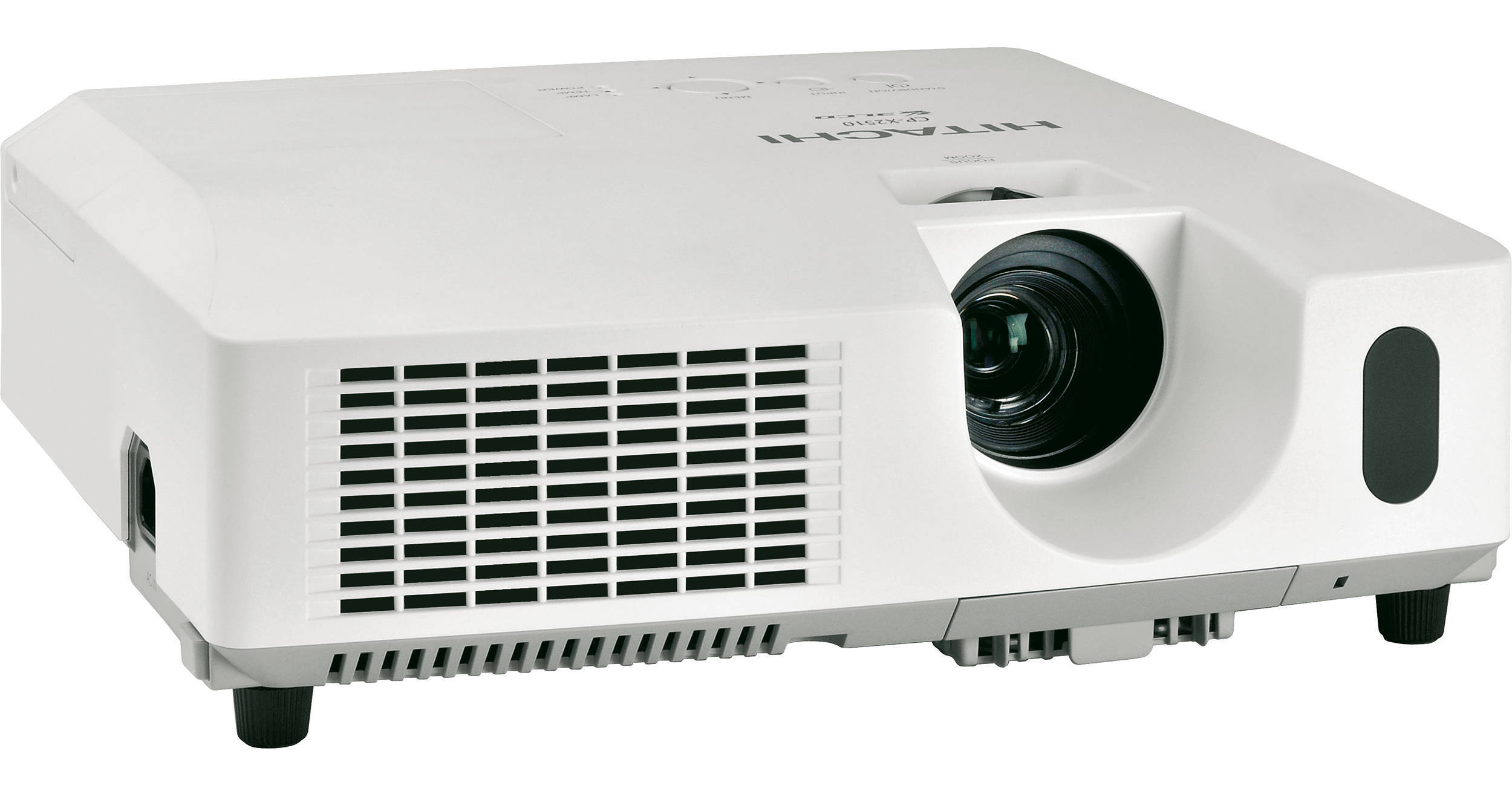
Hitachi CP-X2510N Lumens XGA Projector

BH #HICPX2510N • MFR #CP-X2510N
Print
Hitachi CP-X2510N Lumens XGA Projector
Key Features
  • 2600 ANSI Lumens
  • 2000:1 Contrast Ratio
  • 16 Watt Audio Output
  • Closed Captioning
The Hitachi CPX-2510N has features you'd appreciate in a home projector but it's aimed squarely at the education and corporate markets.

Its Whiteboard and Blackboard (which also works with green boards) modes, for example, tune the projector's color output so you can use a board when no screen is available.

Daytime mode ensures vivid, saturated images even when the lighting conditions are less than ideal for projection, as when the lights can't be totally dimmed so the audience can take notes.

The 16 watt speaker means you don't need external speakers (although you can plug in externals if you want to). Audio pass through means you can use the projector's speakers, even if you don't need to project an image, saving lamp life.

An innovative Template function allows you to project lines and grids onto a whiteboard or blackboard, making it easier to write and draw on them.

Closed captioning allows all of your audience to understand your presentation when you project programming that provides it.

In addition to a high 2000:1 contrast ratio, this model features an Active Iris that's automatically controlled to ensure the best image contrast and depth perspective in both bright and dark scenes. What's more, thanks to motion adaptive progressive scan, 3:2 pull down, noise reduction and Hitachi's equalizing gamma function you can project motion pictures with striking clarity and beauty.

The CPX-2510N is compatible with the VGA, SVGA, XGA, SXGA SXGA+ UXGA AND MAC16" computer display standards. With its world power supply and NTSC, PAL and SECAM compatibility you'd be hard-pressed to find a country where you can't put on a great show with this projector.

More Details
No Longer Available
No Store Display
Ask an Expert
800-606-6969

Hitachi CP-X2510N Overview

The Hitachi CPX-2510N has features you'd appreciate in a home projector but it's aimed squarely at the education and corporate markets.

Its Whiteboard and Blackboard (which also works with green boards) modes, for example, tune the projector's color output so you can use a board when no screen is available.

Daytime mode ensures vivid, saturated images even when the lighting conditions are less than ideal for projection, as when the lights can't be totally dimmed so the audience can take notes.

The 16 watt speaker means you don't need external speakers (although you can plug in externals if you want to). Audio pass through means you can use the projector's speakers, even if you don't need to project an image, saving lamp life.

An innovative Template function allows you to project lines and grids onto a whiteboard or blackboard, making it easier to write and draw on them.

Closed captioning allows all of your audience to understand your presentation when you project programming that provides it.

In addition to a high 2000:1 contrast ratio, this model features an Active Iris that's automatically controlled to ensure the best image contrast and depth perspective in both bright and dark scenes. What's more, thanks to motion adaptive progressive scan, 3:2 pull down, noise reduction and Hitachi's equalizing gamma function you can project motion pictures with striking clarity and beauty.

The CPX-2510N is compatible with the VGA, SVGA, XGA, SXGA SXGA+ UXGA AND MAC16" computer display standards. With its world power supply and NTSC, PAL and SECAM compatibility you'd be hard-pressed to find a country where you can't put on a great show with this projector.

Template Function
This innovation can project four different types of lines and grids onto a whiteboard or blackboard, making writing on the board easier.
Blackboard and Whiteboard Modes
In rooms with no screen, it's possible to project onto a blackboard or whiteboard. The Blackboard mode can also be used with green boards. The Whiteboard mode reduces the white signal brightness by half, ensuring optimum visibility.
Daytime Mode
Projected images may sometimes be difficult to see under bright lighting. Daytime mode uses image quality correction technology to counter the effects of light, ensuring vivid images.
New On-Screen Display (OSD) Menu Design
The CPX-2510 uses a new OSD menu with an intuitive interface and sophisticated design. The display is transparent so you can see the image being projected and functions are easily differentiated with icons. For example, there's an Exit icon for easy escape from menus.
Easy Lamp and Filter Maintenance
The lamp door is on the top of the projector so changing the lamp is easy. Filter maintenance has been improved from every 400 hours to every 5,000 hours under normal conditions.
Security Functions to Protect Your Investment
This projector is equipped with a security bar that allows easy attachment of a security chain. By using the PIN Lock you can limit the number of users. The MyScreen function can used to identify the owner and is protected a PIN Lock. The Transition Detector can prevent unauthorized use of the project
Power Saving Mode Saves Money Too
The Power Saving mode reduces stand-by power consumption to less than five watts.
16 Watt Internal Speaker
This projector provides high 16 watt audio power output. There's no need to connect external speakers so even if your room doesn't have speakers you'll have all the sound you need.
Low Noise of 29 to 35 dB
A rating of 35 dB is literally whisper-quiet. Employing a new fan design, the projector can achieve an even lower noise level of 29 dB in Eco mode making it easy to give lessons or presentations in small size classrooms or conference rooms without fan noise distracting the audience.
Convenient Audio Pass Through
Audio can be output in stand-by mode, allowing you to listen to external speakers via the projector's audio output. This saves lamp life when you only need sound.
PJ Link Offers Compatible Control Without Vendor Lock-in
PJLink is a unified standard for operating and controlling data projectors. It enables central control of projectors manufactured by different vendors. PJLink compliant equipment can be managed and controlled at any time and in any place, regardless of manufacturer.
Fully Network Compatible and Controllable
The CP-X2510 can be controlled and monitored by a web browser on your computer, which can help you to set up and maintain the projector. The projector can email you when it detects certain faults (like the bulb is nearing the end of its life) and you can broadcast a message to all of the projectors on your network through the Campus Notification System.

Hitachi CP-X2510N Specs

Image Display
Projector Display System
0.63" Polysilicon Active Matrix TFT x 3
Native Resolution
XGA (1024 x 768)
Number of Pixels
786,432
Lumens Brightness
2600
Contrast Ratio
2000:1
Aspect Ratio
4:3 Native, 16:9 Compatible
System
NTSC, NTSC 4.43, PAL, PAL-N, PAL-M, PAL-60, SECAM
HDTV Compatibility
720p, 1080i, 1080p
Lens System
Lens
f = 19 ~ 23 mm
Focus/Zoom Adjusting
Manual/1.2 Manual
Lens Shift
No
Recommended Projection Size
30 – 300"
Features
Keystone Correction
Automatic Vertical ±30°
Ceiling Mountable
Yes
Rear Screen Projection
Yes
Projection Tilt Option
+14°
Built-In Speaker
Monaural 16 Watts
Input/Output Connectors
Input Terminals
S-Video x 1
Composite Video: RCA Jack x 1
Component Video: RCA Jack x 3
Stereo Mini Jack x 2
RCA Jack x 2 (L/R)
Analog RGB (Computer) 15-Pin Mini D-Sub x 2
Control: 9-Pin D-Sub for RS232C x 1
USB Type B For Mouse Control X 1
Output Terminals
RCA Jack x 2 (L/R)
Analog RGB (Computer) 15-Pin Mini D-Sub x 1
Control Protocol
RS232C
General
Lamp (Bulb)
210 Watt UHP
Fan Noise
35 dB in Regular Mode
29 dB in Eco-Mode
Remote Control
Wireless, RS232 and LAN
Power Requirements
100 – 120; 220 – 240 V AC, 50/60 Hz
Dimensions
12.5 x 4.6 x 11.3" (317.5 x 116.84 x 287.02 mm)
Weight
8.8 lb (3.99 kg)

Hitachi CP-X2510N Reviews

See any errors on this page?
Whatever You Need, We've Got It