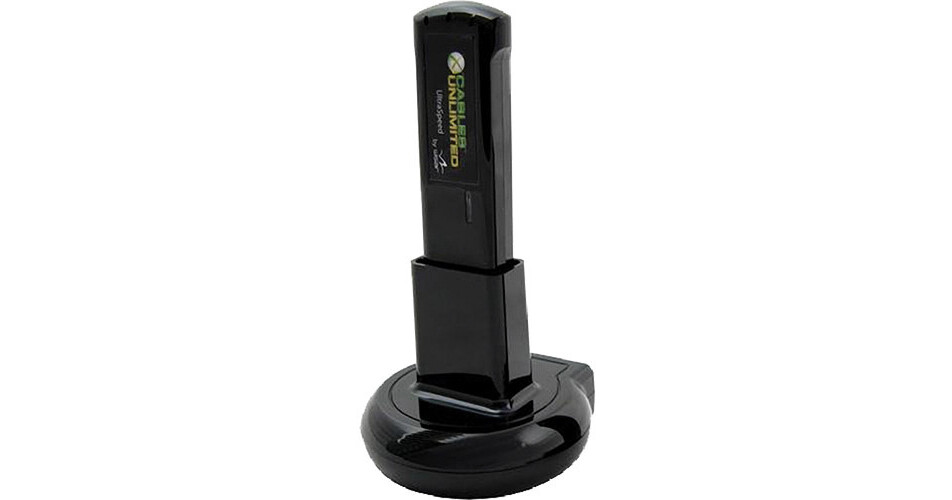
Cables Unlimited Wireless USB Adapter

BH #CAWLUDD • MFR #USB-WIRELESS2
Print
Cables Unlimited Wireless USB Adapter
Key Features
  • Wirelessly Connects USB Peripherals
  • Connections Up to 30'
  • Avoid Tangled Cables
  • Free Up Desk Space
The Wireless USB Adapter from Cables Unlimited allows you to connect USB devices to your computer wirelessly. Using paired USB wireless adapters, you can wirelessly connect a printer, external hard drive, media player, camera, or any other USB peripheral to your computer from up to 30' away. Use your PC to securely pair the included adapter with another, and you'll be able to free up desk space and eliminate tangled cabling. The set comes with a single USB adapter and a base to connect the peripheral device to the adapter.
More Details
No Longer Available
No Store Display
Ask an Expert
800-606-6969

Cables Unlimited USB-WIRELESS2 Overview

The Wireless USB Adapter from Cables Unlimited allows you to connect USB devices to your computer wirelessly. Using paired USB wireless adapters, you can wirelessly connect a printer, external hard drive, media player, camera, or any other USB peripheral to your computer from up to 30' away. Use your PC to securely pair the included adapter with another, and you'll be able to free up desk space and eliminate tangled cabling. The set comes with a single USB adapter and a base to connect the peripheral device to the adapter.

Wireless USB connectivity with simple setup and no required network configuration
User-friendly Wireless USB association
UltraSpeed technology for higher throughput with mass storage devices
Compliance to worldwide regulation
Windows Vista/XP support
Certified by the USB-IF

Cables Unlimited USB-WIRELESS2 Specs

Standards
WiMedia certified PHY and MAC
USB-IF
Operating Distance
Up to 30' (9.1 m)
Frequency
3.168-4.752GHz
Security
128-bit AES Encryption
Power Consumption
1W @ 5V DC
LED
Power/Traffic Indicator
Packaging Info
Package Weight
0.5 lb
Box Dimensions (LxWxH)
8.3 x 5.5 x 2.3"

Cables Unlimited USB-WIRELESS2 Reviews

See any errors on this page?
Whatever You Need, We've Got It