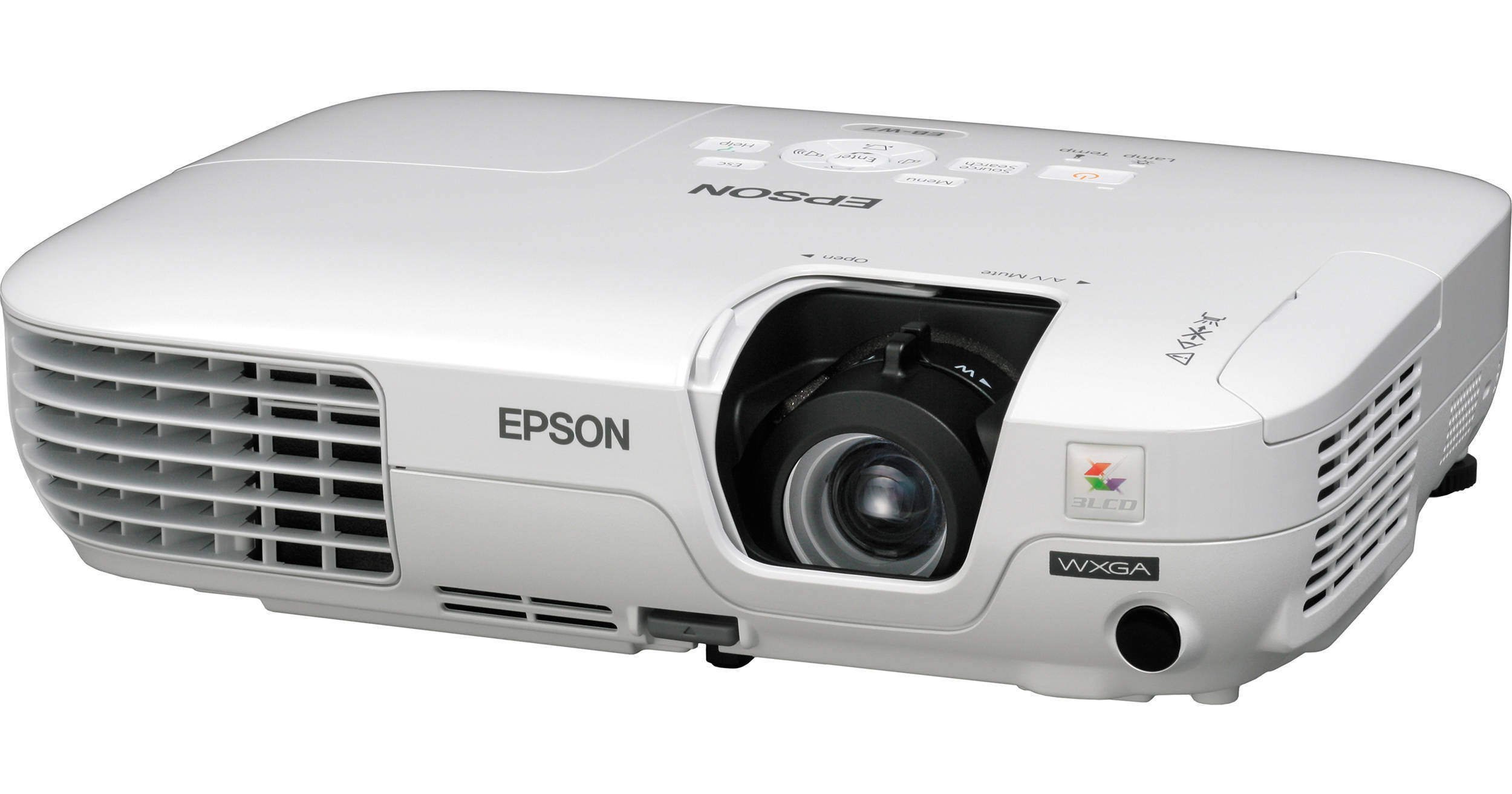
Epson PowerLite W7 Multimedia Projector

BH #EPPLW7 • MFR #V11H327020
Print
Epson PowerLite W7 Multimedia Projector
Key Features
  • Resolution: 1280 x 800 (WXGA)
  • 2200 Lumens
  • 2000:1 Contrast Ratio
  • Advanced 3LCD, 3-Chip Technology
There's a reason (in fact many reasons) Epson makes the best-selling projectors in the world. The Epson PowerLite W7 is one of them. The more you learn about it the better you'll like it.

For example, if you give a lot of PC based presentations you'll appreciate its Plug 'n Play USB connectivity. You can connect a bulky old-fashioned VGA cable if you want to but why bother? Just plug in a USB cable and instantly start projecting from your PC. And you can control your presentation with the Page Up and Page Down keys on the remote.

If the one watt built-in speaker isn't powerful enough you can hook up external speakers to get room filling sound.

Closed captioning is built in too. It not only helps your hard of hearing audience members participate fully it's also great for people who are learning English as a second language and making sure your message gets though in noisy environments like tradeshow booths.

With this smart, affordable projector, your presentations are sure to be effective.

More Details
No Longer Available
No Store Display
Ask an Expert
800-606-6969

Epson W7 Overview

There's a reason (in fact many reasons) Epson makes the best-selling projectors in the world. The Epson PowerLite W7 is one of them. The more you learn about it the better you'll like it.

For example, if you give a lot of PC based presentations you'll appreciate its Plug 'n Play USB connectivity. You can connect a bulky old-fashioned VGA cable if you want to but why bother? Just plug in a USB cable and instantly start projecting from your PC. And you can control your presentation with the Page Up and Page Down keys on the remote.

If the one watt built-in speaker isn't powerful enough you can hook up external speakers to get room filling sound.

Closed captioning is built in too. It not only helps your hard of hearing audience members participate fully it's also great for people who are learning English as a second language and making sure your message gets though in noisy environments like tradeshow booths.

With this smart, affordable projector, your presentations are sure to be effective.

Rich Vibrant Color at Real Energy Savings
The PowerLite W7's 3LCD, 3-chip technology uses 25% less electricity per lumen of brightness compared to single chip projectors.
Direct Power On and Off and Instant Off
Power the projector on and off with the flick of a wall switch. And with the Instant Off function it's ready to shut down when you are.
2200 ISO Lumens For Brilliant Vivid Images
White Light output that's measured using ISO 21118, a more rigid standard than the ANSI lumens rating used by competing products.
E-TORL Epson Twin Optics Reflection Lamp
Provides optimum light uniformity and increased light output for screen sizes larger than ten feet with exclusive 175 watt high efficiency design; uses less energy for up to 5,000 hours of lamp life in Eco Mode.
Built in Closed Captioning to Include Your Whole Audience
  • Essential for education — helps meet ADA508 requirements for students with hearing impairments.
  • Helps save money — no need to pay for an additional decoder and its installation.
  • Effective and easy to use — easily activated and deactivated through the projector remote or menu.
Ready to Go and Show
It's only 3.1 inches tall, it weighs only about five pounds and it comes with its own carrying case. But it's its video versatility that might just save the day, especially if you travel overseas. In addition to projecting in NTSC (the North American system), it can handle NTSC 4.43, PAL, PAL-N, PAL-M, PAL-60 and SECAM video signals.
USB Plug 'n Play Instant Setup
With the PowerLite W7 there's no more pressing computer function keys or carrying bulky VGA cables. Just plug in a standard USB cable and instantly project from your PC. The USB connection also enables you to control your presentation with the Page Up and Page Down function on the remote control.

Epson W7 Specs

Epson W7 Reviews

See any errors on this page?
Whatever You Need, We've Got It