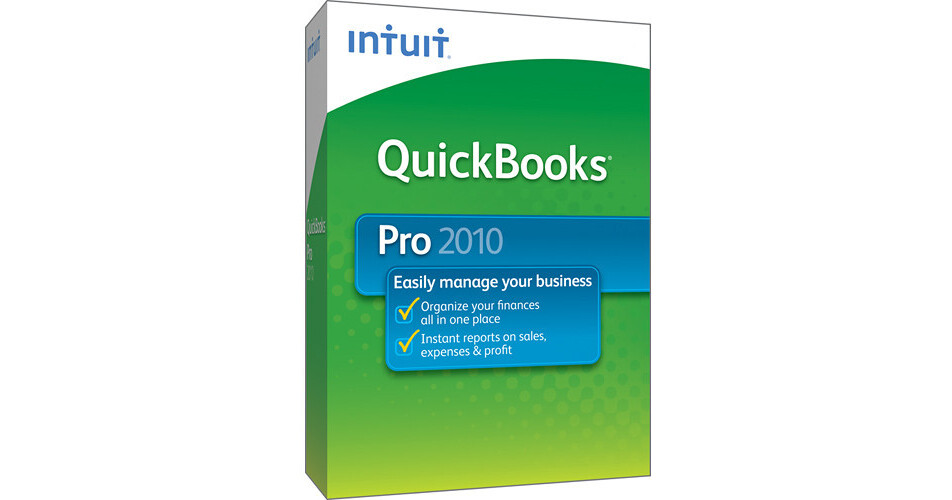
The QuickBooks Pro 2010 Software for Windows from Intuit is a bookkeeping application, perfectly suited for use by small businesses. It gives you the tools necessary to organize your finances from a central location. You'll be able to manage customer, vendor, and employee data, allowing you to organize your contacts with ease. You can track money coming in and going out, ensuring that your books are accurate. You'll be able to use it to create invoices, pay bills, and print checks. It allows you to organize your finances in one place, making it easy to prepare for tax time.
Save Time When Tracking Your Finances
Easily Print Checks, Pay Bills & Track Expenses
Easily print checks, pay bills & track expenses. Aggregate all your checks to be paid and print them in one batch. QuickBooks will keep track of each check so you can keep tabs on where your money is going. Enter bills from vendors. Since QuickBooks organizes everything in one place, you'll be able to access all past payments & bills for each vendor with just a few clicks
Track Sales, Sales Taxes & Customer Payments
Get rid of piles of paperwork. Easily enter customer payments. Since QuickBooks organizes everything in one place, you'll be able to access all past payments for each customer with just a few clicks
Manage Payroll & Payroll Taxes; Offer Direct Deposit
Intuit QuickBooks Payroll Services, QuickBooks Payroll for Mac powered by PayCycle, and Payroll for QuickBooks Online save you time by eliminating steps and giving you the tools to get your payroll done right
Note:
Direct Deposit is sold separately
Create Professional-Looking Invoices and Forms
Select from free professional designs to create a distinct look for your business across all your invoices, statements, and other forms. Apply across all your forms at once
E-mail Estimates, Invoices, Reports, and More
Create customer communications and e-mail directly from your QuickBooks using Microsoft Outlook or Outlook Express using your existing e-mail address
Organize and Backup Documents by Attaching Them to Your QuickBooks Records
Document Management lets you save time by attaching any electronic or scanned document -- to any customer, vendor, employee, account, or transaction
Accept Credit and Debit Cards Right in QuickBooks
Process credit card approvals right in your QuickBooks software. If you use Intuit QuickBooks Merchant Services, the data is automatically recorded in QuickBooks when you make a sale. And, it has no teaser rates, no hidden fees, no cancellation fees, and no long-term contracts
Scan and Deposit Your Checks with Intuit Check Solution for QuickBooks
Easily scan and deposit your checks into QuickBooks with Intuit Check Solution for QuickBooks
Note:
Paid subscription is required; scanner sold separately
Track Time, Mileage, and Expenses to Bill Clients
Record time and expenses by client job so you can easily stay on top of your projects. From there, it's easy to invoice clients in a few clicks so you won't miss any billable time and expenses
Get Insights So You Make Better Decisions
Allow Multiple Users to Work in QuickBooks at the Same Time
Multiple-user functionality enables more than one person to work on a company file at the same time, increasing collaboration and productivity. It ensures that all users are working on the most up-to-date data
One-Click Business Reports
Get pre-designed, customizable business reports to gain insights into your business. See all available reports in one screen to easily choose the right one. Drill down with one click to see the detail behind the numbers. Export any report to Excel -- your QuickBooks formatting and formulas go with it. Access industry-specific reports in QuickBooks Premier and Enterprise Solutions
Import Data from Excel, Quicken, Microsoft Office Accounting & Prior QuickBooks Versions
Get up and running fast by importing data from the tool you use to track your finances now. However little or much data you currently have, you won't have to start over from scratch
Track Inventory, Set Reorder Points & Create Purchase Orders
Easily track your inventory to avoid overbuying and backorders. Indicate re-order points for each inventory good and turn on reminders to automatically let you know when it's time to reorder
Download Your Bank & Credit Transactions into QuickBooks
Save time and avoid data entry errors. Instead of typing in your bank and credit card transactions, download them securely from over 3000 participating financial institutions and easily import them into QuickBooks
Get an Immediate View into Your Bottom Line All in One Page with Company Snapshot
Stay on top of your business by customizing your Company Snapshot. Choose at-a-glance reports of yearly expenses and income, expense and income details, and top customers
Track International Sales & Expenses in Multiple Currencies
QuickBooks supports all global currencies and does all the currency calculations for you. You can even download exchange rates or do wire transfers from right in QuickBooks