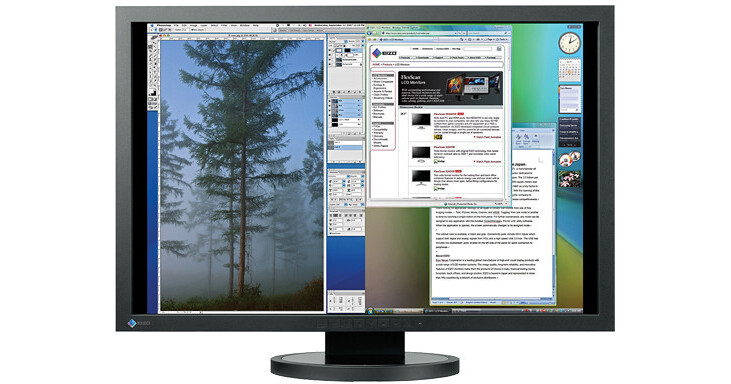
The FlexScan SX3031W 30" LCD Monitor from Eizo is a versatile monitor offering widescreen 2560 x 1600 resolution. Two DVI ports allow input from multiple sources, and the monitor supports picture by picture viewing, letting you to use two computers simultaneously through the same screen. With a contrast ratio of 900:1, 260cd/m² brightness, and wide viewing angles up to 178°, the monitor is able to display vibrant images. A two-port USB 2.0 hub is built into the monitor, providing a convenient place to plug in your peripherals.
Work in Comfort with 30" of Screen Space
The 30" screen with its native resolution of 2560 x 1600 gives you more than twice as many pixels to work with as a 20 or 21 inch monitor with a 1600 x 1200 resolution. Open up your DTP, CAD/CAM, graphic and web design applications and work in comfort without having to worry about your windows and palettes overlapping.
Two Monitors in One with Picture-By-Picture
The SX3031W lets you display the outputs from two different computers on the left and right halves of the screen - essentially giving you two monitors with resolutions of up to 1280 × 1600 in one. This eliminates the usual bezels between monitors and toggling between computers.
Wide Color Gamut
The monitor reproduces 97% of the Adobe RGB color space so it can display most colors in a digital photo taken in Adobe RGB mode. It also features a sRGB mode to accurately reproduce colors in this narrower but commonly used color space, such as those seen on web pages or digital photos taken in sRGB mode.
12-Bit Gamma, 16-Bit Internal Processing
The screen comes equipped with an EIZO integrated circuit which has a 12-bit look-up table with a color palette of 68 billion colors from which the most appropriate 16.7 million (8-bits) are displayed. It also features 16-bit internal processing for smooth display of grayscale tones, especially in dark areas of an image which typically are difficult for LCD monitors to display without banding.
Brightness and Color Uniformity with DUE
Fluctuations in brightness and chroma on different parts of the screen are characteristic of LCD panels. Generally, the larger the screen, the more noticeable these uniformity errors become. EIZO's Digital Uniformity Equalizer (DUE) helps to compensate for these errors, resulting in a much more uniform image.
Detailed Color Control
The OSD menu offers adjustment of brightness, gamma, saturation, hue, gain and color temperature from 4,000K to 10,000K in 500K increments. For fine-tuning of even a single color, the hue and saturation settings for red, green, blue, cyan, magenta, and yellow can be adjusted independently.
More Effective Software Calibration
With many large screen monitors, software calibration of the computer's graphics board is vital for achieving the desired color values. The SX monitors, however, already provide extensive color adjustment in the OSD menu. This means that any software calibration you do will contribute to a much better grayscale ramp - a key indicator of how well dark tones can be displayed as well as overall color accuracy.
Fast Response Time
An overdrive circuit is included to reduce gray-to-gray response time to 6ms and ensure that movies and other moving images look clean and sharp with an absolute minimum of blurring and ghosting.
Optimized Brightness with BrightRegulator
A sensor on the front of the monitor measures ambient light and optimizes the screen's brightness to levels akin to viewing a sheet of paper under typical office lighting conditions. Since the screen is never too bright, eye strain is reduced while power consumption is curtailed.
Flexible Screen Positioning
The stand lets you set the screen to the optimum viewing position with wide-range height adjustment, 40° tilt, and 70° swivel. It also pivots 90° for portrait mode.
Scale Non-Native Resolutions to Full Screen
When working at less than native resolution or aspect ratios other than 16:10, you can use the scaling function to enlarge your work proportionally or expand it to fill the screen. This is especially useful when using the monitor's single link input. You can then smooth or sharpen the image in five increments.
Color Vision Deficiency Simulation
To avoid creating inconveniences and even dangers for those with color vision deficiency, care must be taken when choosing color schemes for everyday items such as maps, road signs, web sites, and power indicator lights. This monitor can instantly simulate how still and moving images appear to people with color vision deficiency, and do so much faster than software-based tools that slow down with larger files.
Preset Modes
For optimum viewing of different kinds of content, EIZO's Fine Contrast function includes modes for office applications (Text mode), video (Movie mode), graphics (Picture mode), web browsing (sRGB mode), and user-defined settings (Custom mode). Modes switch automatically with the bundled ScreenManager Pro for LCD software, or manually with the press of a button.
Simple Color Matching with EIZO EasyPIX
The EIZO EasyPIX color matching tool is ideal for digital SLR camera users looking to match colors between their monitors and photo prints. With the EasyPIX software you can match the monitor's color and brightness with that of the photo paper and then create a monitor profile with the bundled EX1 color sensor. No expertise in color management is required and the profile can be shared with image retouching software to ensure accurate results when printing.
Commitment to Quality
While outsourcing production is now common practice in the monitor industry, EIZO continues to manufacture its products the same way it has throughout its 40 year history - with its own staff at its own factories. This allows EIZO to keep close control over production quality and offer the industry's only 5-year manufacturer's limited warranty.
Customer Assurance
A five-year warranty offers a long service life, and compliance with leading industry standards such as TCO'03 and TÜV Ergonomics ensures a better working environment. The EIZO Eco Products 2009 label sets strict internal requirements for manufacturing and packaging, stipulates that the monitor must not consume any power when turned off, and requires that its eco declaration is available on the EIZO web site.