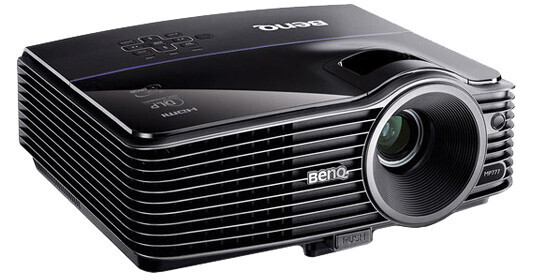
- 4000 ANSI Lumens
- 2600:1 Contrast Ratio
- XGA (1024 x 768) Native Resolution
- 720p, 1080p High Definition
But the MP777 can do lots more than make large bright pictures. For one thing, it can make them all over the world. It's got an international auto switching 100 – 240 volt 50/60 Hz power supply and it can project video in the NTSC, PAL and SECAM standards. And speaking of international, its OSD (on-screen display) offers your choice of 24 languages. It can also display closed captioning from programming sources that provide it.
The MP777 is also compatible with a couple dozen Macintosh and PC resolution/sync rates and of course it does 720p and 1080p high resolution. And those high definition signals will stay in pristine form from the source to the projector thanks to the MP777's HDMI v 1.3 input.
The MP777 can also display all four closed captioning channels from sources that provide it.
The MP777 makes beautiful, vivid pictures thanks to its Texas Instruments DLP DMD (Digital Light Processor Digital Micromirror Device) imaging panel with BrilliantColor. Those millions of microscopic mirrors operate so fast that they can project one image for each eye, making 3-D in your home and office a reality. You bring the 3-D glasses and programming. Your projector is ready to bring you everything from fantastic scientific visualizations to stunning 3-D movies.
The MP777 has beautiful images in its blood. BenQ was the first company to use BrilliantColor technology in its projectors. It makes all of its magic while drawing a maximum of 425 Watts. In Standby mode it draws less than a single watt.
This projector also has two sets of four picture modes. One set is for PC inputs and an identical set is for A/V inputs. For each type there are inputs specialized for brightly lit rooms, presentations, viewing photos and watching movies plus two "user" modes that allow you to save your own picture preferences.
With all of the features the MP777 has you might worry that you'll forget how to perform some of its functions. Not to worry. BenQ has thoughtfully included a "?" button on the projector and remote that lets you browse through FAQs (Frequently Asked Questions) to get help on projector operation.