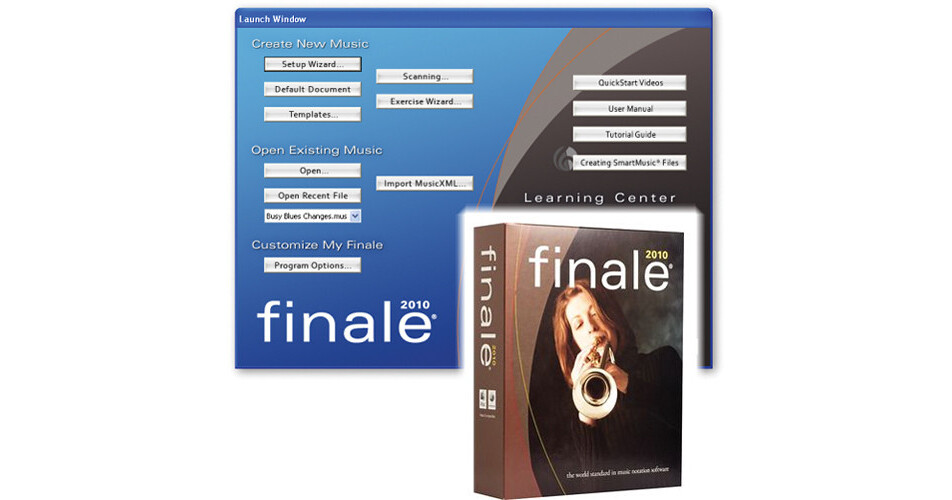
Finale 2010 Academic from MakeMusic is powerful music notation software that lets you compose, arrange, notate, and print engraver-quality sheet music. Entering notes can be achieved in multiple ways, from MIDI to mouse, from scanning to Finale's exclusive MicNotator.
SmartMusic support provides over 300 customizable Music Education Worksheets, and Finale's Exercise Wizard are just a few of the many reasons Finale remains the first choice of music educators. Additionally, Finale includes many time-saving tools like Linked Parts, Multiple Page Editing, Band-in-a-Box Auto-harmonizing, ScoreMerger, SmartFind and Paint, and more.
Many areas of Finale have been redesigned for 2010, including Percussion Notation and Chord Entry, Rehearsal Marks and Measure Numbering, and common tasks have been automated and simplified to save you time and to easily make your music perfect.
More than 350 instrument sounds from the makers of Garritan Personal Orchestra, over 100 sounds from Tapspace Virtual Drumline, and the ability to add any VST/Audio Units instrument or effect plug-in, means the software offers the very best in playback. Record and import a mono or stereo audio file to enhance playback and to give arrangements authenticity and life with a real vocal or instrumental track.
- Percussion Notation - the process of getting notes on percussion staves to look and playback exactly the way you want has been simplified
- Music Education Worksheets - Finale now includes hundreds of ready-made, customizable, music education worksheets designed for K-12 students
- Garritan Sounds - more than 350 world-class instrument sounds from the makers of Garritan Personal Orchestra are now included. Free new sounds include organ, a variety of electric guitars, 5 octaves of hand bells, and a brush drum kit
- Broadway Copyist - inspired by the golden era of handwritten Broadway scores, the Broadway Copyist hand-written font offers a lighter, classic appearance
- Measure Numbers -control measure number alignment, positioning, and fonts separately in your score and linked parts
- Automatic Rehearsal Marks -use a keystroke to enter rehearsal marks and Finale automatically sequences them correctly and dynamically updates them when you delete, insert, or move any rehearsal mark or measure
- Chords -change or delete notes without changing your chords. Attach chords to measures, whether or not they contain notes or rests, and have the chords appear and playback correctly
- Graphics Support - export as JPEG, and PNG and import as JPEG, PNG, BMP, and GIF in addition to previously supported formats of TIFF, EPS
- VST/Audio Units Support and Updated Aria Player -the software supports all third-party VST/ Audio Units instruments and effects, providing users with unlimited sonic possibilities. Updated for Finale 2010, the Garritan Aria Player simplifies the process of changing MIDI channel assignments
- Scanning Improvements and More -new Smartscore Lite scanning interface enables you to specify the instrumentation so that your staves will automatically be properly transposed and configured for playback. Also new are transparent selection handles, exporting lyrics to a word-processing document, and improved help documentation
- Enhanced set-up Wizard, QuickStart video tips and instant help messages make Finale easy to learn
- Document Styles allows for personalizing the appearance of new documents, controlling text and music fonts, all libraries, text, graphics and page layout
- Intelligent page layout that automatically adjusts system position, size, and space between staves to reduce white space on the page
- Creation, entry, moving, and editing of dynamics, tempo indications, and other text and markings has been reinvented and streamlined
- Analyzes any number of staves across any region and places chord symbols automatically according to individual specifications
- Note-heads can be re-sized automatically, including top, bottom or any middle voice within a specified region
- Allows for mid-measure repeats
- Split measure easily puts part of a measure onto the next system
- True multi-page viewing and editing which allows users to both see more of their music and edit everything they see
- Copy and paste measures from one page to the next and drag slurs from the end of one page to the beginning of another, and much more
- Enter notes using computer keyboard and/or mouse
- Play from a MIDI keyboard with real-time on-screen update
- MicNotator allows for entering notation simply by playing a brass or woodwind instrument
- Music can scanned in using a compatible scanner, providing an auto-preview and automatically choosing resolution and contrast settings
- Copy notes in one layer to another, without changing the original notes
- Lyrics can be entered directly into a score or imported with a single click
- Automatic syllable alignment and word extensions; unlimited number of verses with mixed fonts
- Lyrics space themselves and the notes they're attached to automatically
- Lyric fonts can be easily changed after lyrics are entered
- Word extensions flow into the score automatically and also wrap to the next staff system. If the music expands or contracts, the extensions stretch or shrink to fit
- Finale analyzes your lyrics, and automatically places slurs anytime a syllable lasts for more than one note
- Unlimited staves, clefs, time signatures, note head styles, symbols, etc.
- Cross-staff and cross-bar beaming, smart pedal, articulation and dynamic markings for piano notation
- Drag and edit any number of articulations simultaneously
- Repeats are easier with smarter design, less editing and automatic playback. All the user needs do is select the measures that will appear in the first ending and selects "Create first and second ending"
- Software can handle notation for a wide array of fretted instruments
- Features Fibonacci note spacing
- For wider spacing and elliptical note-heads, the Maestro Wide font is included. Engraver, Petrucci, Tamburo and Seville fonts also included
- Percussion clef, drum mapping and note heads; special drum font can be mixed with other music fonts
- Engraver Tuplets provides default positioning that looks great (even when the tuplet begins with rests) and tuplets automatically reposition when notes are raised or lowered on the staff
- Tuplet brackets avoid rests and staff lines
- Brackets follow the angle of the stems when on stem side and follow the angle of notes when on the note side
- Jazz font gives parts the look of a hand-written chart
- Hymnal, Choral, Shape Note and Handbell templates included for the Sacred Music publisher
- The Finale Edition of the highly acclaimed Garritan Personal Orchestra includes more than 300 studio-quality sounds which can be played back with stunning realism through the included and integrated Aria player
- Includes more than 100 sounds from the TapSpace Virtual Drumline
- Latin percussion instruments and rhythms and marching percussion from Row-Loff
- Supports all third-party VST/AU Instruments, providing users with unlimited sonic possibilities. Finale checks plug-ins for compatibility before loading
- Music can be fine-tuned using MIDI files
- TempoTap controls tempo nuances and provides complete control over rubati, accelerandi and ritardandi
- Includes a mixer with integrated sequencer controls and Human Playback which adds feeling and natural nuances to the audio output automatically
- Ability to record or import a mono or stereo audio file give arrangements authenticity and life with a real vocal or instrumental track
- Real-time "Save as Audio" supports WAV and AIFF output for Finale's integrated Garritan Personal Orchestra (GPO) sounds and other supported VST/AU instruments
- Digital video can be imported and viewed with a resizable Movie Window. Integrated video support allows the user to set frame rates, write time code into the score, and send SMPTE/MTC to external devices
- Generate up to 6-part harmony with Band-in-a-Box Auto-Harmonizing
- Create custom drum parts with DrumGroove
- "Explode" feature expands music from one or two staves into full score orchestrations instantly
- Expanded SmartMusic support
- Scores can be transformed with Canonic Utilities which apply inversion, retrograde, transposition, or any combination of these to a selected region
- Composer's Assistant can be used to realize chords, create common-tone transpositions, transition from one melody to another with melodic morphing or one chord to another with chord morphing, and generate a series of chords with increasing complexity and texture with the frequency modulation chord generator
- Imports and exports graphics in TIFF, EPS, PICT, WMF and Illustrator formats
- Textured paper allows the user to choose from over a dozen different paper textures and colors so that the on-screen page is easy on the eyes and aesthetically pleasing