Video Chat with a Pro Video Expert - Live

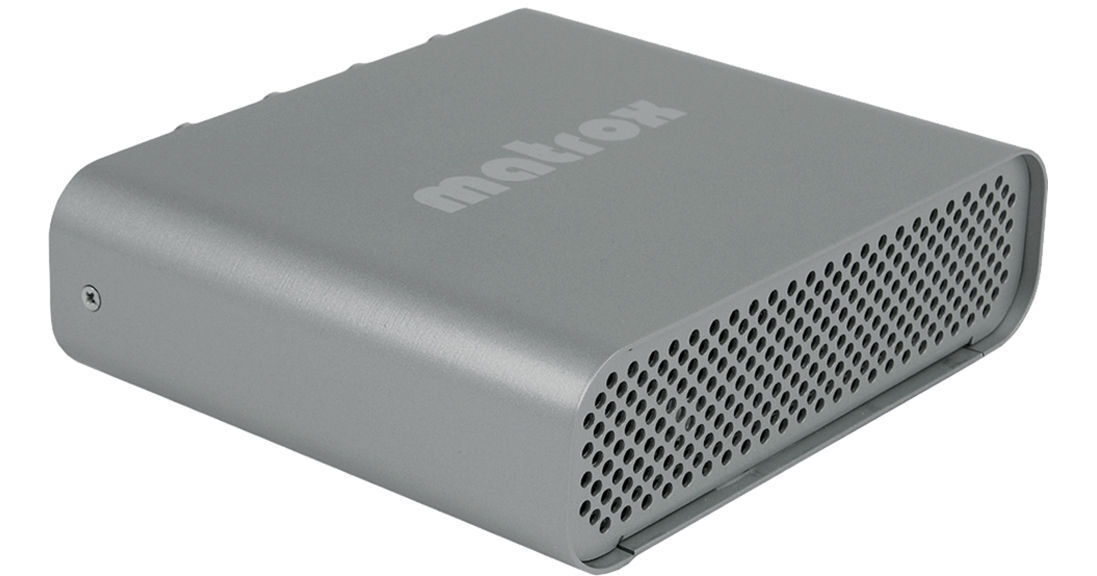
Matrox Convert DVI

BH #MACDVI • MFR #CNVDVI/N
Print
Matrox Convert DVI
Key Features
  • HD-SDI Scan Converter w/Genlock
  • Broadcast Computer-based Content
  • PC-based User Interface
  • DVI-D Input Up to 1920 x 1200
The Matrox Convert DVI is an economical studio tool that allows you to easily capture and prep computer-based content for TV broadcast. Whether your source is YouTube, Skype, video games or mobile phone videos, the Convert DVI uses a simple PC-based user interface to capture any part of the screen, convert it to HD-SDI with genlock and embed the audio in the SDI signal. Other high-end features include flicker reduction, underscan, customizable presets, and a standalone mode that allows the Convert DVI to deliver SDI and analog video from non-PC platforms, such as cameras or medical devices.
More Details
No Longer Available
No Store Display
Ask an Expert
800-606-6969

Matrox CNVDVI/N Overview

The Matrox Convert DVI is an economical studio tool that allows you to easily capture and prep computer-based content for TV broadcast. Whether your source is YouTube, Skype, video games or mobile phone videos, the Convert DVI uses a simple PC-based user interface to capture any part of the screen, convert it to HD-SDI with genlock and embed the audio in the SDI signal. Other high-end features include flicker reduction, underscan, customizable presets, and a standalone mode that allows the Convert DVI to deliver SDI and analog video from non-PC platforms, such as cameras or medical devices.

DVI-D input up to 1920 x 1200
Digital outputs: HD/SD SDI
Analog outputs: HD/SD analog component, S-Video, and composite
SD analog black burst (bi-level) or HD tri-level genlock with timing offset controls
Simultaneous analog and digital video output
Stereo audio input can be embedded into the SDI output signal
Realtime HD to SD hardware downscaling with proper color space and aspect ratio conversion
Can operate as a stand-alone appliance
Advanced features such as an anti-flicker filter, underscan mode, customizable presets, and password protection

Matrox CNVDVI/N Specs

System Requirements
Initial Configuration:
Microsoft Windows 7 Professional/Ultimate (32-bit)
  or Windows XP Professional (32-bit) w/SP3
USB 2.0 port
Device that Outputs a Supported DVI-D Signal

Standalone Mode:
Device that Outputs a Supported DVI-D Signal

Signal System
NTSC, PAL, NTSC-EIAJ, 1080i, 720p
Supported Resolutions
Input:
800 x 600, 1024 x 768, 1280 x 720, 1280 x 1024, 1600 x 900
1600 x 1200, 1680 x 1050, 1920 x 1080, 1920 x 1200

Output:
NTSC, PAL
HD 1280 x 720p @50 and 59.94 fps
HD 1920 x 1080i @25 and 29.97 fps

Connections
DVI: DVI-I 29-pin Female (x1 Input, x1 Output)
HD/SD-SDI: BNC (x1 Output)
HD/SD Component: BNCx3 (x1 Output)
Composite/S-Video: BNC (x1 Output)
Audio L/R: RCAx2 (x1 Input)
Genlock Reference: BNC (x1 Input)
USB: USB 2.0
Power Consumption
10W
Dimensions (WxHxD)
6.3 x 1.8 x 5.9" (16.1 x 4.6 x 15.1 cm)
Weight
Not specified by manufacturer
Packaging Info
Box Dimensions (LxWxH)
10.1 x 8 x 4.7"

Matrox CNVDVI/N Reviews

See any errors on this page?
Whatever You Need, We've Got It