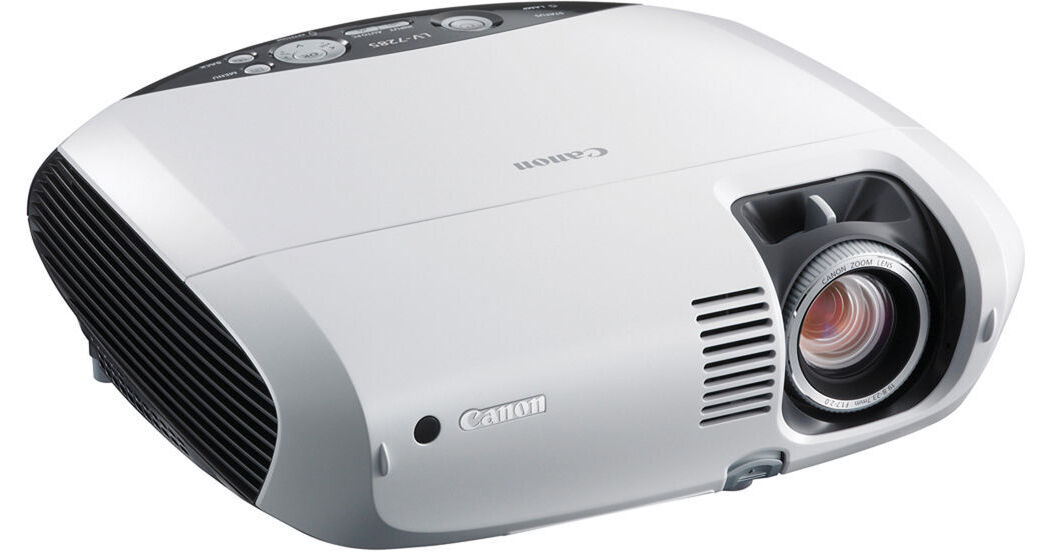
The 2600 lumens Canon LV-7285 Multimedia LCD Projector is not only a jack-of-all-trades, it's a master of all of them.
Just look at the features and specs. It's got a 500:1 contrast ratio but the Auto Iris can kick that up to 2000:1 when you need it. Its XGA (1024 x 768) resolution is a great match for today's laptop and PC monitors. Beyond XGA it can project 720p and 1080i high definition pictures via its DVI-I jack and it can also handle a number of world TV standards.
The LV-7285 uses only 294 Watts in operation and less than a single watt in standby. In Normal Mode the lamp can last as long as 4000 hours but in Quiet Mode lamp life soars to as much as 5000 hours. Fan noise drops from a very reasonable 35 dB to 29 dB, which is literally quieter than a whispered conversation.
Your LV-7285 projects great images and you can tune them to your most exacting specifications. The Color Management function allows you to individually adjust color levels and color balance (except when using the RGB input) and brightness, contrast and sharpness. Image Optimization has five preset image modes: Presentation, Video, Cinema, Standard and sRGB.
When a company says something is "user friendly" we understand if you're a bit skeptical. Is the "user" an average Joe or Jane or a theoretical physicist? Your LV-7285 truly deserves to be called "user friendly". If you've ever used an office copier or printer, the projector's control panel will look familiar to you. And the tab-style OSD (on-screen display) is easy to understand and use.
Your LV-7285 could be used in just about any setting but its RJ45 jack makes it easy to control a whole fleet of them deployed in a corporate or educational environment. A projector can send you a message when it detects a fault or when its lamp is nearing the end of its useful life.
Whether you invest in a fleet of LV-7285s or buy just one you'll want some basic security measures. Your LV-7285 has three. You can password protect it so only those who know the password can operate it. There's also a Control Panel Key Lock, which prevents people from accidentally (or purposely) interrupting your presentation by hitting any of the keys on the projector's control panel. Only the remote control will work when the projector is in this mode.
Finally, you've got actual physical security with a Kensington Lock Slot. Thread a steel cable (available separately) through it that's anchored to something big and immovable and your LV-7285 is more likely to remain your LV-7285.
- Presentation: Ideal for presentations using PowerPoint.
- Video: For projecting standard video, such as TV broadcasts.
- Cinema: For projecting film-based video, such as movies (DVD, Blu-ray or HDTV).
- Standard: When maximum color accuracy is desired for viewing graphics.
- sRGB: For reproducing color adapted to the sRGB color space; suitable for sRGB content.
- Password Protection: Your LV-7285's built-in password protection ensures you that only authorized users are able to start and operate the projector. At startup, a display appears and prompts you to enter a password you've set in advance. Users can't get past this screen until the password is correctly entered.
- Control Panel Key Lock: LV-7285s are equipped with a Key Lock function, used to disable the keys on the projector's control panel, making the projector operable only from the remote control. This feature is helpful in preventing interruptions due to someone accidentally touching the control panel.
- Kensington Lock Slot: Prevent theft of unattended projectors by using the built-in Kensington Lock Slot, a small, metal-reinforced hole used for attaching lock-and-cable apparatus (available separately). Secure and protect your LV-7285 with no unsightly components to glue or stick onto the projector.