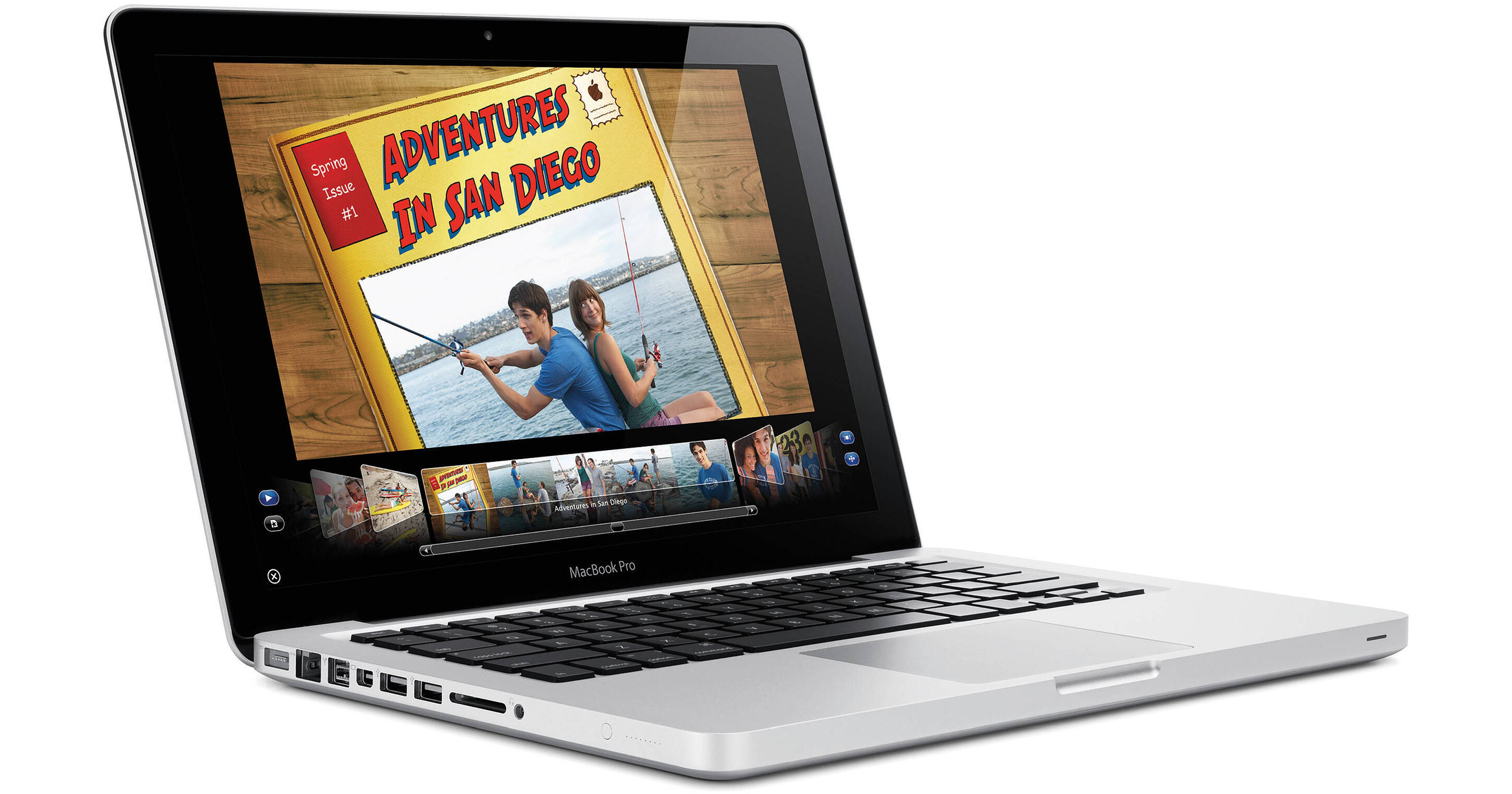
The 13.3" MacBook Pro Notebook Computer from Apple is a powerful notebook computer with an innovative aluminum unibody design. It is loaded with advanced power management features which allow it to run for up to 10 hours on a single charge.
The computer's 13.3" display features a LED backlight and a glossy finish. Its 1280 x 800 native resolution gives you ample screen real estate with which to work. You'll be able to output to an external display at up to 2560 x 1600 resolution thanks to the computer's Mini DisplayPort output.
The system is powered by a 2.66GHz Intel Core 2 Duo and is loaded with 4GB of memory and a 320GB 5400rpm hard drive. Graphics are handled by integrated nVIDIA GeForce 320M graphics with 256MB of shared DDR3 memory.
The computer features a comfortable backlit chiclet-style keyboard, which features space between each key for improved accuracy and comfort when typing. It also sports a glass Multi-Touch trackpad with a clickable design. Rather than having a separate button for mouse clicks, the entire surface of the pad is clickable. This increases the active surface area, and allows you to quickly click, even if your finger is near the top of the trackpad.
What's more, the smooth surface fully supports Multi-Touch gestures -- you can tap the trackpad with one finger to click, with two fingers to right click, scroll through documents using two fingers, pinch to zoom, navigate through Safari or iPhoto with three-finger left and right swipes, or use two fingers to rotate a photo or PDF.
iLife '11, a complete suite of digital creativity applications, is installed on the system. Easy enough for anyone to use, iLife will help you edit your home movies, organize digital photos, and compose original music.
The computer is loaded with Apple's Mac OS X 10.6 Snow Leopard operating system. The 64-bit OS features Time Machine backup, which automatically backs up system data to an external hard drive. It also features intuitive Cover Flow navigation, the powerful Spotlight search tool, and Quick Look document preview. You'll be able to use Boot Camp to run Windows on your Mac, or Front Row to turn your Mac into an impressive media player.
Of course, building only one part creates its own set of challenges. When you have multiple parts that are fastened together, tolerances don't need to be perfect. You have wiggle room, both literally and figuratively. But when one part is responsible for many functions, it's critical to manufacture that part with absolute precision, down to the micron. Every time. Millions of times over. There was only one way to achieve this level of precision: mill the unibody from a solid block of aluminum using computer numerical control, or CNC, machines -- the kind used by the aerospace industry to build mission-critical spacecraft components.
When you pick up a MacBook Pro, you immediately notice the difference. The entire enclosure is thin and light. It looks polished and refined. And it feels strong and durable -- perfect for life inside (and outside) your briefcase or backpack.
A LED backlight creates the same amount of brightness in less space. So you can make the structure that houses a LED display much thinner. And unlike fluorescent lamps, a LED backlight reaches maximum brightness instantly.
Look at the MacBook Pro display and you'll see another big difference. Glass. That edge-to-edge, uninterrupted glass display does more than look good. It also adds structure to the LED display beneath it.
And that's just the hardware. Apple software engineers had a large part to play in the development of the trackpad, too. They incorporated Multi-Touch gestures -- including swipe, pinch, rotate, and four-finger swipe -- and even more natural inertial scrolling. The result is the largest, smartest, most ergonomic MacBook Pro trackpad ever. It's one of many details considered and reconsidered during the design process.
Then there's the sleep indicator light. An indicator is functional only when it's indicating something. Look to the right of the thumbscoop. You see nothing. Until you close the display and your MacBook Pro goes to sleep. Then a LED glow appears from inside the enclosure. How? During the CNC process, a machine first thins out the aluminum. Then a laser drill creates small perforations for the LED light to shine through. These holes are so tiny that the aluminum appears seamless when the light is off.
Because Apple designs both the hardware and the software for the MacBook Pro, it's easier to improve things like energy efficiency. Software tells the hard drive to spin down when it's not in use. It tells the display and battery indicator lights to dim in low-light conditions. And it helps decide whether the CPU or the graphics processor would be best suited to the task at hand. That's the kind of smart, integrated design that sets MacBook Pro apart from other notebooks.
Just how green is the MacBook Pro? Every MacBook Pro model is ENERGY STAR 5.0 compliant, which means it meets the government standard for energy efficiency. And every MacBook Pro is shipped in packaging that's 34 to 41 percent smaller than the original generation. That translates to fewer trees used for boxes and less fuel used to transport more systems on fewer planes. And at the end of its long, productive life, you can recycle almost all of your MacBook Pro.