Video Chat with a Pro Audio Expert - Live

Alesis iO2 Express USB Audio Interface

BH #ALIO2E • MFR #IO2 EXPRESS
Print
Alesis iO2 Express USB Audio Interface
Key Features
  • 2-Channel
  • 24-Bit / 48kHz
  • 1/4" Phone Line & XLR Mic Input
  • 1/4" TRS Insert Connection
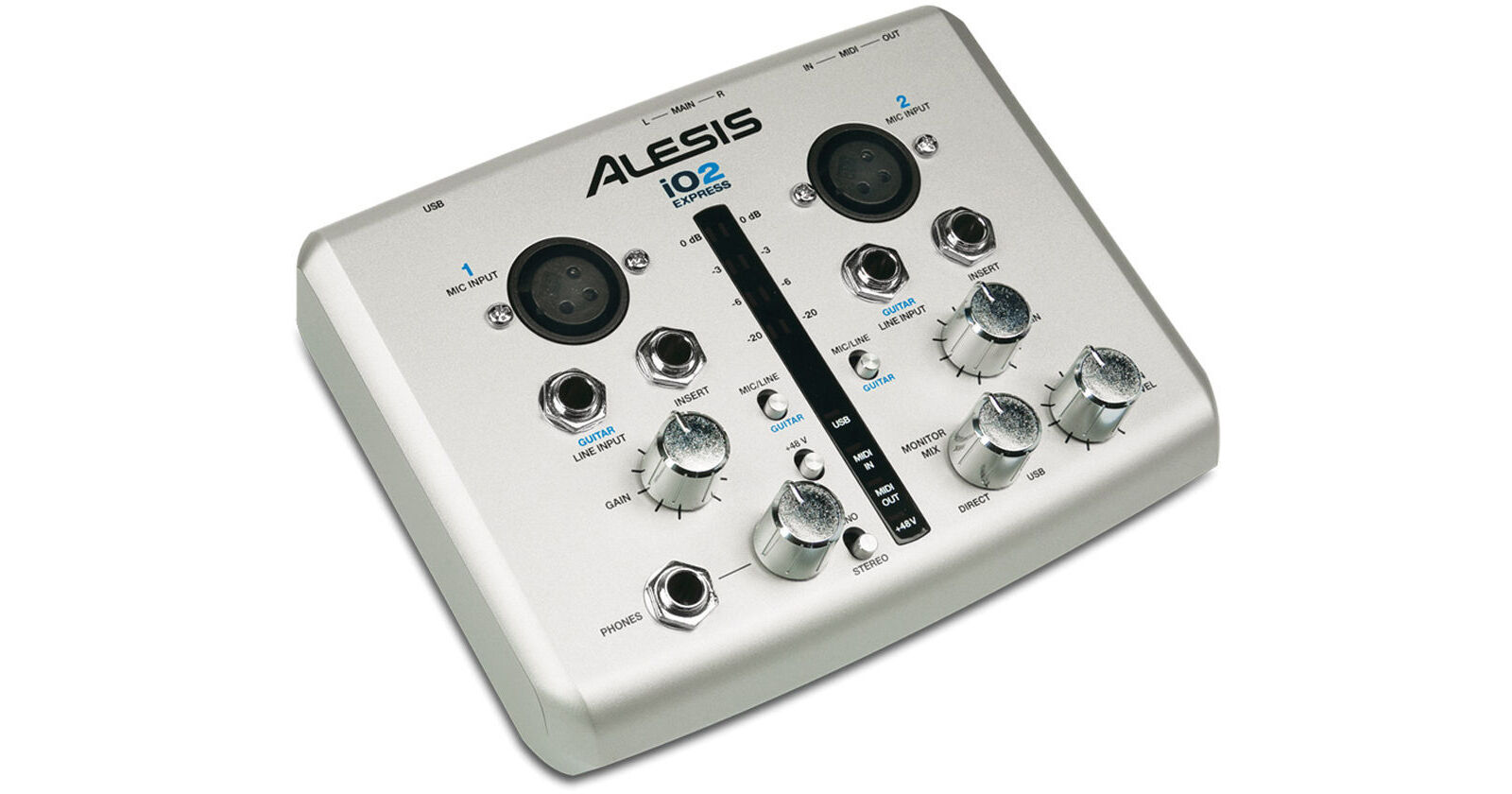
The Alesis iO2 Express USB Audio Interface is an affordable yet efficient way to improve your computer's audio quality in home and project recording applications. The iO2 is a USB powered audio interface with 2 line/guitar switchable inputs, 2 balanced XLR microphone inputs with 48V phantom power, 1/4" phone TRS inserts for connecting external processors, stereo and headphone outputs for monitoring.

The layout on the compact iO2 delivers easy accessibility to level controls, line switching, etc. A copy of Steinberg Cubase LE is included for users who are just getting started with software audio recording. The Alesis iO2 is easy to install and operate, and is well suited for musicians, singers, podcasters, DJs, audio for video applications and much more.

More Details
No Longer Available
No Store Display
Ask an Expert
800-606-6969

Alesis iO2 EXPRESS Overview

The Alesis iO2 Express USB Audio Interface is an affordable yet efficient way to improve your computer's audio quality in home and project recording applications. The iO2 is a USB powered audio interface with 2 line/guitar switchable inputs, 2 balanced XLR microphone inputs with 48V phantom power, 1/4" phone TRS inserts for connecting external processors, stereo and headphone outputs for monitoring.

The layout on the compact iO2 delivers easy accessibility to level controls, line switching, etc. A copy of Steinberg Cubase LE is included for users who are just getting started with software audio recording. The Alesis iO2 is easy to install and operate, and is well suited for musicians, singers, podcasters, DJs, audio for video applications and much more.

Two-channel computer audio recording interface
Record up to 24-bit, 48kHz audio into virtually any software
Monitor sessions with balanced studio monitor and headphone outputs
High-quality A/D and D/A converters, discrete-design preamps, 48V phantom power
Inputs for microphones, line-level sources, and instruments including guitars
Tricolor stereo level meter and lighted status indicators for visual monitoring
MIDI Input and Output jacks for playing and controlling software with instruments
USB bus powered - no external power supply needed

Alesis iO2 EXPRESS Specs

System Requirements
Mac: OS X 10.2+
Windows: XP, Vista, or 7
USB port
Frequency Response
MIC/LINE IN to USB OUT: ±0.1dB
MIC/LINE IN to MAIN OUT (through ADC/DAC) ±0.35dB
Signal-to-Noise Ratio
MIC/LINE IN (balanced) to INSERT OUT: 110dB A-weighted, input impedance at XLR or 1/4" jack = 600 Ohms
GUITAR IN (unbalanced) to INSERT OUT: 99dB A-weighted, input impedance at 1/4" jack = 600 Ohms
MIC/LINE IN (balanced) to USB OUT: 99dB A-weighted, input impedance at MIC or LINE jack = 600 Ohms
GUITAR IN (unbalanced) to USB OUT: 94dB A-weighted, input impedance at 1/4" jack = 600 Ohms
MIC/LINE IN (balanced) to MAIN OUT (through ADC/DAC): 97dB A-weighted, input impedance at MIC or LINE jack = 600 Ohms
MIC/LINE IN (balanced) to MAIN OUT (through direct monitor): 95dB A-weighted, input impedance at MIC or LINE jack = 600 Ohms
THD & Noise
MIC/LINE IN (balanced) to INSERT OUT: <0.001% Input Gain = minimum, 1KHz input signal, INSERT OUT = 5.7dBV
GUITAR IN (unbalanced) to INSERT OUT: 0.034% Input Gain = minimum, 1KHz input signal, INSERT OUT = 5.3dBV
MIC/LINE IN (balanced) to USB OUT: 0.003% Input Gain = minimum, 1KHz input signal, USB OUT = -0.3dBFS
GUITAR IN (unbalanced) to USB OUT: 0.034% Input Gain = minimum, 1KHz input signal, USB OUT = -0.7dBFS
MIC/LINE IN (balanced) to MAIN OUT (through ADC/DAC): 0.005% Input Gain = minimum, 1KHz input signal, MAIN OUT = 5.6dBV
MIC/LINE IN (balanced) to MAIN OUT (through direct monitor): 0.006% Input Gain = minimum, 1KHz input signal, MAIN OUT = 5.6dBV
Packaging Info
Package Weight
1.6 lb
Box Dimensions (LxWxH)
11.1 x 7.9 x 3.1"

Alesis iO2 EXPRESS Reviews

See any errors on this page?
Whatever You Need, We've Got It