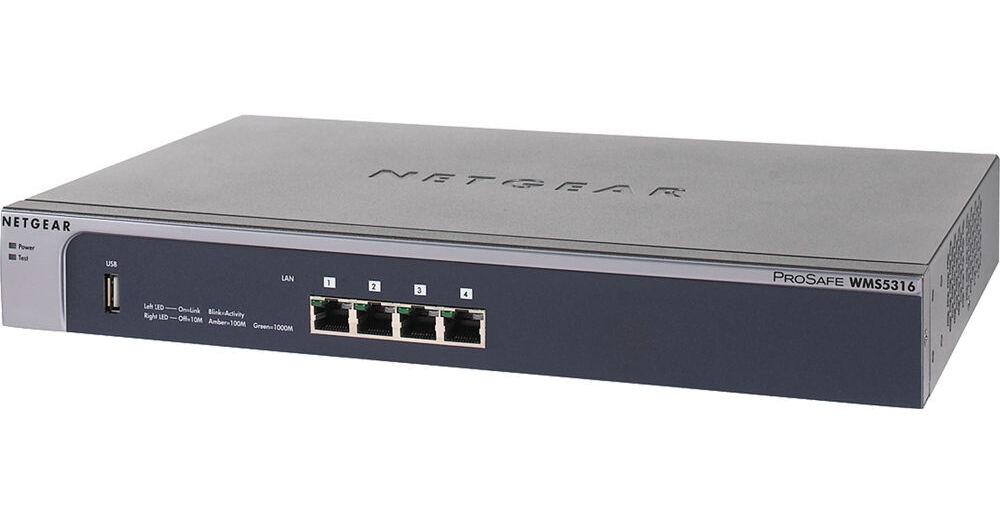
Maintaining multiple access points throughout an entire network is resource-intensive and can weigh down limited IT resources. The ProSafe WMS5316 16-AP Wireless Management System from Netgear is a perfect and easy solution as it supports up to 16 wireless access points, and provides a single location to configure and manage all wireless access points in the network. The WMS5316 Wireless Management System is ideal for growing companies, schools and small business, as it delivers centralized management via an intuitive interface at a lesser cost.
One Configuration
Mimicking the setup process of a single access point, the Netgear ProSafe WMS5316 Wireless Management System supports up to 16 wireless access points to provide a single location with which to centrally configure the entire wireless network. The WMS5316 Wireless Management System is the ideal solution for businesses and schools with 50-200 users delivering centralized management via an intuitive interface - without the costs that accompany full-service wireless controllers. With a single entry of wireless parameters and security settings that can be simultaneously pushed to all wireless access points on the network, the system dramatically simplifies the deployment and daily management of the wireless network.
Automatic Management
The WMS5316 monitors the wireless network to ensure optimal performance and respond to changes in the RF environment. Once a day, based on a schedule it will automatically re-assign channels and adjust RF parameters for maximum connectivity. The WMS5316 Wireless Management System can ensure that no single access point is overloaded continuously, by limiting the maximum number of clients per access point.
Easy to Use Wireless Network Management for Small and Medium Networks
The Netgear ProSafe 16-AP Wireless Management System is an easy to use appliance to simplify the setup and management of wireless networks. Supporting up to 16 access points, the WMS5316 Wireless Management System provides a single location to configure and manage the entire wireless network. Designed for growing companies who don't want the complexity and cost of full wireless controllers, the WMS5316 Wireless Management System delivers centralized management, load balancing, RF management, and guest access via an intuitive interface. Priced far below a full wireless controller, the WMS5316 Wireless Management System provides significant time savings and simplifies the deployment and management of a wireless network.
Deployment
Mimicking the setup process of a single access point, the easy to use WMS5316 Wireless Management System enables even novice users to adopt centralized management architecture for up to 16 access points. With automatic discovery of all supported access points in the network, the WMS5316 Wireless Management System speeds the configuration of a wireless network. Automatic Radio Frequency (RF) management and channel selection take care of optimizing the access points in the network for maximum connectivity, without intervention from the network administrator. A single entry of wireless parameters and security settings can then be pushed out to all of the access points, enabling a fully functional wireless network in minutes.
Management
The WMS5316 Wireless Management System monitors the wireless network to ensure optimal performance and respond to changes in the RF environment. It will automatically re-assign channels and adjust RF parameters for maximum connectivity. If enabled, load-balancing on ProSafe Access Points can ensure that no single access point is overloaded continuously, by diverting clients to nearby access points. By actively managing the wireless network, the WMS5316 Wireless Management System provides an improved wireless experience without any IT staff having to lift a finger.
Security
By centrally configuring all access points in the network, the WMS5316 Wireless Management System ensures identical security settings throughout the coverage area so that clients, guests and unwanted intruders all get appropriate access or denial to network resources. Setting up WPA2 encryption keys to keep traffic safe from prying eyes and MAC authentication lists to only allow approved devices on the wireless network can be done once and sent out to the entire network. When used with ProSafe Access Points, the WMS5316 Wireless Management System can configure a guest SSID to allow visitors safe access to the Internet without allowing visibility to company files or resources. Additionally, 802.1x network authentication can be applied for further verification of clients' rights to be on the network. Rogue AP detection will find all access points in the area, enabling administrators to take appropriate actions. The WMS5316 Wireless Management System with central management simplifies the process of deploying a secured wireless network.
Access Points
Supporting a wide portfolio of standard Netgear access points, the WMS5316 Wireless Management System enables customers to select the right access points for their needs, even mixing models to provide the right coverage, as well as an upgrade path as technology changes. The access points retain their standalone capabilities and do not require a conversion to be managed by the WMS5316 Wireless Management System. Supported models include SOHO-class 802.11G access points as well as professional caliber dual band 802.11N access points.
Ease of Use Even for Non-Professional Users
- The basic settings fit the most common network configurations. All wireless access points belong to the same organization or business.
- If completely separate networks share a single LAN, advanced settings allow setup of access point groups. For example, a shopping mall might need access point groups if several businesses share a LAN, but each business has its own network.
- If completely separate networks share a single LAN, advanced settings allow setup of access point groups. For example, a shopping mall might need access point groups if several businesses share a LAN, but each business has its own network.
Benefits
- Discovers Netgear Wireless Access Points everywhere on the LAN
- Allows centralized RF management, Quality of Service and load balancing
- Streamlines security configuration tasks and guest access setup
- Summarizes managed access point status, rogue access points, wireless clients status, and wireless network usage
- Provides user management, remote management, and firmware updates for the managed access points on the LAN
- Allows centralized RF management, Quality of Service and load balancing
- Streamlines security configuration tasks and guest access setup
- Summarizes managed access point status, rogue access points, wireless clients status, and wireless network usage
- Provides user management, remote management, and firmware updates for the managed access points on the LAN