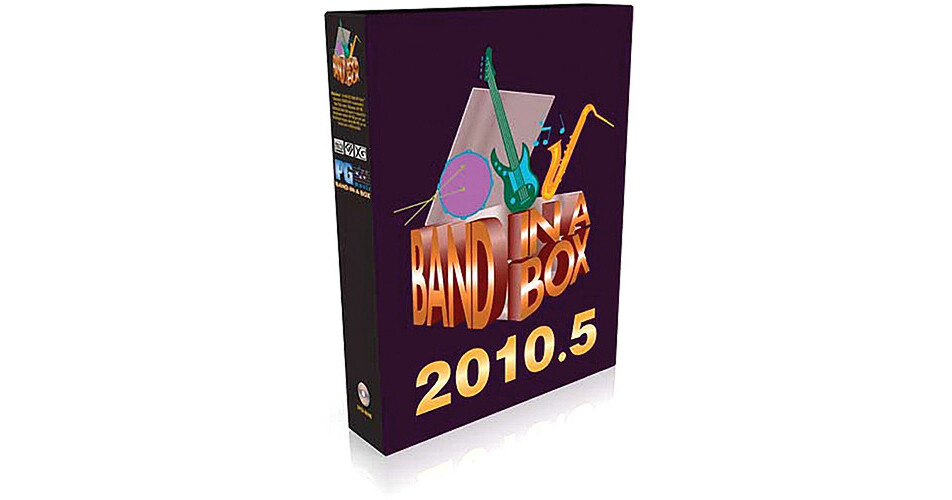
Band-in-a-Box Pro 2010.5 from PG Music is MIDI compositional software with real audio that can create automatic accompaniments in an intelligent manner, allowing you can go from nothing to complete song arrangements in as little as a few seconds. Simply enter chords to a song, choose a style of music, and the software does the rest, generating a full band arrangement complete with bass, piano, drums, guitar, strings, and more.
You can arrange, listen to, or play along with songs in hundreds of musical styles. The MIDI and audio tracks that Band-in-a-Box creates are automatically played out through your computer's built-in sound card or synthesizer, and the music notation is displayed in a lead sheet window. You don't need any special equipment, as your computer most likely already has a sound card and MIDI sound source built-in. In addition, a high quality software MIDI synthesizer is included.
The software has a broad range of uses. It is a powerful and creative music composition tool for exploring and developing musical ideas with near-instantaneous feedback. It is also an excellent educational tool, used both by professional musicians to sharpen their skills, and as a learning aid by people with little or no musical background. It's also an essential program for practicing your instrument in a full band setting - you play your instrument while Band-in-a-Box takes the place of the other members in your band.
The Soloist, Melodist, and Audio Chord Wizard are examples of the software's "intelligent" features - the Soloist generates professional quality solos over any chord progression, the Melodist can create entire songs from scratch with Chords, Melodies, Intros, and Solos (even a Title), the Medley Maker can combine songs to create interesting medleys, and the Audio Chord Wizard can figure out the chords in any audio file (wave files, MP3, WMA, etc.).
Band-in-a-Box has expanded from originally being a Jazz oriented program, to encompass a diverse range of musical genres including Pop, Rock, Latin, Country, Classical, World, Blues, Bluegrass, New Age, Techno, Metal, and much more. Over 1700 styles are currently available and more are always being developed, many based directly on customer requests. Moreover, since each style is a large database of musical patterns and ideas, the song arrangements will always be fresh, never sounding exactly the same each time.
- The StylePicker now has a filter to show/hide Real or MIDI styles - so if you only want to see MIDI styles, or if you only want to see styles that use some/all RealTracks, you can set this
- If you like the current mix (of volumes, panning, reverb), and you want this applied as a default for all songs, you can now set this by right clicking on the Combo radio control and choose "Make Current Mix the Default", "Load Default Mix" or "Reset Mix (to factory defaults)"
- RealTracks naturally occurring pushes are enhanced in many styles (this requires updating the ST2/XT2 files, and these are included in the 2010.5 update)
- RealTracks Pushes are now played a little quieter (2dB), so that they don't stand out as much
- When rendering, you can now add a dB amount to the whole mix, so that the mix will be louder or softer - there is automatic "peak-limiting" added, so that the music will not distort if you set it too high
- Styles can now be made that are set to use Half-Time and Double-Time RealTracks - for example, you can make a Jazz Ballad style (tempo 65) that uses a Sax Soloist at tempo 140 (playing double time)
- If Band-in-a-Box cannot find your RealTracks folder or your Drums folder, a yellow hint message appears at boot up to alert you to the fact, and tells you how to fix it - "Note: You have RealTracks installed, but none are found in your RealTracks folder. You should point to your correct RealTracks folder in Prefs- RealTracks settings
- For RealTracks, many Jazz comping styles now play triads (instead of 7ths) when simple triads are entered, instead of "jazzing them up" to 7ths chords (e.g. Guitar: Freddie, Wes Piano: Some Jazz. All Stride, Rehearsal). If you prefer this "the old way", where triads are automatically "jazzed up" when comping using Jazz RealTracks, then you can set the Prefs-Realtracks settings option to force 7ths for triads
- Enhancements for entering songs quickly by typing special words, instead of chord names
- Enhancements for playing songs from the chord sheet
- The Auto-generated song memo now says if Real Drums come from the song or style
- A message now appears if a frozen track is loaded, but the required RealTracks or RealDrums folders do not exist
- Frozen tracks now start playing faster if played again
- In the RealTracks picker, the columns for Set # and Holds # sort is improved
- The default for the tempo swapping feature for RealTracks is now true - tempo-swapping is a feature that will automatically substitute a similar RealTracks that is recorded at a tempo closer to the current tempo. For example, if you load a ballad style, with a RealTracks piano at a tempo of 60, and then speed the song up to 200, the tempo-swapping feature will choose a RealTracks piano that is closer to 20. A preference in Prefs-RealTracks allows you to disable this feature
- Band-in-a-Box will keep on generating RealTracks even if some WAV files are missing
- Use standard symbols to enter chords for your song into the Chord Sheet window - it only takes 3 minutes to enter chords for a typical song
- Arrange and edit your song using automatic intros, endings, style variation, drum fills, and much more
- Choose styles from a wide variety of genres using the searchable and informative StylePicker window
- When you play your song, Band-in-a-Box generates an original, professional quality arrangement using the style of your choice - loop parts of the song, transpose each chorus, play along with your keyboard, and much more
- RealDrums can replace the MIDI Drum track in any style with real recordings of top studio Jazz/Rock/Country drummers - RealDrums play in perfect sync with other Band-in-a-Box tracks
- RealTracks can be added to any song giving it an ultra-realistic feel, since RealTracks use audio recordings of actual musicians
- The Melodist can create an entire original song from scratch, including chords, melody, arrangement, solo, intro, and title
- The Band-in-a-Box Medley Maker allows you to combine multiple Band-in-a-Box song files into one continuous performance
- Using the Soloist, Band-in-a-Box will automatically create and play original, professional quality solos in the genre and style of your choice
- Automatic harmonization of Melody track, Soloist track, or live playing on Thru channel - select from over 200 included harmony types, with 2 to 5 part harmonies like SuperSax, 5 part trumpets, etc.
- Render your songs to wave/MP3/WMA for further editing in other programs, for use on the internet, or to make audio CDs of your music
- The Audio Chord Wizard automatically figures out chords in MP3/WAV/WMA files and CD-Audio tracks, and displays them in Band-in-a-Box
- Record your own MIDI part to the Melody or Soloist track from a MIDI keyboard, MIDI guitar, or MIDI wind controller
- The full-featured Notation Window displays chords and lyrics, as well as musical notation for all instrument tracks
- The Notation Window's 'Editable' and 'Staff Roll' modes allow you to quickly and easily enter or edit notation and lyrics
- You can view and edit all MIDI and lyric events in the Melody and Soloist tracks using the Event List Editor
- The Sequencer Window allows you to control multi-channel Melody or Soloist tracks (i.e. tracks with than one instrument), selecting the patch and volume for each channel, and more
- Band-in-a-Box can load and save many different types of files, including standard files like MID, KAR, WAV, WMA, MP3, and CD-A
- The SongPicker window provides an easy way to organize, search, and open all of your Band-in-a-Box songs
- You can export your songs as standard MIDI files, enabling you to play or edit them with other software, etc.
- The intelligent MIDI File Chord Wizard will analyze any MIDI file, figure out the chords, and import chords and melody into Band-in-a-Box
- Reharmonizing a song with the Chord Substitution Wizard is a fun and educational way to perform or practice a familiar song in a brand new way
- The Melody Embellisher automatically adds notes (e.g. grace notes) and effects (e.g. vibrato) to the Melody track, making it more lively and realistic
- Use the Reharmonist to automatically develop chord progressions in the genre of your choice, based only on the melody
- The Jukebox will load and play an entire folder of songs, great for listening, practicing, and live performances
- The Conductor Window allows complete control of your song while it is playing by pressing hotkeys on your computer or MIDI keyboard - excellent for live performances
- Band-in-a-Box supports the TranzPort hardware device, which allows you to control and-in-a-Box remotely through walls from 30 feet away
- The SoundTrack Generator will create royalty-free music of a specified length, for you to use in home videos, presentations, jingles, etc.
- There's a Big Piano window in Band-in-a-Box which can display the notes of any track on a resizable piano keyboard
- The animated Guitar Fretboard window displays any track on Guitar and Bass. It can also display Ukulele, Mandolin, Banjo, and Violin fretboards
- The Guitarist can intelligently create a Guitar Chord Solo based on an existing Melody track, using correct guitar fret positions
- Band-in-a-Box's Guitar Tuner includes a tone generator, a pitch meter, fine-adjustment controls, a hum filter, and much more
- Improve your ear using the Interval and Chord Tutor modules in the Ear Training Window
- Pitch Invasion is an easy and fun to play, arcade-style music game, designed to teach you to recognize specific pitches from a variety of instruments and octave ranges
- Music Replay is another ear training game included with Band-in-a-Box, which is designed to teach the player to recognize and play back melodies and rhythms The convenient Practice Window is "practice central", where many Band-in-a-Box features and add-ons useful to learning can be launched
- The StyleMaker is a powerful component of Band-in-a-Box that allows you to create your own new styles from scratch, or edit existing styles
- The Hybrid StyleMaker allows you to easily make a new style by combining instruments from different styles
- The StyleWizard automatically creates a Band-in-a-Box style from a MIDI file - no knowledge of the StyleMaker is required
- While a typical Band-in-a-Box style has two substyles, MultiStyles can also be used which have anywhere from 4 to 24 substyles
- MIDI Monitor displays a listing of data received from computer MIDI Input and/or Band-in-a-Box output, useful for educational or diagnostic purposes
- The Animated Drum Kit Window is a cool, animated, 3D display of a complete drum kit
- Use the Big Lyrics Window for a Karaoke style display of chords and lyrics while your songs are playing
- Band-in-a-Box will play through an internal or external MIDI synthesizer of your choice, including DXi and VSTi synthesizers
- Many specialized MIDI options are available, which can help you customize Band-in-a-Box to make the most of your specific MIDI setup
- The look of Band-in-Box can be customized with various chord sheet fonts, colors, floating/dockable toolbars, and more
- Use the Vocal Wizard to transpose any song to the best key for your vocal range - ideal for vocal practice, karaoke, and live performances
- The Chord Builder allows you to hear and build chords up by clicking on the root, extension, and alternate slash root if applicable
- Using MIDI Chord Detection, play any chord on your MIDI keyboard, and Band-in-a-Box will recognize it instantly and insert it onto the Chord Sheet
- The Transpose dialog has options that will automatically transpose live playback to a different key, transpose a song every chorus, and more
- Band-in-a-Box will automatically add a smooth fadeout to the end of your song
- The Find File feature is a "Swiss Army Knife" that allows you to search for Band-in-a-Box files using keywords
- Band-in-a-Box supports entry, display, and printout of song forms using repeats, 1st/2nd endings, and DC/DS al coda
- The Track-to-Track Copy dialog allows you to freeze Band-in-a-Box generated tracks by copying them to the Melody track, and more
- There are many options to customize the count-in and metronome sounds according to your preferences
- Descriptive hints and keyboard shortcuts throughout the program, a comprehensive help file and manual, and dedicated customer support help make it easy to use Band-in-a-Box