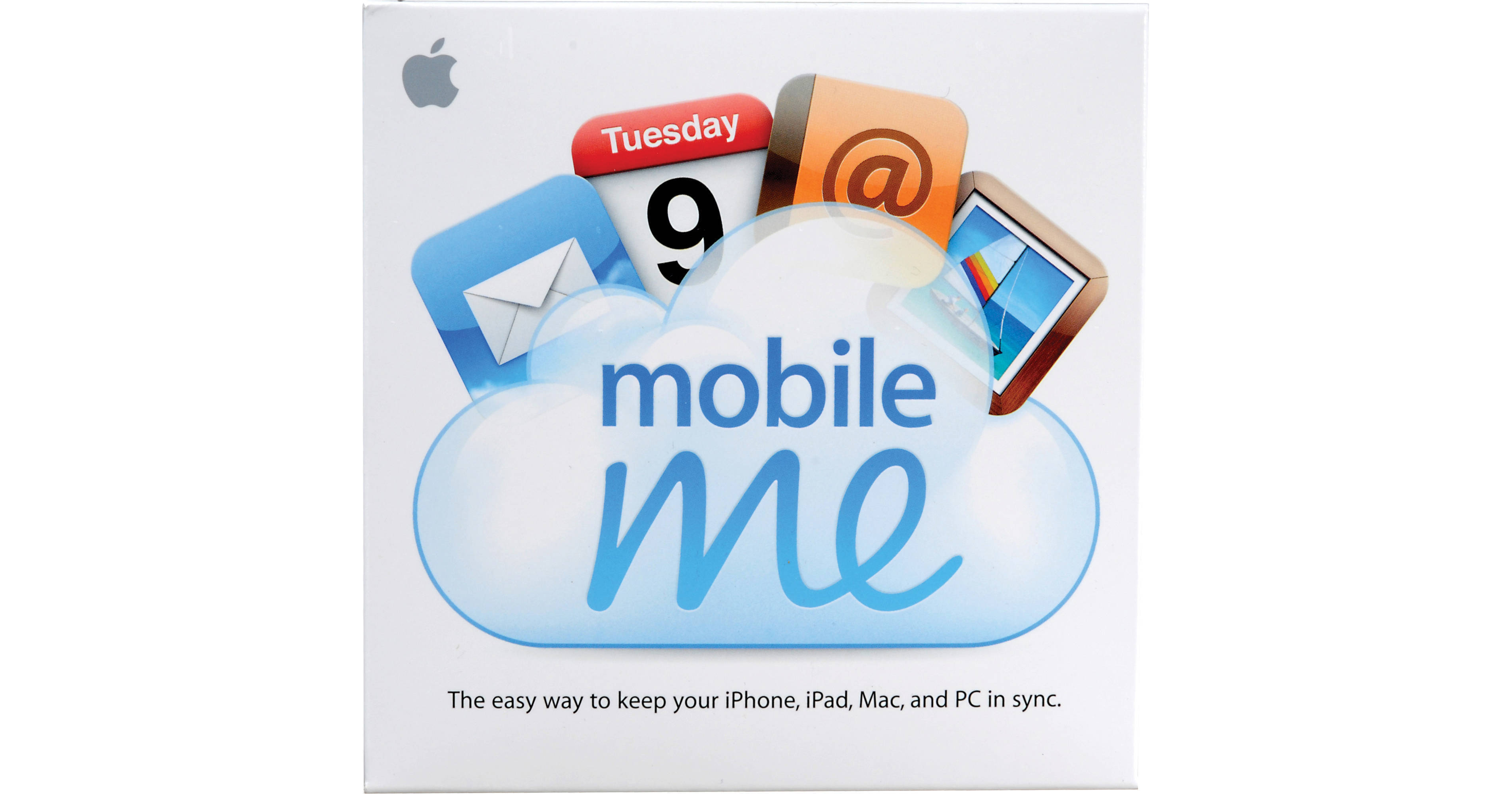
Apple MobileMe Internet Service

BH #APMC660ZA • MFR #MC660Z/A
Print
Apple MobileMe Internet Service
Key Features
  • 1-Year Subscription
  • Push Notifications
  • 20GB iDisk Storage
  • Me.com Access
The MobileMe Internet Service from Apple is an Internet service that pushes e-mail, contact, and calendar events to your Mac, PC, iPhone, and iPad. It also allows you to keep data in sync between these devices, automatically. A 1-year subscription is included with your membership.
More Details
No Longer Available
No Store Display
Ask an Expert
800-606-6969

Apple MobileMe Overview

The MobileMe Internet Service from Apple is an Internet service that pushes e-mail, contact, and calendar events to your Mac, PC, iPhone, and iPad. It also allows you to keep data in sync between these devices, automatically. A 1-year subscription is included with your membership.

MobileMe features an online photo gallery function, which allows you to create an online album with only a few clicks. You can add export photos from iPhoto, or upload them directly from your iPhone. You'll even be able to have friends add photos to your gallery.

An iDisk is included with your MobileMe subscription. It features 20GB of online storage space, which you can use to access files from any computer, as well as your iPhone or iPad. You can use the iDisk to share files that are too big to send via e-mail. MobileMe also lets iPhone and iPad users locate a lost or stolen phone via the Find My iPhone feature.

Mail
E-Mail That's Always in Sync
When you join MobileMe, you get a me.com email account that's always up to date and in sync, no matter where you check it. MobileMe constantly looks for new messages, so you don't have to. They're pushed to your iPhone, iPad, and iPod touch automatically, and you're notified as soon as they arrive.

You'll also notice that the inbox on your iPhone or iPad looks a lot like the inbox on your Mac or PC. That's because it is. Read messages are marked as read, and all your folders are exactly the way you left them. Your inbox includes spam and virus protection. And you can access your MobileMe email from anywhere via a powerful, ad-free webmail app at me.com
Contacts
Access Contacts Wherever You Need Them
With MobileMe Contacts, your entire address book is accessible from your computer, iPhone, iPad, and on the web at me.com. Say you meet someone and add that person to Contacts on your iPhone or iPad. MobileMe automatically sends the new contact to the cloud, and in seconds it appears in Address Book on your Mac or in Outlook on your PC. You don't have to connect your iPhone or iPad to your computer or do anything at all. Your new friend's information -- phone number, email address, photos, and notes, such as "sat next to me at the parenting seminar" -- is exactly where it should be, anytime you need it
Calendar
Manage Your Schedule, Not Your Devices
MobileMe keeps your calendar in sync across your iPhone, iPad, Mac, and PC, and on the web at me.com, so you always know where you need to be and when you need to be there. Change the time for your doctor's appointment on your computer at work, and it's automatically updated on your iPhone or iPad -- no docking required. Add an event on your iPhone or iPad and it appears in the Calendar application on me.com in seconds, then syncs to your computers. You can even manage multiple calendars. So you'll never miss a lunch date, soccer game, or important meeting again
Works with the Desktop Applications You Know Well
MobileMe keeps your data in sync across the applications you use every day -- Mail, Address Book, and iCal on a Mac, Microsoft Outlook on a PC (Windows 7, Windows Vista, or Windows XP), and the built-in apps on your iPhone, iPad, or iPod touch. All your information stays up to date and is right where you want it, so there's no need to learn new software or change your day-to-day routine
Find My iPhone
Locate Your iPhone or iPad on a Map
If you lose your iPhone or iPad, MobileMe can help you find it with Find My iPhone. Just enable Find My iPhone in the MobileMe settings on your iPhone or iPad. Then sign in to me.com from any computer or using the Find My iPhone app on another iPhone, iPad, or iPod touch to display its approximate location on a full-screen map
Display a Message or Play a Sound to Help You Find It
Say you've just used the Find My iPhone feature, and it turns out you left your iPhone or iPad at the doctor's office. Not to worry. You can write a message that will be displayed on your iPhone or iPad. Something like, "Oops, left my iPhone behind. Please call me at 408-999-9999." Your message appears on the screen, even if it's locked. And if the map shows you that your iPhone or iPad is nearby -- say, at home under a pile of laundry -- yet you still can't find it, you can tell MobileMe to play a sound that overrides the ringer volume or silent setting on your device
Set a Passcode Lock Remotely
Once you realize you haven't simply misplaced your iPhone or iPad at home, you may want to protect its contents until it's safely back in your hands. Sign in to your MobileMe account and remotely set a four-digit passcode lock to prevent people from using your iPhone or iPad, accessing your personal information, or tampering with your settings
Protect Your Privacy with Remote Wipe
Addresses, phone numbers, email, photos. Your iPhone or iPad contains important and personal information -- information you probably don't want in the hands of a stranger. So if you lose your iPhone or iPad and displaying a message on it hasn't resulted in its safe return, you can initiate a remote wipe to restore it to the factory settings. If you eventually find your iPhone or iPad, you can restore your email, contacts, calendars, and bookmarks by enabling your MobileMe account on your device. Or connect your iPhone or iPad to your computer and use iTunes to restore the data from your most recent backup
Find My iPhone App
Because the unexpected happens in the most unexpected places, the Find My iPhone app can help you locate your missing iPhone or iPad even when you don't have access to a computer. It's free on the App Store and available to anyone. So if you misplace your device, download the Find My iPhone app on a friend's iPhone, iPad, or iPod touch and sign in to your MobileMe account to access all the Find My iPhone features on the spot
Gallery
Easily Upload Your Photos to the Web
You can create a new album or make changes to your gallery from your Mac or PC. Easily upload new photos, edit titles, and more. Your changes are instantly reflected in your gallery for friends to see. Have a Mac? You can upload photos directly from iPhoto '09 or Aperture 3 with just a few clicks. And if you snap a picture on the road or capture video using your iPhone 3GS or iPhone 4, you can post it directly to your gallery with a few taps
Print-Quality Downloads
You can allow visitors to download high-resolution copies of their favorite photos right from their browser on a Mac or PC. If they want the entire album, it's as easy as one click. MobileMe compresses the album into a ZIP file for a quick and simple download
Friends and Family Can Add Photos, Too
You aren't the only one shooting pictures. With MobileMe Gallery, you can get the shots you wish you had by allowing friends to contribute their photos. They can do it from a browser or via email on a Mac or PC
Your Photos Never Looked Better
Friends and family can view your photos in a beautiful gallery using a web browser on a Mac or PC. They can skim albums to see what's inside, select an album, and choose viewing options such as mosaic, carousel, or slideshow. And with automatic resizing, your photos adjust instantly to fit the browser window so they always look great, even on large displays
MobileMe Gallery on Your iPhone or iPod touch
The free MobileMe Gallery app lets you view all the photos and movies published in your gallery with a few taps. All your albums are beautifully displayed and easy to browse using simple pinch and flick gestures. If there's a photo you want to share, tap to email a link. The MobileMe Gallery app lets you enjoy friends' photos, too. Just add other MobileMe members to your Friends list and view their galleries as easily as you view your own
Amazing with Apple TV
MobileMe Gallery works beautifully with Apple TV to give your gallery a stunning widescreen display. Apple TV lets you access your entire gallery -- or friends' public galleries -- straight from your television. And since MobileMe lets you store high-quality images, all your photos and movies look amazing on a big screen
iDisk
Easy Web Access
MobileMe iDisk is accessible at me.com from a web browser on any Mac or PC. With a familiar, intuitive interface, uploading and organizing files is as simple as drag and drop. And if you use a Mac, you can find iDisk right in the Mac OS X Finder
iDisk on Your iPhone, iPad, or iPod touch
You can already access your iDisk online at me.com on a Mac or PC. And now you can access it from your iPhone, iPad, or iPod touch. Free for MobileMe members, the iDisk app makes your important files accessible anytime, anywhere. View popular file types, such as Microsoft Office and iWork documents and presentations, PDFs, and more, in portrait or landscape. Share any file, big or small, with just a few taps. And access files in the Public folders of other MobileMe members just as easily
Collaborate Online
iDisk includes a Public folder that makes working with others easy. Just add the files you want to share, and your friends and coworkers can access them using a web browser on a Mac or PC. They can download any file in your Public folder to make changes and post their own files, too
Share Large Files
Sharing files too big to email as attachments is a snap with iDisk. Just upload what you want to share, choose your recipients, and iDisk sends them an email with a link to download the file. You can assign a password to keep your files secure and even set the number of days the download link is available
Plenty of Storage Space
Your MobileMe membership includes 20GB of storage space for all your email, photos, files, and more. Put in perspective, 20GB of space is enough to store thousands of high-quality photos. You can tell MobileMe how much of your 20GB to allocate to Mail and how much to your iDisk. However you split it up, rest assured you'll have plenty of space to store what's important to you
Me.com
Everything You Need, All in One Place
Me.com gives you a full suite of ad-free web applications - Mail, Contacts, Calendar, Gallery, iDisk, and Find My iPhone - all accessible from a browser on any Mac or PC. Check your email, add new contacts to your address book, manage your calendar, create an album of your vacation photos, and access and share those big presentation slides. Even locate your lost iPhone or iPad. Just sign in at www.me.com from any computer
First-Class Webmail
MobileMe Mail at me.com has been completely redesigned with improved performance and powerful new features. It starts with an all-new widescreen view that makes it easy to see your inbox at a glance. And now you can manage your existing email addresses right from me.com. Just set up email forwarding and read and reply to all your messages from one convenient place
Mail, Any Way You Want It
As your inbox grows, MobileMe webmail gives you new ways to manage it - including mail rules that organize incoming messages across all your devices, single-click archiving for messages you aren't ready to delete, and improved junk mail filtering. There are also new formatting features to help you compose great-looking messages. And it all works perfectly with Safari, Firefox, and Internet Explorer 8. So you can enjoy the new MobileMe webmail from just about any computer, Mac or PC
Powerful Web Apps
Me.com makes doing things on the web simple and intuitive. Web apps are beautifully designed and easily accessible through the app switcher, giving you a unique and convenient way to move between them. You can organize photo albums and files with drag-and-drop ease. And advanced features like contacts with embedded Google Maps and easy file sharing in iDisk give you world-class functionality
Manage Your Account
You can easily manage your MobileMe account details at me.com. Check your renewal date, reallocate your iDisk storage, upgrade your account, change your password, and more. All in a secure, password-protected interface. No matter where you are, on a Mac or PC, me.com is your home base for MobileMe
On Your iPhone
Always up to Date
As soon as your email account receives a new message, MobileMe pushes it over the air to your iPhone or iPod touch. You're notified as soon as it arrives, so you don't have to waste time checking. Because your iPhone and iPod touch send and receive updates over the air, contacts you add and changes you make to your calendar on iPhone or iPod touch are updated on the web at me.com automatically, then synced to your Mac and PC. MobileMe even syncs your Safari bookmarks. And it all happens without the need to dock or connect a cable. That means wherever you go, your email, contacts, and calendar are always up to date
Find My iPhone
It's easy to misplace things, even your iPhone. Fortunately, if you do lose your iPhone, MobileMe can help you find it. Simply enable the Find My iPhone feature in MobileMe settings on your iPhone. Then anytime it goes missing, sign in to me.com from any computer and use Find My iPhone to show its approximate location on a map. Play a sound to help you find it yourself or display a message on the screen to help someone else return it to you. Even remotely add a four-digit passcode to keep your iPhone secure until you have it back. And if you're concerned that your iPhone won't make its way back to you, you can initiate a remote wipe and restore your iPhone to its factory settings, ensuring that your personal information is nobody's business but your own. No computer nearby? Download the new Find My iPhone app on a friend's iPhone, iPad, or iPod touch and sign in using your MobileMe account information. It's free and has all the same features as Find My iPhone on me.com
Access Your Gallery on the Go
The MobileMe Gallery app brings the power of iPhone to your MobileMe gallery. You can already snap and share photos with a few taps. Now you can tap, flick, and pinch to view your entire gallery -- or a friend's public gallery. Once you view a photo, a copy of it is stored in your iPhone memory. That means you can go back to an album and look through the photos, even if you don't have a Wi-Fi or 3G connection. The free MobileMe Gallery app makes it even easier to browse, view, and share photos and videos on the go
Access Your iDisk on the Go
Now you have another, more convenient way to get to your iDisk -- the MobileMe iDisk app for iPhone and iPod touch. Free for MobileMe members, the iDisk app lets you view files on your iDisk right on your iPhone or iPod touch. Any recently viewed file doesn't need to be loaded again. And if you want to share a file, the iDisk app lets you do that, too. Just tap the Share button, choose your recipients, and iDisk sends them an email with a link to downloadyour file
On Your iPad
E-Mail That's in Sync on All Your Devices
With MobileMe, email automatically stays in sync everywhere you check it. That means you can read, delete, or move a message to a folder on one device, and it happens on every device you use. MobileMe also constantly checks for new messages so you don't have to. They're pushed to your iPad, iPhone, and iPod touch automatically, and you're notified as soon as they arrive. MobileMe protects your inbox from spam and viruses. And when you join MobileMe, you get a me.com email account that's always up to date -- and entirely ad free
Get Contacts and Calendars That Keep up with You
MobileMe keeps all your contacts and calendars in sync between your iPad, iPhone, and computers automatically over the air -- no docking required. When you add a contact or update an event, every device and computer you're using updates in seconds. So you'll have the same important information -- a business contact, the new location for your friend's birthday party -- everywhere you need it. MobileMe works with the Contacts and Calendar apps on your iPad and iPhone, with Address Book and iCal on your Mac, and with Microsoft Outlook on your PC
Take Your Safari Bookmarks with You
MobileMe wirelessly syncs web bookmarks across all your devices, too. So if you bookmark a site when surfing on your iPad, you'll be able to see the same bookmark next time you're at your computer or on your iPhone
Lose Your iPad? Find It with MobileMe
If you misplace your iPad, MobileMe can help you find it. Sign in to me.com to view a map that shows the approximate location of your iPad. If it's nearby, have it play a sound to help you find it, or display a message on the Home screen to help someone return it to you. The Find My iPad feature works best if your iPad includes both Wi-Fi and 3G, but it can also find your Wi-Fi-only iPad when it's connected to a wireless network
Protect Your Privacy with Remote Wipe
Your iPad contains information you don't want in the hands of a stranger. So if you lose your iPad and displaying a message on it hasn't resulted in its safe return, you can remotely lock it with a passcode or initiate a remote wipe and restore factory settings. If you eventually find your iPad, you can restore your email, contacts, calendars, and bookmarks by enabling your MobileMe account on iPad
On Your Mac
Sync All Your Mac Computers
If you have more than one Mac, you can use MobileMe to keep your email, contacts, calendars, and bookmarks in sync across all your Mac computers and even a PC. You can also sync Dashboard widget preferences, Dock items, many application and system preferences, and Mail notes across all of your computers running Mac OS X Leopard or Snow Leopard
Share from iPhoto, iMovie, QuickTime, and Aperture
With a couple of clicks, you can upload entire photo albums from iPhoto '09 or Aperture 3 to your MobileMe gallery. Friends and family can view, download, and contribute photos to your gallery right from the web. And when someone adds photos, the images are sent to your iPhoto or Aperture library on your Mac so you never miss a shot. With iMovie '09 or with QuickTime Player in Mac OS X Snow Leopard, you can upload high-quality movies to your gallery in a variety of sizes perfect for viewing on the web, iPod, iPhone, iPad, or Apple TV
Publish Your Very Own Website
MobileMe is built to work seamlessly with iWeb. You simply create your site, click Publish, and it's online. There are no settings or configurations to remember - MobileMe does it all behind the scenes, and all you see are the beautiful results. MobileMe will also host your personal domain name so you can publish your site directly to www.youraddress.com
iDisk on Your Desktop
Because MobileMe iDisk is built into the core of Mac OS X, accessing it on your Mac is as easy as opening a Finder window. From there, just drag and drop to upload files or manage your folders. You can also use the Finder to access another MobileMe member's iDisk or Public folder. With iDisk sync, you can keep a copy of your iDisk files on your local hard drive for offline editing. Then, when you reconnect, your changes automatically sync back to your iDisk. To set restrictions on your iDisk, such as adding a password and allowing others to read and write files to your iDisk, just visit your MobileMe preferences in System Preferences. And when you're away from your Mac and want to access your iDisk, all you have to do is sign in to me.com from a web browser on any computer
Access Your Mac Remotely
Back to My Mac puts any Mac OS X Leopard- or Snow Leopard-based Mac you use within easy reach. MobileMe finds your remote Mac computers over the Internet and displays them in the Finder on the Mac you're using. So you can connect from anywhere with just a click. Edit and save documents, open applications, and move folders. With Back to My Mac Screen Sharing, you can control your remote Mac as though you're sitting in front of it
Chat Safely with MobileMe
With MobileMe, you can protect your chats with robust, 128-bit encryption. Use your MobileMe member name when you chat, and iChat automatically encrypts your text, audio, and video chats, as well as file transfers, with other MobileMe members. With Secure iChat, you can be sure that no one else is able to tune in to your iChat sessions
On Your PC
PC to PC, PC to Mac
If you have more than one PC, use MobileMe to keep email, contacts, calendars, and bookmarks the same on all of them. If you have a Mac and a PC, they can share the same information. Just enable MobileMe sync on any computer you want to keep up to date
Microsoft Windows and Outlook Friendly
On a PC, MobileMe works with the applications you use every day. You can use Outlook, Outlook Express, and Windows Contacts in Windows 7, Windows Vista, and Windows XP. MobileMe keeps your email, contacts, and calendars -- and even your Internet Explorer or Safari bookmarks -- in sync with your other computers, iPhone, iPad, and iPod touch
Easy Setup with the Windows Control Panel
Setting up MobileMe to sync with your PC is simple. Just make sure you have the latest version of iTunes and then install the MobileMe Control Panel. Sign in with your MobileMe member name and password, and all of your settings are right there

Apple MobileMe Specs

Apple MobileMe Reviews

See any errors on this page?
Whatever You Need, We've Got It