Video Chat with a Photography Expert - Live

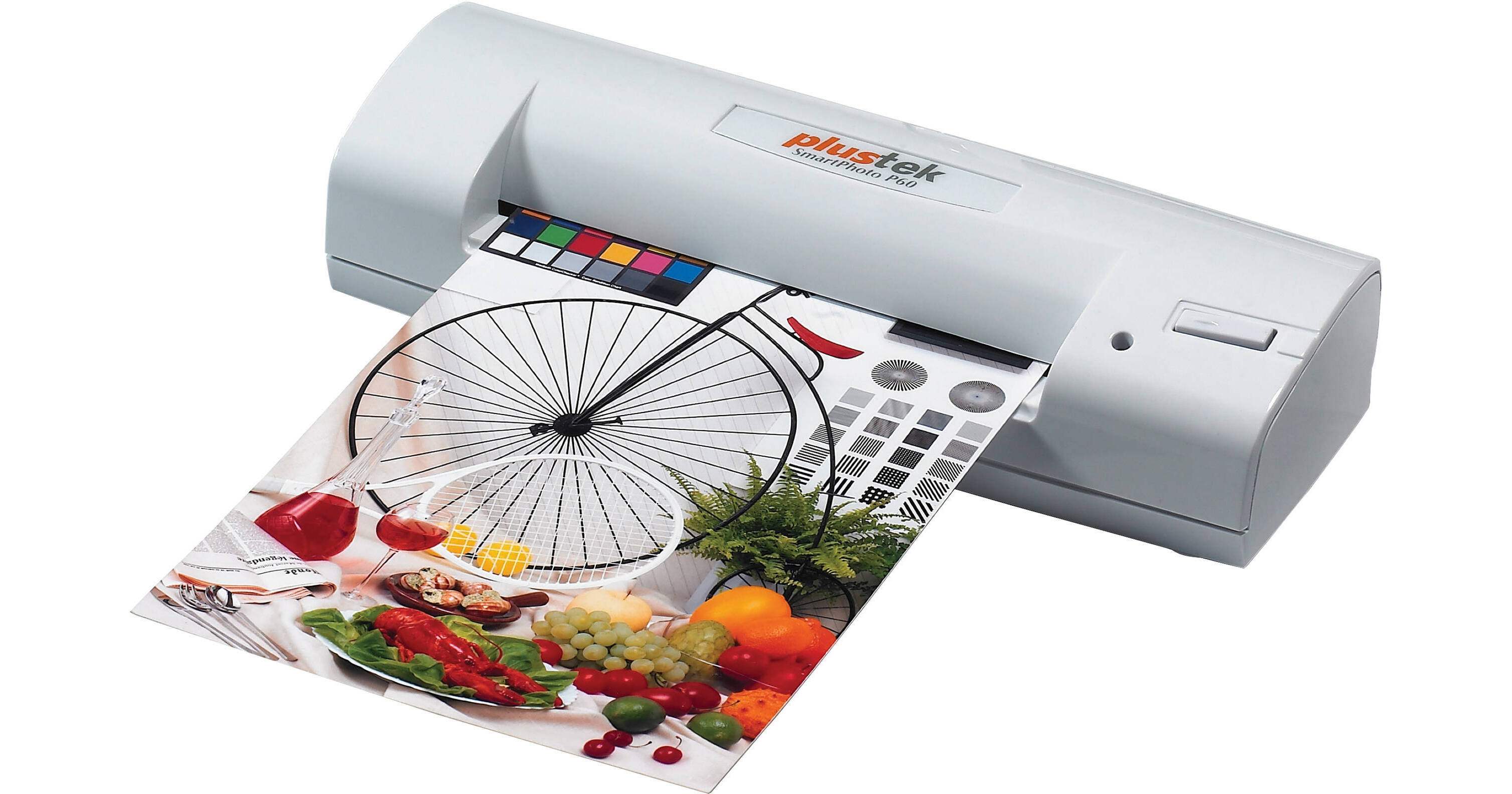
Plustek SmartPhoto P60 Photo Scanner

BH #PLSPP60 • MFR #783064554268
Print
Plustek SmartPhoto P60 Photo Scanner
Key Features
  • Convert 4 x 6" Photos to Digital Images
  • Simple-to-Use / Single-Button Operation
  • Fits in the Palm of Your Hand
  • 660dpi Resolution
Need a very easy way to view your snapshots on Facebook or Flickr? The Plustek SmartPhoto P60 Photo Scanner is the answer. This palm-sized and lightweight (6.5 oz, 185 g) device scans your 4 x 6" (A6) photo prints at 600dpi resolution and converts them into digital files. Once in your computer, you can upload your scans to digital photo frames, or online photo albums.

Ideal for people who are not familiar with the world of digital imaging, this scanner has just one button...press it and your photo is instantly scanned. It uses the Microsoft Windows photo sharing and viewing application so no additional software is required. The user interface of the scanner is a small pop up window on your computer screen (software included) that displays only a small number of scanning options to choose from, so even a user with only limited computer skills can easily handle the scanner's functions. The SmartPhoto P60 is compatible with both Windows and Mac operating systems and the unit is powered via a USB connection to your computer or laptop (USB cable is included).

More Details
No Longer Available
No Store Display
Ask an Expert
800-606-6969

Plustek P60 Overview

Need a very easy way to view your snapshots on Facebook or Flickr? The Plustek SmartPhoto P60 Photo Scanner is the answer. This palm-sized and lightweight (6.5 oz, 185 g) device scans your 4 x 6" (A6) photo prints at 600dpi resolution and converts them into digital files. Once in your computer, you can upload your scans to digital photo frames, or online photo albums.

Ideal for people who are not familiar with the world of digital imaging, this scanner has just one button...press it and your photo is instantly scanned. It uses the Microsoft Windows photo sharing and viewing application so no additional software is required. The user interface of the scanner is a small pop up window on your computer screen (software included) that displays only a small number of scanning options to choose from, so even a user with only limited computer skills can easily handle the scanner's functions. The SmartPhoto P60 is compatible with both Windows and Mac operating systems and the unit is powered via a USB connection to your computer or laptop (USB cable is included).

The palm size SmartPhoto P60 photo scanner turns your 4 x 6" photographs into digital files in seconds.
No longer do your paper photos need to be hidden away in albums, only seeing the light of day on special occasions. Plustek's SmartPhoto P60 is a simple way of digitizing your files so that they can be shared, or maybe transferred onto a digital photo frame for home or as a gift.
The Plustek SmartPhoto P60 helps our ecology by providing an alternative way of sharing photos and eliminating the need to print multiple copies. It also helps to archive photos and organize them in a repository for future use.
In seconds you can upload your digital photos onto your web photo album in a predefined resolution, size, color and format so that you can use it for Facebook, Orkut, MSN, Flickr, etc.
Using the P60, you can scan all of your photographs and upload them into a digital photo frame for viewing each photo individually or in a slideshow.
The scanner needs no warm up time or any complicated software. The simple pop up user interface on your computer screen gives you control over the brightness and contrast levels and allows you to select a favorite location on your PC for saving the scanned images. Plus, with its simple one button operation, even a person with very limited computer skills is able to handle this scanner.
No software is required. It uses existing Microsoft Windows photo sharing and viewing software.
On top of its simple operation, the scanner is powered through its USB cable, so there is no need to be near a power supply, and its compact size makes it easily portable for use in remote locations.

Plustek P60 Specs

Scan Quality
Scan Sensor
CIS
Optical Resolution
Not Specified by Manufacturer
Interpolated Resolution
600dpi
Color Depth
Color:
Input: 48-bit
Output: 24/48-bit
Grayscale:
Input: 16-bit
Output: 8/16-bit
B/W:
1-bit
Dynamic Range
Not Specified by Manufacturer
Scan Area
Photo Sizes Supported
4 x 6" (A6)
Transparency Scan Area
N/A
Film Formats
N/A
Performance
Scan Modes
Single pass
Scan Speed
Not Specified by Manufacturer
Batch Scanning
No
Automation
No
Connectivity
Interface
USB 2.0
Software
Plustek DigiPhoto
Plustek TWAIN Driver
System Recommendations (Minimum)
IBM Compatible PC, with Pentium or faster CPU
CD-ROM Driver
1 x available USB Port
64MB RAM (128MB recommended)
700MB free HDD space (800MB recommended)
High color graphic card (VGA or higher)
Operating Systems
Windows: 2000 / XP / Vista / 7
Mac: OS X 10.4 / 10.5 / 10.6
Physical
Light Source
Not Specified by Manufacturer
Front Panel Controls
1 x action button to scan
1 x LED status indicator
Power Requirements
USB interface
Power Consumption
2.5W (500mA x 5V)
Environmental Compliance
WEEE, ROHS
Dimensions
2.3 x 6.9 x 1.5" (59.5 x 176 x 37.5mm)
Weight
Approx. 6.5 oz (185 g)
Packaging Info
Package Weight
1.15 lb
Box Dimensions (LxWxH)
8.7 x 7.1 x 2.1"

Plustek P60 Reviews

See any errors on this page?
Whatever You Need, We've Got It