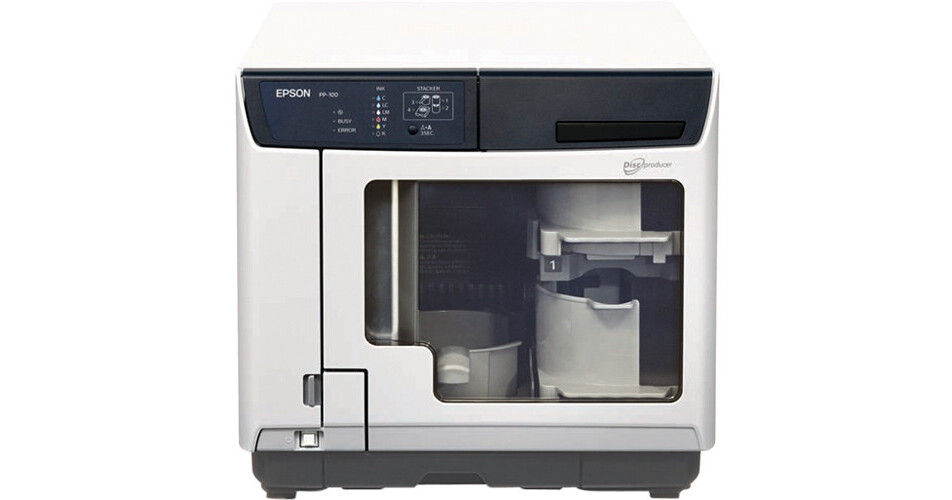
If you want to reliably publish CDs or DVDs and grant multiple users access to your duplicator, then check out Epson's Discproducer Network Disc Publisher. Designed for Ethernet network access among multiple users, as well as unattended use, this Discproducer can burn and print labels on 30 CDs or 15 DVDs per hour. In so doing, it utilizes two CD/DVD drives, a built-in inkjet printer, a few different network-relevant features, and a variety of notable Epson-technologies.
While this Discproducer shares many of the same features as Epson's standard version, it also has a few Network-related additions that bear mentioning. This model offers shared access between multiple users with Ethernet connectivity, Total Disc Net Administrator Software, an embedded processor to expedite publishing jobs, a hard drive for storing publishing jobs, and a door lock to restrict access. Moreover, all of the included software can be freely installed on any computers on the network. No licensing fees required.
In terms of actually using this Discproducer, it has three different operating modes, each of which depend on the number of CDs or DVDs that you want to burn and label. Specifically, you can choose batch mode for larger production runs of up to 100 discs, standard mode for smaller production runs up to 50 discs, and external mode for up to 5 discs.
While you're deciding which operating mode to choose, you will also have the option of choosing two different print modes. You can either go with speed mode or quality mode. In speed mode, you can print labels more quickly and up to a resolution of 1440 x 720 dpi. In quality mode, the printer takes a little more time but prints at a resolution of up to 1440 x 1440 dpi. Plus, if you only need to print on discs and not burn them, you can do so in either of these modes. If you're only printing, speed mode produces 60 discs per hour and quality mode produces 40 discs per hour.
For printing and burning discs in these various modes, the Discproducer relies on a few notable Epson technologies and design innovations. The exterior is compact, rugged, features a dust-proof body, and contains a minimum of moving parts. Among those moving parts is a robotic arm that employs Epson's AcuGrip technology. That is to say, once the arm is centered over a disc, three powered fingers separate any discs that are stuck together and ensure that only one disc is placed inside the printer or disc drives.
For printing, the Discproducer's inkjet printer uses MicroPiezo print heads and six high-capacity, ink cartridges for delivering uniform, stable ink droplets. Each cartridge contains a different color of ink and is connected to a sensor that will alert you when ink is low. While many other inkjet printers use only one black and one color cartridge, Epson's use of six different colors is meant to save you money. More specifically, with those other printers, if you deplete a given color, such as cyan in your color cartridge, you will unfortunately need to replace the entire cartridge. So, if you still want to print with that cyan color but have yellow and magenta left in the cartridge, you will be wasting those other colors once you replace the cartridge. Epson's use of six cartridges allows you to replace only one color per cartridge when it is out so as to reduce waste and lower your operating costs.
Once you've connected the Discproducer to your computer via Ethernet, Epson's Total Disc Maker Software will provide you with all the functions necessary for burning and printing your discs. You'll simply need to select the media format to burn to a disc, drag-and-drop your content, design the label to be printed, configure your run, and click "Publish."
When you start to publish or print discs, Epson's Data Monitor Software will keep you informed of the status of your publishing job. It provides a bounty of relevant information to your job, such as ink levels in each cartridge, whether the drives or printer are in use, the total time needed for a job, any errors, and what disc stackers are being used to hold blank or burned discs.
In total, Epson's Discproducer Network Disc Publisher is a fast, convenient, hands-off way for you and multiple users on an Ethernet network to burn and label a plethora of discs.