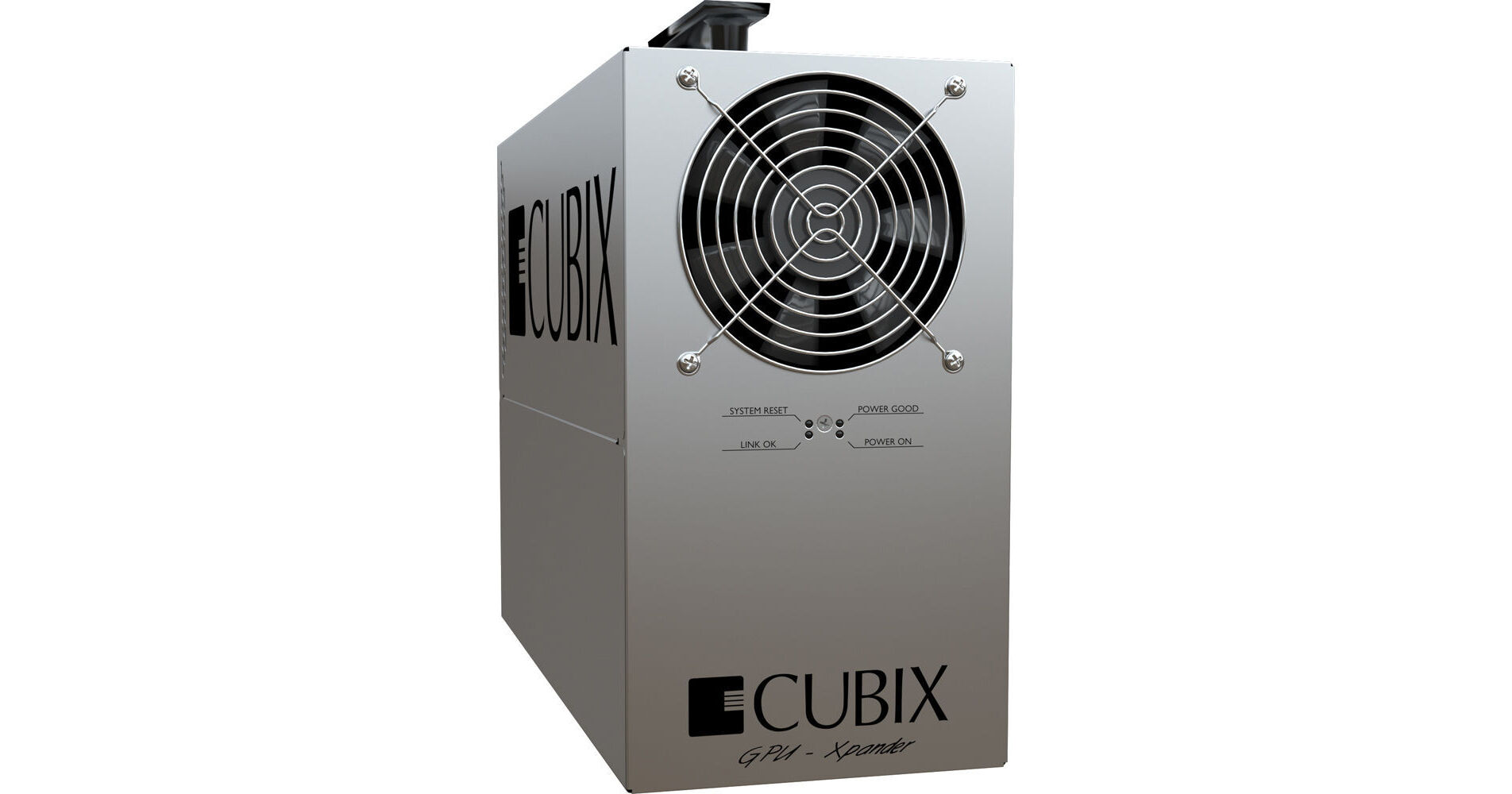
The GPU-Xpander Desktop Pro2 from Cubix is a PCI Express expansion chassis, compatible with Mac and Windows operating systems. The chassis makes it possible to turn a single PCI Express x16 slot in your computer into four. Simply install the included host adapter card in your Mac Pro or PC workstation and connect it to the chassis. The chassis accommodates four single-width PCI Express x16 cards!
The chassis boasts a 750W power supply, providing ample juice for even the most power-hungry expansion cards. It is fully compatible with high-end graphics cards, including those that support CUDA processing. Its compact design ensures that the there is a minimal impact to your work environment -- it can easily sit next to your computer!
Saves Time and Money
Just because you need to add or upgrade to high-end, 3D graphics or math-intensive, HPC processors in operators' desktop computers doesn't mean you have to go to all the weeks of effort and meetings to obtain approval and all the considerable expense, not to mention all the work of installing and configuring new computers. Rather than starting from scratch, keep your substantial investment in your current computer hardware and simply add or upgrade to the most powerful graphics controllers or HPC processor cards on the market -- at considerably less than the cost of replacing computer hardware.
Install the host adapter in each computer, connect it to Cubix GPU-Xpander Pro, install graphics drivers and within minutes, your operators are back to work. The operators have the same operating system configuration, the same desktop, the familiar applications and multi-monitor screens but now they also have the fastest graphics controllers or HPC- and CUDA-capable cores available. Screaming-fast, 3D graphics or HPC capability at a reasonable price and with only minutes of effort per operator desktop -- what an investment!
Install the host adapter in each computer, connect it to Cubix GPU-Xpander Pro, install graphics drivers and within minutes, your operators are back to work. The operators have the same operating system configuration, the same desktop, the familiar applications and multi-monitor screens but now they also have the fastest graphics controllers or HPC- and CUDA-capable cores available. Screaming-fast, 3D graphics or HPC capability at a reasonable price and with only minutes of effort per operator desktop -- what an investment!
Minimal Impact
Your operators are busy, and they have neither the time nor the inclination to learn how to use efficiently a new computer, a new operating system, a new desktop screen configuration, or for that matter, a new use of desktop space. They want to keep working -- without interruption or changes to their routines.
You need GPU-Xpander Pro 2 if the hardware and software combination you intend to use runs in your computer but causes over-current or overheating problems. GPU-Xpander Pro 2 is a hardware-only solution: no software required. GPU-Xpander Pro 2 provides its own power supply and cooling; it requires no power from the host computer. Simply plug the host adapter in your computer's PCIe slot, connect GPU-Xpander Pro 2, power up and install device drivers.
You need GPU-Xpander Pro 2 if the hardware and software combination you intend to use runs in your computer but causes over-current or overheating problems. GPU-Xpander Pro 2 is a hardware-only solution: no software required. GPU-Xpander Pro 2 provides its own power supply and cooling; it requires no power from the host computer. Simply plug the host adapter in your computer's PCIe slot, connect GPU-Xpander Pro 2, power up and install device drivers.
Boost Graphics or HPC Performance
Give your operators the graphical or HPC power they demand with Cubix GPU-Xpander Pro 2. When your operators return for their next shift, they'll find their desktop space unchanged, their desktop screen configuration the same as usual, but what a difference in performance! With four powerful, state-of-the-art 3D graphics or HPC controllers in their system, their applications and renderings will leave their expectations in the dust with fast, eye-popping performance.
Remember the importance of the CUDA-enabled GPU and its memory in 3D rendering and HPC performance. For 3D rendering, Cubix recommends at least 1GB of GPU memory and preferably 2GB to 4GB, depending upon the size and complexity of the scene to be rendered interactively or of the calculations required. Cubix GPU-Xpander Pro 2 offers a quick, simple and cost-competitive method for adding GPU power and memory to your computer.
Remember the importance of the CUDA-enabled GPU and its memory in 3D rendering and HPC performance. For 3D rendering, Cubix recommends at least 1GB of GPU memory and preferably 2GB to 4GB, depending upon the size and complexity of the scene to be rendered interactively or of the calculations required. Cubix GPU-Xpander Pro 2 offers a quick, simple and cost-competitive method for adding GPU power and memory to your computer.
Highlights
- Install blazing fast graphics or calculations within minutes
- Four PCIe x16 expansion slots in each GPU-Xpander Pro 2
- An independent power supply to meet any expansion requirement
- Simple, quick installation with minimal impact per operator desktop -- just install a host adapter and a graphics driver
Benefits
- Add four PCIe x16 GPUs to a computer that does not have the available slots
- Add four single-wide GPUs to any computer with only a single PCIe x16 slot available
- Add four single-wide GPUs to any computer regardless of power supply limitations
- Add four GPUs without having to specify, purchase, install and configure new computers
- Zero or minimal impact on operators' desktop screen configuration
- Minimal impact on operators' desktop space
- Connect two or more GPU-Xpander Pro 2 units to one computer -- you'll just need to have two or more PCIe x16 slots available in the host computer