Video Chat with a Pro Audio Expert - Live

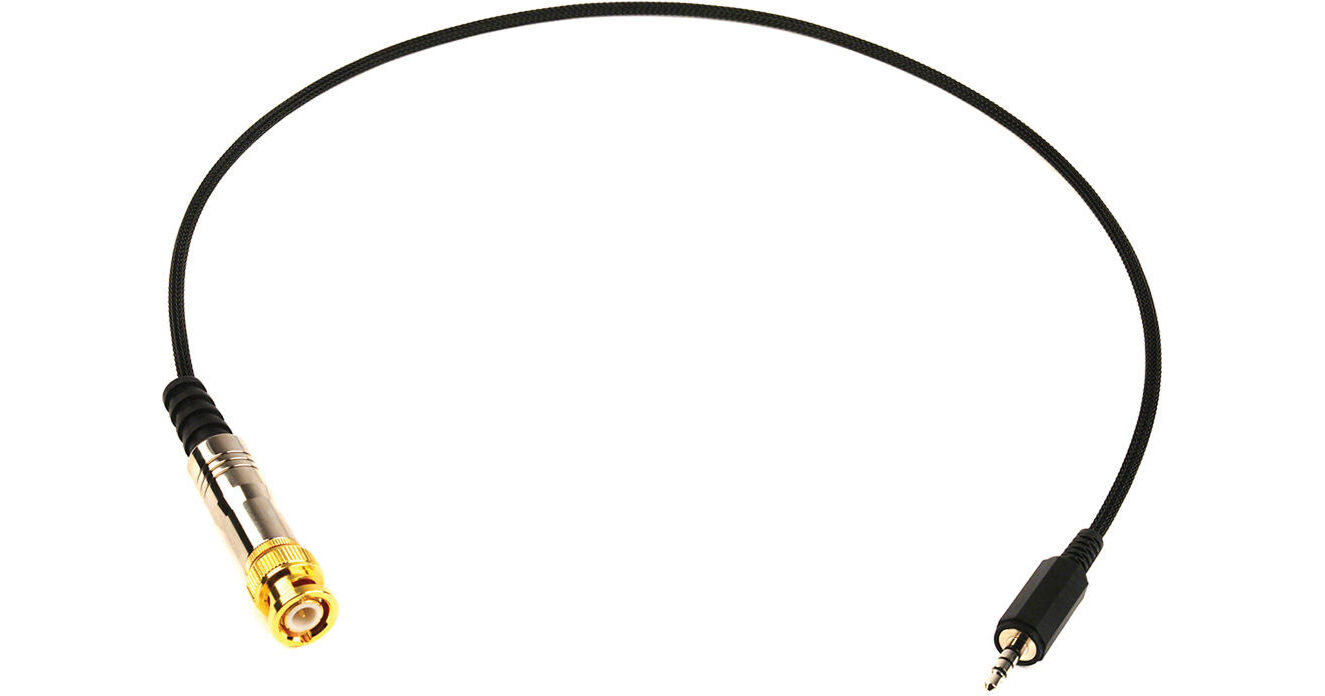
Remote Audio BNC to 1/8" (3.5mm) Timecode Cable (3')

BH #RECATCIPBNC • MFR #CATCIPBNC
Print
Remote Audio BNC to 1/8" (3.5mm) Timecode Cable (3')
Key Features
  • For iDevices (iPhone, iPod, iPad, et al)
  • BNC Male to 3.5mm Mini Plug
The Remote Audio BNC to 1/8" (3.5mm) Timecode Cable is a 3' (0.91m) input cable designed for use with Apple iDevices such as the iPhone, iPod, and iPad. It consists of a BNC male connector on one end and a 1/8" (3.5mm), 4-conductor iDevice plug on the other.
More Details
In Stock
No Store Display
Protect Your Gear
Add a protection plan from $8.99
Ask an Expert
800-606-6969

Remote Audio CATCIPBNC Overview

The Remote Audio BNC to 1/8" (3.5mm) Timecode Cable is a 3' (0.91m) input cable designed for use with Apple iDevices such as the iPhone, iPod, and iPad. It consists of a BNC male connector on one end and a 1/8" (3.5mm), 4-conductor iDevice plug on the other.

UPC: 810054425441

Remote Audio CATCIPBNC Specs

Connectors
BNC Male to 3.5mm (1/8") TRRS Mini Plug
Length
3' (0.91m)
Packaging Info
Package Weight
0.15 lb
Box Dimensions (LxWxH)
6.1 x 2.5 x 1.6"

Remote Audio CATCIPBNC Reviews

Devil in details but works fine

By David
Rated 4 out of 5
Date: 2018-01-12

This cable is well built but I was looking for a TC cable for my SoundDevices mix-pre 6 and 10T. This cable is for ipad and iphone only. It has the tip/ring/ring/sleeve. Using the TC Toolbox app on my Phone I can read the timecode but I had to go online to find a BNC to 3.5 tip/ring/sleeve would talk to my devices mentioned above. We learn as we go..

Expensive.

By Derek
Rated 3 out of 5
Date: 2013-12-06

I bought it to use my ipad as a timecode display. It works but I think it's overpriced.

See any errors on this page?

Is there an ios app to best use this cable with? ...

Is there an ios app to best use this cable with? To take TC out of a Cine Camera and send to iPad or iPhone?
Asked by: Tom
There are a vareity of timecode apps for iOS available from the app store which would allow you to take timecode from your camera and send it to an iPad or iPhone using the Remote Audio BNC to 1/8" (3.5mm) Timecode Cable. TimeCode ToolBox and Timecode Buddy are two examples of popular apps you will find if you search for timecode apps in the app store.
Answered by: Lisa S
Date published: 2021-08-25

question

Can I use this with a Zaxcom ERX?
Asked by: Young K.
The Remote Audio CATCIPBNC Timecode Cable is an input cable designed for use with Apple iDevices such as the iPhone, iPod, and iPad. For the Zaxcom ERX, you may use the Remote Audio CATC1/8BNC (B&H #RECATC18BNC).
Answered by: James B.
Date published: 2018-08-28

Can I use this to send tc from a Sound Devices ...

Can I use this to send tc from a Sound Devices Mixpr6 II to a Denecke JB1 syncbox (and then use the sync box to feed camera)?
Asked by: Bruno
No, the Remote Audio BNC to 1/8" (3.5mm) Timecode Cable would not work with the 3.5mm output connection on the Sound Devices MixPre-6 II Field Recorder. This cable uses a TRRS (3-ring) 3.5mm connection for compatibility with smart phones and similar device connections. The CAMVATE Right-Angle BNC to Right-Angle 3.5mm Mini Jack Timecode Cable (BH #CAC2385) is a suitable alternative for the described application: https://bhpho.to/3RYR5NA
Answered by: Matt Z
Date published: 2022-09-12

question

Is the cable it send and receive both way?
Asked by: xinyue z.
The Remote Audio CATCIPBNC is not Bi-directional. It is a timecode input cable for iPads and iPhones.
Answered by: James B.
Date published: 2018-08-28

question

Would this cable work for video between a DVR and camera?
Asked by: Anonymous
Most likely not. I don't know of many DVR's that have a BNC connection. Most are coax cable connections. And the 1/8th end would not work in a DVR for video.
Answered by: Benjamin R.
Date published: 2018-08-28
  • y_2026, m_7, d_14, h_11CST
  • bvseo_bulk, prod_bvqa, vn_bulk_3.0.47
  • cp_1, bvpage1
  • co_hasquestionsanswers, tq_5
  • loc_en_US, sid_751718, prod, sort_[SortEntry(order=HAS_STAFF_ANSWERS, direction=DESCENDING)]
  • clientName_bhphotovideo
Whatever You Need, We've Got It