Video Chat with a Pro Audio Expert - Live

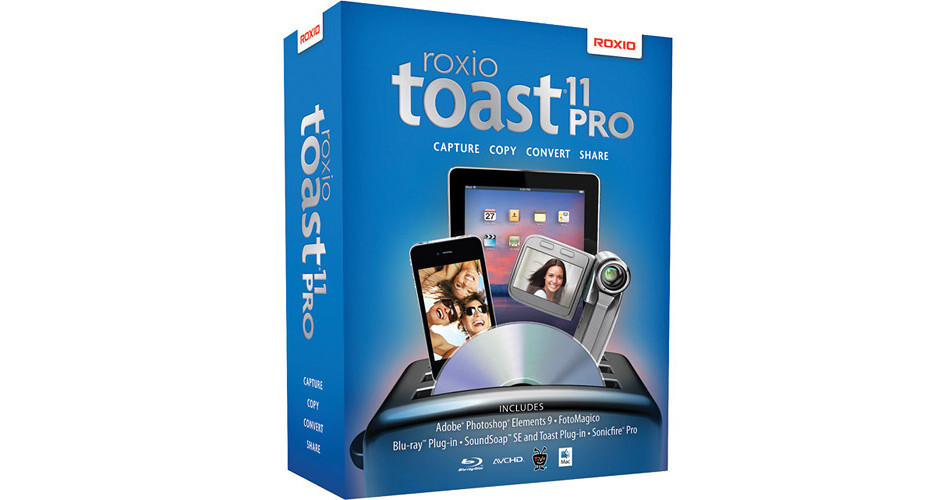
Roxio Toast 11 Pro

BH #ROT11P • MFR #247100
Print
Roxio Toast 11 Pro
Key Features
  • Creates Professional Grade Photos/Videos
  • Adobe Photoshop Elements 9
  • Fotomagico 3 RE
  • Bias Soundsoap 2 SE / Toast Plug-in
The Roxio Toast 11 Pro lets you create professional quality photos and videos on your Mac OS. With Adobe Photoshop Elements 9, it allows you to create, edit, and enhance your photos as well as share it on the internet. With Fotomagico 3 RE, you can create a high-definition stories complete with music, transitions, text, etc. out of your photos and videos. The BIAS SoundSoap 2 SE and new Toast plug-in allow you to remove unwanted noise from digital audio and video. Allowing you to add soundtracks to your videos, the SmartSound Sonicfire Pro 5 automatically adjusts music to fit your creative needs. In addition, the BD plug-in for Toast 11 lets you burn HD videos on Blu-ray discs and standard DVDs.
More Details
No Longer Available
No Store Display
Ask an Expert
800-606-6969

Roxio 11 Pro Overview

The Roxio Toast 11 Pro lets you create professional quality photos and videos on your Mac OS. With Adobe Photoshop Elements 9, it allows you to create, edit, and enhance your photos as well as share it on the internet. With Fotomagico 3 RE, you can create a high-definition stories complete with music, transitions, text, etc. out of your photos and videos. The BIAS SoundSoap 2 SE and new Toast plug-in allow you to remove unwanted noise from digital audio and video. Allowing you to add soundtracks to your videos, the SmartSound Sonicfire Pro 5 automatically adjusts music to fit your creative needs. In addition, the BD plug-in for Toast 11 lets you burn HD videos on Blu-ray discs and standard DVDs.

The Toast 11 Pro lets you extract videos from AVCHD camcorder or your home DVDs and then, you can edit it for view on the playback device of your choice. With the ability to save the videos you stream, the unit also captures audio with title tags and artist names for easy synchronization with your iTunes library.

With the ability to copy data from even your damaged disks, the software lets you create custom DVD compilations or create images of other data disks, which can be loaded directly from the finder. In addition, it lets you preserve subtitles while transferring movies onto your iPad or iPhone and copy large DVD-video discs to inexpensive DVD discs with Fit-to-DVD.

The new VideoBoost technology with up to 2x faster video conversions supercharges video exports to your favorite mobile devices, and converts video from the web, TiVo, DVRs, EyeTV tuners, flip video camcorders, and dvd-video2 for playback on iPad, iPhone and more. Including support for DivX Plus HD, MKV, Elgato's Turbo.264 HD accelerator hardware, it exports video from Adobe Flash using an automatically generated HTML template. With the ability to schedule video conversion projects, it lets you have a preview of the videos being created with your selected quality settings.

Lets you create professional quality photos and videos on your Mac OS
Adobe Photoshop Elements 9 - creates edit and enhances your photos and share it on the internet
Fotomagico 3 RE - creates a high-definition stories complete with music, transitions, text, etc
Removes unwanted noise with the bias SoundSoap 2 SE and new toast plug-in
Adds soundtracks to your videos
Automatically adjusts music to fit your creative needs
Lets you burn HD videos on a Blu-ray discs and standard DVDs
Extracts videos from AVCHD camcorder or your home DVDs
Edits videos for view on the playback device of your choice
Saves the videos you stream
Captures audio with title tags and artist name for easy synchronization with your iTunes library
Copies data from even your damaged disks
Lets you create custom DVD compilations or creates images of other data disks
Preserves subtitles while transferring movies onto your iPad or iPhone
Copies large DVD-video discs to inexpensive DVD discs with Fit-to-DVD
Up to 2x faster video conversions supercharges video exports to your favorite mobile devices
Converts videos from the web, TiVo, DVRs, EyeTV tuners, flip video camcorders, and dvd-video2 for playback on iPad, iPhone, and more
Supports DivX Plus HD, MKV, Elgato's Turbo.264 HD accelerator hardware
Exports video from Adobe Flash using an automatically generated HTML template
Schedules your video conversion projects
Lets you preview your videos being created with your selected quality settings

Roxio 11 Pro Specs

System Requirements
Computer
Mac computer with an Intel processor
RAM
1 GB RAM (2 GB RAM recommended for Pro)
Operating System
Mac OS X 10.5 or 10.6
Hard Disk Free Space
5 GB of free space to install all components
Supported Formats
Audio: AAC, AIFF, MP3, WAV, M4A, OGG, FLAC and Dolby Digital AC-3
Video: AVCHD, AVCHD Lite, AVI, DivX Plus HD, DV, FLV and F4V for Adobe Flash, MJPEG, MOV, MKV, MPEG-1/2/4, VOB, VIDEO_TS folder, shared iMovie projects, EyeTV recordings, and TiVoToGo transfers
Photo: BMP, GIF. JPG, PDF, PSD, PNG, TIFF
Disc Images: ISO, BIN/CUE, IMG, DMG, CDR, NRG

Roxio 11 Pro Reviews

See any errors on this page?
Whatever You Need, We've Got It