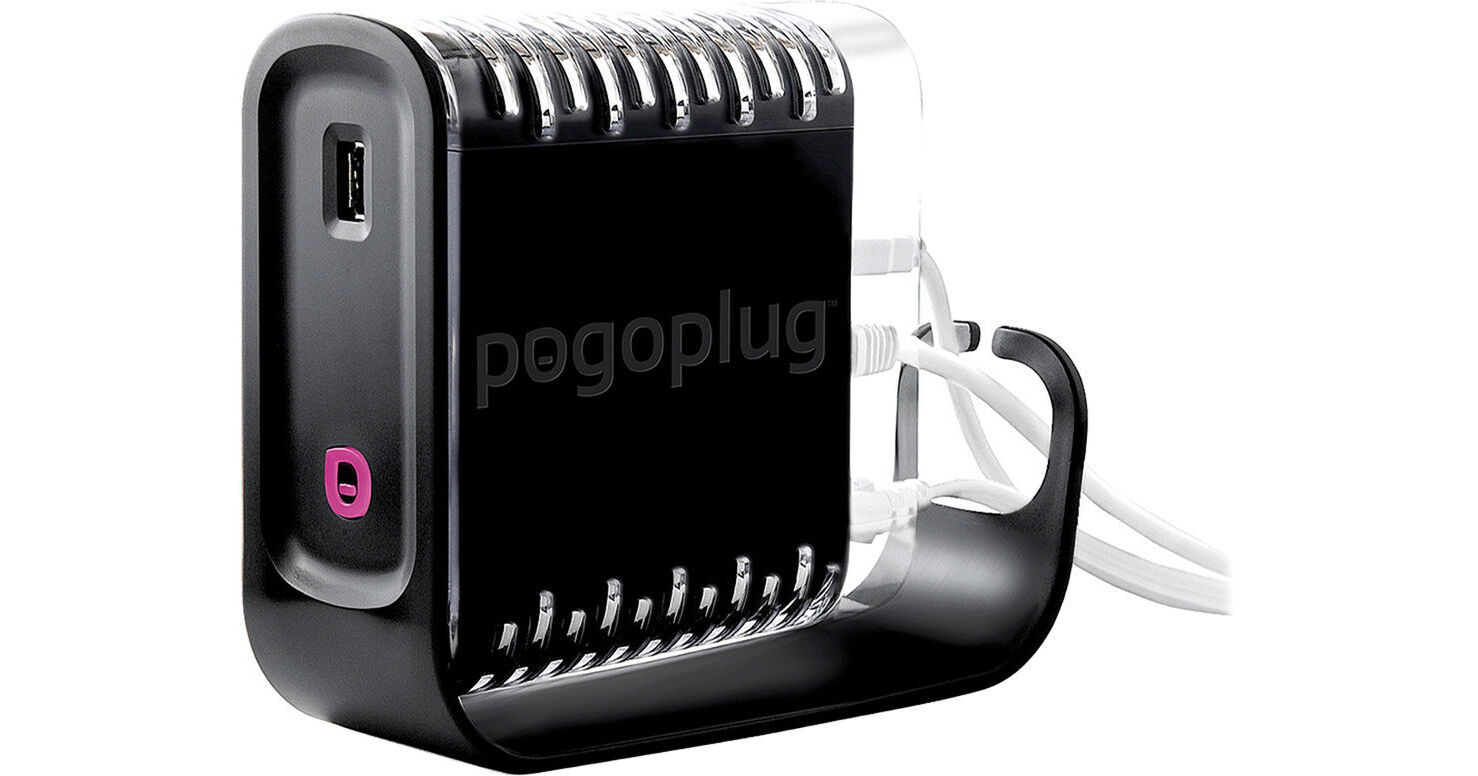
Pogoplug Pro Multimedia File Sharing Solution

BH #POP01 • MFR #POGO-P01
Print
Pogoplug Pro Multimedia File Sharing Solution
Key Features
  • Supports 4 HDDs with 4 USB 2.0 Ports
  • Remote Access to HDDS or Printer
  • Remote Access with Mobile Devices
  • Remotely Share Files with Others
The Pogoplug Pro Multimedia File Sharing Solution is an incredibly easy way for you to setup, access, and share music, video, photo, or data files saved on your network storage. The Pogoplug Pro is outfitted with four USB 2.0 ports that allow you to connect up to four USB hard disk drives (not included) and access them, whether you are directly connected to your network or away from it. You can also use a USB 2.0 port to connect and directly or remotely print from a USB-enabled printer. Plus, if you want to expand your storage options, you can connect a USB hub for adding more hard drives.
More Details
No Longer Available
No Store Display
Ask an Expert
866-264-7509

Pogoplug POGO-P01 Overview

The Pogoplug Pro Multimedia File Sharing Solution is an incredibly easy way for you to setup, access, and share music, video, photo, or data files saved on your network storage. The Pogoplug Pro is outfitted with four USB 2.0 ports that allow you to connect up to four USB hard disk drives (not included) and access them, whether you are directly connected to your network or away from it. You can also use a USB 2.0 port to connect and directly or remotely print from a USB-enabled printer. Plus, if you want to expand your storage options, you can connect a USB hub for adding more hard drives.

The Pogoplug Pro connects to your home or office network in one of two ways. You can utilize the Pogoplug Pro's built-in Gigabit Ethernet port and establish a wired connection to your router. Alternatively, because the Pogoplug Pro is WiFi compatible, you can also wirelessly connect it to your network. It's WiFi compatible with wireless n, b, and g modems or routers. For remote access to files and printers, the Pogoplug Pro comes with a free online service that allows you to use your laptop computer or mobile devices, like your Phone, iPad, Android, or Blackberry. Once you have the Pogoplug Pro and your hard drives all connected, you can use the included drive application software to make all the drives appear like local drives on your computer. That means you can drag and drop files between your computer and the PogoPlug Pro with ease. In addition, you can take the files and folders on your hard drives and share them over the Internet with friends, family, coworkers, and clients.

Built-in WiFi
The PogoPlug Pro's built-in WiFi allows it to connect to the wireless network in your home or office without the need for network cables
Unlimited Storage Capacity
With the four built-in USB 2.0 ports, you can attach up to four external hard drives or, if you want even more storage, you can connect a USB hub to the PogoPlug Pro for connecting additional hard drives
Cloud or Mobile Printing
Remotely print from your laptop or mobile device, including the iPhone and iPad. You can print to any printer connected to the Pogoplug whether you're nearby or in a different location
Works with Mobile Devices
Pogoplug offers free mobile applications for the iPhone, iPad, Android, Blackberry and other mobile devices, so that you can stream music, movies, and pictures from the hard disk drives to your mobile device. You can also upload files from your mobile device to your Pogoplug connected drives at home
Access Your Pogoplug From Anywhere, Anytime
You can remotely access hard drives connected to your PogoPlug Pro through a Web browser, desktop app, or mobile app
The Flexibility of Pogoplug Pro
The PogoPlug Pro grants you remote access to your connected hard drives, it frees you from complicated FTP installations and management, expensive sending and sharing services, and limited PC remote access software tools
Playstation 3 and XBox 360
Access, share, and stream content directly to the Playstation 3 or XBox 360. You can stream movies, music, and pictures right to your compatible television from your Pogoplug
Active Copy
Automatically copy photos, videos, music, and other files from one folder to another. Any additions or changes to those designated files and folders will automatically copy to the destination folder you selected
Unlimited And Private File Sharing
Share unlimited files and folders securely with friends, family, coworkers, and clients. Share large files like photos and videos with just a click: no uploading required
No Fees Ever
Access, share, download, upload and store as much as you want. The PogoPlug service is free. No additional fees, ever
Simple, Quick Installation
To setup the PogoPlug Pro, simply plug it into your network router, attach an external hard drive, and activate online

Pogoplug POGO-P01 Specs

Interfaces
4x  USB 2.0 Ports
1x  LAN Gigabit Ethernet port
Standards
Wireless 802.11 b/g/n
Requirements
Operating System:
MS Windows XP, Vista, Windows 7
Mac OS 10.4 and above (Intel and PowerPC)
Linux

Drive Formats:
NTFS, FAT32, Mac OS Extended Journaled and non-Journaled (HFS+), EXT-2/EXT-3

Web browsers:
Apple Safari 4/5, Mozilla FireFox 3.5/3.6, Microsoft Internet Explorer 7/8, Google Chrome 7/8
Also compatible with the below devices:
XBox 360, Playstation 3, iPhone, Android, Blackberry, Palm, iPad
Power Requirements
100-240V, 50/60 Hz
Weight
1.4 lb / 0.64 kg
Dimensions
Not specified by the manufacturer

Pogoplug POGO-P01 Reviews

See any errors on this page?
Whatever You Need, We've Got It