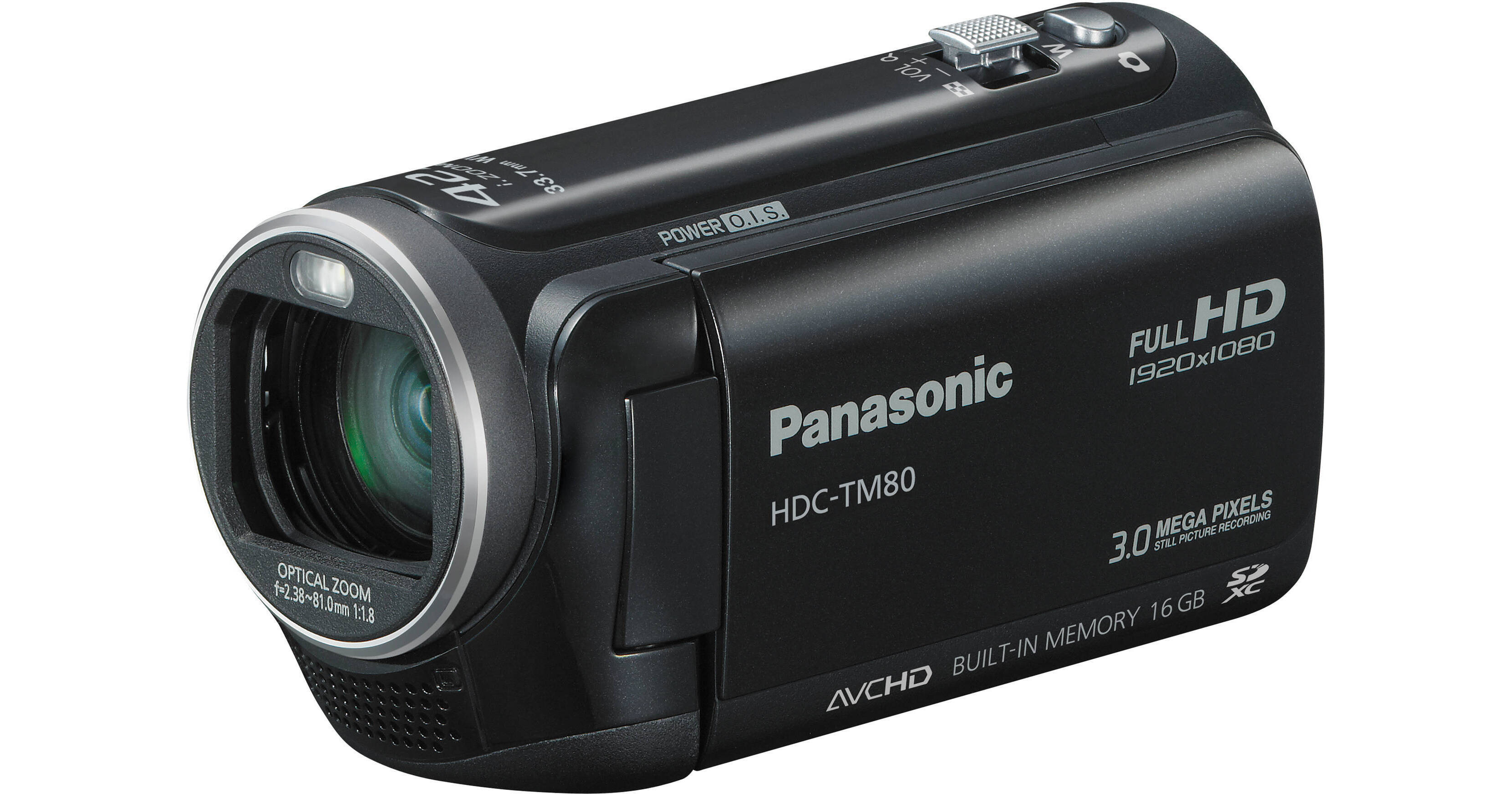
The Panasonic HDC-TM80 High Definition PAL Camcorder (Black) provides HD recording to a 16 GB internal flash memory and to optional SD/SDHC/SDXC memory cards. In addition to the beautiful, future-friendly 1920 x 1080 high-def format and convenient flash memory recording, the TM80 comes loaded with a number of stress reducing shooting functions, digital still capture, and options for archiving, editing, and sharing.
Panasonic's Crystal Engine PRO and the 1/5.8" CMOS sensor form the heart of the TM80 - producing vivid, life-like footage with fast processing speeds. Other core features of the camera include a touch screen 2.7" (6.9 cm) LCD for intuitive control of the camera, a 33.7mm wide-angle lens, 42x Intelligent zoom, and optical image stabilization. All of these features work together to create clear, beautiful memories. And along with creating detailed video, the TM80 also produces crisp audio thanks to the built-in zoom mic and wind noise canceller. Without using an external mic, this built-in mic captures high-quality sound without added expense.
The TM80 also features a number of shooting controls designed to make shooting easier. Let these controls take the guesswork out of shooting, leaving you only with true-to-life memories, not headaches. Panasonic's Intelligent Auto, Face Recognition, and Pre-Rec are just a few of the ways you can capture each and every moment with ease.
When it comes time to edit, share, or archive, the TM80 presents multiple options as well. Utilize the in-camera Advanced Highlight Playback for fun montages of your scenes set to music for starters. When you're ready to take the footage out of the camera and share it with the world, the included HD Writer AE 3.0 software helps you do just that with simple upload to websites like YouTube and Facebook. Other options include the optional VIERA link or burning with a DVD burner.
The Zoom Mic function that links with the camera's zoom action has evolved even further. Compared to previous models, the noise-reducing performance is improved by 1/3 (-10dB). It lets you clearly record the sound of your target subject
• Wind Noise Canceller:
The Wind Noise Canceller automatically detects and suppresses only wind noise. It lets you capture natural sounds with lifelike ambience even when shooting in windy conditions outdoors or by the sea
• Active Mode:
Active mode comes in handy when shooting while walking or playing with your children. The wide correction area corrects even relatively large hand-shake motion. It's especially good for active video shooting
• Portrait:
This mode captures faces beautifully. With Soft Skin mode, complexions are automatically enhanced to make faces attractive
• Scenery:
This mode is ideal for shooting wide landscapes and sweeping vistas, such as at the ocean or in the mountains. It balances the exposure over the entire frame to prevent brighter parts of the image, such as the sky, from being washed out or having blown highlights
• Spotlight:
The camcorder automatically uses this mode for scenes with particularly strong contrast, such as when you're shooting a spot lit area on a darkened stage. It captures the well-lit subject perfectly and prevents washed-out areas
• Low Light:
In dim lighting, the camcorder automatically switches to a slower shutter speed so that images across the entire frame are bright and easy to see
• Capture the smiles of only certain subjects - Face Recognition Linked:
This function detects subjects who are registered in advance and automatically snaps the shutter to catch the subject's best possible smile. It's great for capturing the smiles of certain people in a group
• Capture the smiles of an entire group - Face Detection Linked:
This function automatically snaps the people within the LCD frame smiles. It gives you shots of an entire group of people smiling, making it great for group shots
• Capture the smiling face of a moving subject - AF/AE Tracking Linked:
Simply touch a subject within the LCD frame. This function will then lock on and start tracking your subject. When the subject smiles, it'll automatically snap the shutter
• Touch Zoom:
You can easily zoom in and zoom out by simply touching the LCD with your fingertips. Shoot at any angle of view while watching the screen
• Touch Shutter:
Even when shooting movies, you can touch the subject on the screen to instantly focus on it, and easily switch to still-image shooting
• Touch operation for playback:
You can flip through thumbnail pages, display one of the thumbnail scenes, highlight a scene, and more, with easy, intuitive, fingertip operation
How to combine motion images that are split onto two types of media as a continuous scene
• Arrange the data that is split onto two types of media on an SD/SDHC/SDXC memory card:
If the SDXC/SDHC/SD Memory Card has sufficient capacity, it's possible to arrange all of the split data as a single continuous scene on the SDXC/SDHC/SD Memory Card
• Use a DVD burner to create a disc:
If the SDXC/SDHC/SD Memory Card is not big enough to hold all of the split data, use a DVD burner to create a disc with all the motion images as a single continuous scene
• Use the included software:
You can also use the editing software that is included with the camcorder to join the split data as a continuous scene
Playback image effect mode
• Natural:
Enjoy more impressive highlight playback with natural switching effects
• Pop:
View highlight playback of the images you've taken, together with a variety of fun effects
• Dynamic:
Enjoy highlight playback with speedy, dynamic effects
• Classical:
Enjoy highlight playback with dramatic effects applied mainly to your subjects' faces
• Face Highlight Index:
The Face Highlight Index selects scenes that have faces in them and displays them in an index format. This handy function lets you quickly find and view scenes that have people in them
• Highlight Index:
The camera automatically selects and displays the most exciting scenes. It determines the level of importance of each scene based on zooming and panning, and whether there are faces. This gives you an easy, convenient way to view all the highlights together
• Time Frame Index:
This mode divides each recorded clip into 3-second, 6-second, 12-second, 1-minute and 5-minute intervals, and displays them. This is convenient when you want to find a specific scene within a long clip
• VIERA Link:
Connect your HD camcorder to a VIERA or compatible Blu-ray player via an HDMI mini cable, and you can control both units in synchronized operation with a single remote control. This kind of simple, easy operation makes it enjoyable to view your recordings
• VIERA Image Viewer:
Just slip the SD card from your camcorder into the VIERA Image Viewer card slot on your VIERA TV, and you're ready to view Full-HD moving images recorded
• Easy AVCHD to MPEG-2 Conversion:
You can make a copy either in the original high-definition AVCHD format, or in the standard-definition DVD-Video (MPEG-2) format. Choose the one that matches your playback equipment
• Playback with a DVD burner:
To view the disc you just burned, simply connect the HD camcorder to an HDTV via an HDMI mini cable
Also Enjoyable When the Shooting's Done
• Importing Data:
When the camcorder is connected to a PC, the software automatically starts up. Importing data takes only a few clicks of the mouse
• Easy YouTube and Facebook Uploading:
The videos you've recorded are easily uploaded to YouTube or Facebook in their original high quality. HD Writer AE 3.0 lets you share your videos worldwide
• Highlight Playback:
Chooses the most exciting scenes and plays them all together, backed by music
• Editing:
It's easy to add titles, rearrange scenes, provide transition effects, and edit images in single frame units
• Archiving:
Make a copy either in the original high-definition AVCHD format, or in the standard-definition DVD-Video (MPEG-2) format