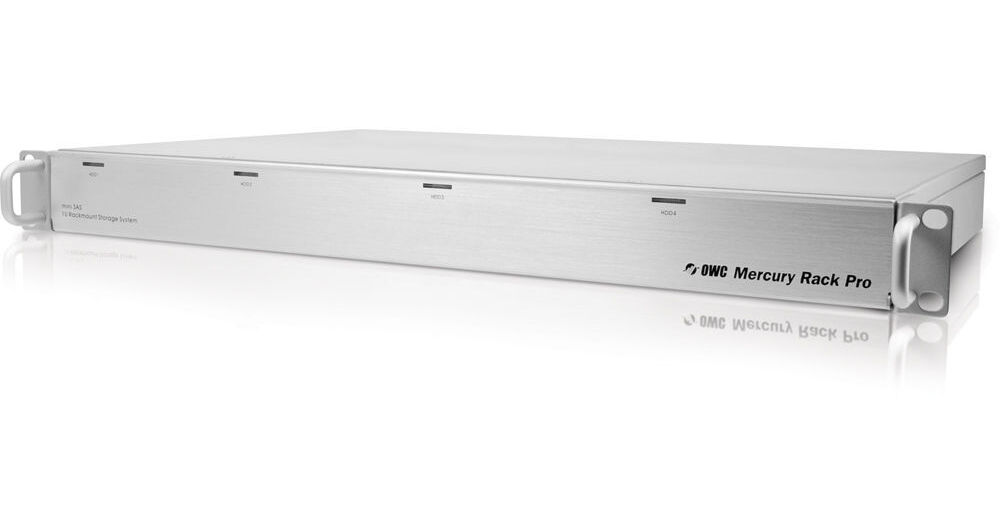
OWC 2TB Mercury Rack Pro 1U Quad Interface 4-Bay RAID Solution

BH #OWMRP2TB • MFR #OWMRPM3F8Q02.0T
Print
OWC 2TB Mercury Rack Pro 1U Quad Interface 4-Bay RAID Solution
Key Features
  • Rack Mount RAID Array
  • Includes 4 SATA, 3.5" HDDs
  • Supports RAID 0,1,3,10, SPAN, JBOD
  • Pre-configured for RAID 5
Designed for work in video and audio production work, the Mercury Rack Pro 1U Quad Interface 4 Bay Enterprise RAID Solution from OWC is a high-performance, hardware-controlled RAID array that can connect to your computer with four different interfaces. In a 1U rack mount size, the Mercury Rack Pro comes with, and holds, four SATA 3.5" 500GB Hitachi Deskstar 7K1000.C hard disk drives that spin at 7200rpm. The drives total a capacity of 2TB and together come preconfigured as a RAID 5 array; however, you can use the rear-panel to re-configure the drives as a SPAN, a RAID 0, 1, 3, 10, or as a JBOD. The drives are also hot-swappable.
More Details
No Longer Available
No Store Display
Ask an Expert
866-842-7675

OWC External HDD Overview

Designed for work in video and audio production work, the Mercury Rack Pro 1U Quad Interface 4 Bay Enterprise RAID Solution from OWC is a high-performance, hardware-controlled RAID array that can connect to your computer with four different interfaces. In a 1U rack mount size, the Mercury Rack Pro comes with, and holds, four SATA 3.5" 500GB Hitachi Deskstar 7K1000.C hard disk drives that spin at 7200rpm. The drives total a capacity of 2TB and together come preconfigured as a RAID 5 array; however, you can use the rear-panel to re-configure the drives as a SPAN, a RAID 0, 1, 3, 10, or as a JBOD. The drives are also hot-swappable.

In connecting to your computer, the Mercury Rack Pro offers you flexibility and high-speed options with four different kinds of ports. It features one eSATA port, one USB 3.0 port, two FireWire 800 ports, and one FireWire 400 port. For managing your RAID array and backing up your data, the Mercury Rack Pro comes with the following software: OWC RAID Manager Visual Interface, Prosoft Engineering Data Backup 3, Carbon Copy Cloner, and NovaStor NovaBACKUP. It also comes with Intech SpeedTools Utilities, a program for repairing and maintaining your disks. The OWC Mercury Rack Pro is pre-formatted for Macs but is also compatible with Windows computers.

High Capacity
Included in the Mercury Rack Pro are four 500GB Hitachi Deskstar 7K1000.C hard disk drives for a total capacity of 2TB
RAID Options
With the Mercury Rack Pro, you have the option to format your hard disk drives as a SPAN or RAID 0, 1, 3, 5, or 10 configuration. In addition, you have the option to use the drives independently as a JBOD
Multi-Interface
The Mercury Rack Pro offers one eSATA port, two FireWire 800 (1394B) ports, one FireWire 400 (1394A) port, and one USB 3.0 port for easy Plug and Play on any system! The Mercury Rack Pro even includes all the necessary connection cables
Swap Drives at Will
When using the Mercury Rack Pro in Independent mode*, all four drives appear on your system as individual volumes drives, so you can mix and match drives of any capacity and brand and hot swap the drives too
Note:
When using in independent mode via eSATA, you must use an eSATA Port Multiplier capable card. Please check with the manufacturer for recommended eSATA cards
Smart Power
Smart Power regulates power during prolonged periods of inactivity to save operating costs and prolong component lifespan
Flexible Form
The Mercury Rack Pro can easily be converted to a desktop form-factor by simply removing the rack ears with a Phillips screw-driver and installing the included anti-skid, vibration dampening feet
Software
OWC RAID Manager Visual Interface
Control and manage your RAID settings with this easy to use visual interface. The power of simplicity is evident in the OWC RAID Manager. With easy to follow options and menus, this convenient user interface adds a level of control and monitoring for unrivaled operating confidence. The Manager Visual Interface requires a computer with Mac OS X 10.5.x or later and an Intel processor
Prosoft Engineering Data Backup 3
Backup Made Easy. Data Backup makes it easy to backup to FireWire and USB drives, network drives, CDs and even DVDs. Make schedules so you don't need to 'think' about backing up... It does it for you. Prosoft Engineering Data Backup 3 requires a computer with Mac OS X v10.2.8 or later
Carbon Copy Cloner
CCC 3 features an interface designed to make the cloning and backup procedure very intuitive. In addition to general backup, CCC can also clone one hard drive to another, copying every single block or file to create an exact replica of your source hard drive. CCC's block-level copy offers the absolute best fidelity in the industry. Carbon Copy Cloner requires a computer with Mac OS X 10.4 or later
NovaStor NovaBACKUP
NovaBACKUP has been helping millions of users recover from data loss and disasters for over 18 years. Feature rich, NovaBACKUP provides a powerful backup solution. Built-in support for hundreds of the most popular storage devices and a step-by-step backup and restore wizard makes NovaBACKUP extremely easy to use. NovaStor NovaBACKUP requires a computer with Windows 2000 or later
Intech SpeedTools Utilities
Intech SpeedTools consists of a suite of utilities managed by an application which controls the launching, documentation and version control of each individual component utility, such as Disk Defrag and QuickBack. An easy-to-use installation and removal application is provided to make installation a snap, yet powerful enough to allow you to customize which utility component set you would like to create. Intech SpeedTools Utilities requires a computer with Mac OS 10.3.9 or later

OWC External HDD Specs

OWC External HDD Reviews

See any errors on this page?
Whatever You Need, We've Got It