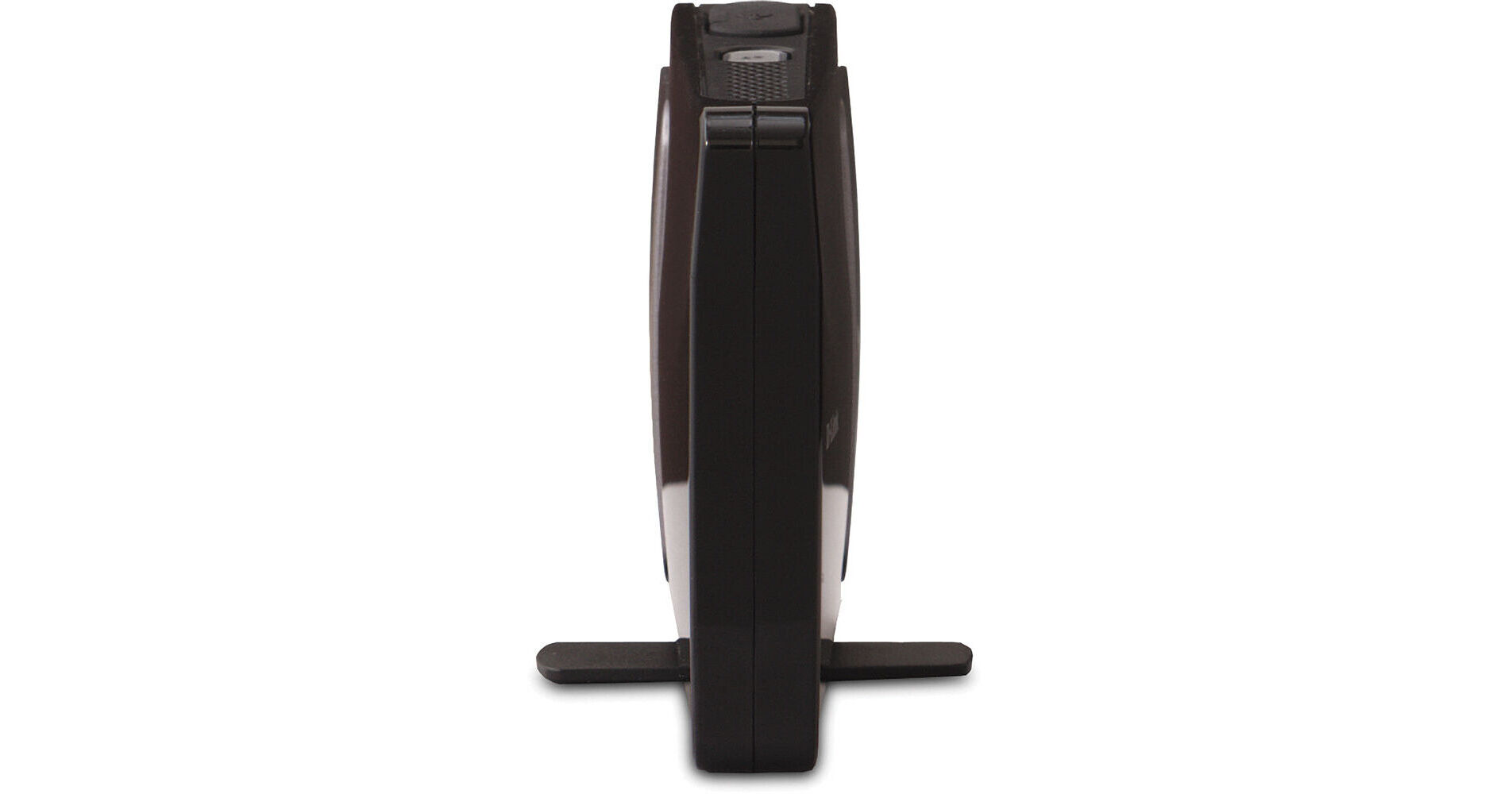
D-Link Wireless N Pocket Router and Access Point

BH #DLDAP1350 • MFR #DAP-1350
Print
D-Link Wireless N Pocket Router and Access Point
Key Features
  • Three Modes in One Device
  • Wireless -N and -B Router
  • Wireless Access Point
  • Wireless Hookup for Ethernet Devices
The Wireless N Pocket Router and Access Point from D-Link is a handy little solution that can operate in three different ways for connecting your wired or wireless devices to your network. As a router, it can link up both wireless -N and -B devices, such as your computer, game consoles, printers, and more. When in router mode, you can also utilize the built-in USB port for connecting up a USB printer or storage drive to your network. As an alternative to router mode, the Wireless N Pocket Router and Access Point can work in a "Wireless Client Mode." In this mode, it can connect an Ethernet-enabled device such as your computer or Xbox 360 to your Wi-Fi network. As a third mode, the Wireless N Pocket Router and Access Point can act as a wireless "Access Point." Once you've connected this device up to your wired router, the Wireless N will connect to any wireless -N and -B devices within range.
More Details
No Longer Available
No Store Display
Ask an Expert
800-606-6969

D-Link DAP-1350 Overview

The Wireless N Pocket Router and Access Point from D-Link is a handy little solution that can operate in three different ways for connecting your wired or wireless devices to your network. As a router, it can link up both wireless -N and -B devices, such as your computer, game consoles, printers, and more. When in router mode, you can also utilize the built-in USB port for connecting up a USB printer or storage drive to your network. As an alternative to router mode, the Wireless N Pocket Router and Access Point can work in a "Wireless Client Mode." In this mode, it can connect an Ethernet-enabled device such as your computer or Xbox 360 to your Wi-Fi network. As a third mode, the Wireless N Pocket Router and Access Point can act as a wireless "Access Point." Once you've connected this device up to your wired router, the Wireless N will connect to any wireless -N and -B devices within range.

For any of these three modes, the Wireless N Pocket Router and Access Point utilizes a built-in Fast Ethernet port, so as to connect to your modem as a router, to your wired router as an access point, or to your Ethernet-enabled devices in Wireless Client mode. Beyond these modes, this device features a one-touch WPS button for quickly setting up a secure connection, and utilizes WPA and WPA2 encryption.

Multi-mode functionality with wireless router, access point, or wireless client mode
Create a powerful Wi-Fi network with Wireless N technology
Backward compatible with Wireless G devices
SharePort Technology for sharing a USB printer or storage over your network when in router mode
You can power this device by directly connecting it to your computer's USB port
Note:
Your computer's USB port requires a minimum output of 500mA
Easily add devices and secure your network with Wi-Fi Protect Setup push button security
Secure your wireless network using advanced WPA or WPA2 encryption

D-Link DAP-1350 Specs

Base Station
Standards
IEEE 802.11n 2.4GHz
IEEE 802.11g
IEEE 802.3u
Network Protocol
Not specified by the manufacturer
Data Rate
Wireless N:
300Mbps
54Mbps
36Mbps
18Mbps
11Mbps
6Mbps
2Mbps

Wireless G:
108Mbps
48Mbps
24Mbps
12Mbps
9Mbps
5.5Mbps
1Mbps
Frequency Range
2.4GHz to 2.483GHz
Channel Support
Not specified by the manufacturer
Security
Wi-Fi Protected Access (WPA, WPA2)
Wi-Fi Protected Setup (WPS) with WPS Push Button and PIN
Antenna
Embedded Antennas
Modulation
DQPSK
DBPSK
CCK
OFDM
Operation Distance
Not specified by the manufacturer
Transmitted Power
Not specified by the manufacturer
Power Over Ethernet
No
Interface
1x  10/100 LAN/WAN Port
1x  USB Port for SharePort
1x  Push-Button (for Wi-Fi Protected Setup)
1x  Mode Selector Switch
Certification
FCC Class B
Wi-Fi
IC
General
System Requirements
Minimum

Computer with:
Windows Vista, Windows XP SP3*
Internet Explorer v7 or Mozilla Firefox v3.0
CD-ROM Drive
Network Interface Card

For Internet Access:
Cable or DSL Modem for High-Speed Internet Connection
Subscription with an Internet Service Provider (ISP)
For Wireless N Performance, an 802.11n Adapter is required

Recommended

For Optimal Wireless Performance, use with:
Wireless N USB Adapter (DWA-130)
Xtreme N Dual Band USB Adapter (DWA-160)
Power Requirements
Maximum Operating Voltage: 5V 2.5A
Voltage: 100-240V
Dimensions
3.6 x 2.6 x 0.8" / 9.14 x 6.6 x 2.03 cm
Weight
0.5 lb / 0.23 kg
Packaging Info
Box Dimensions (LxWxH)
8.9 x 6 x 3"

D-Link DAP-1350 Reviews

See any errors on this page?
Whatever You Need, We've Got It