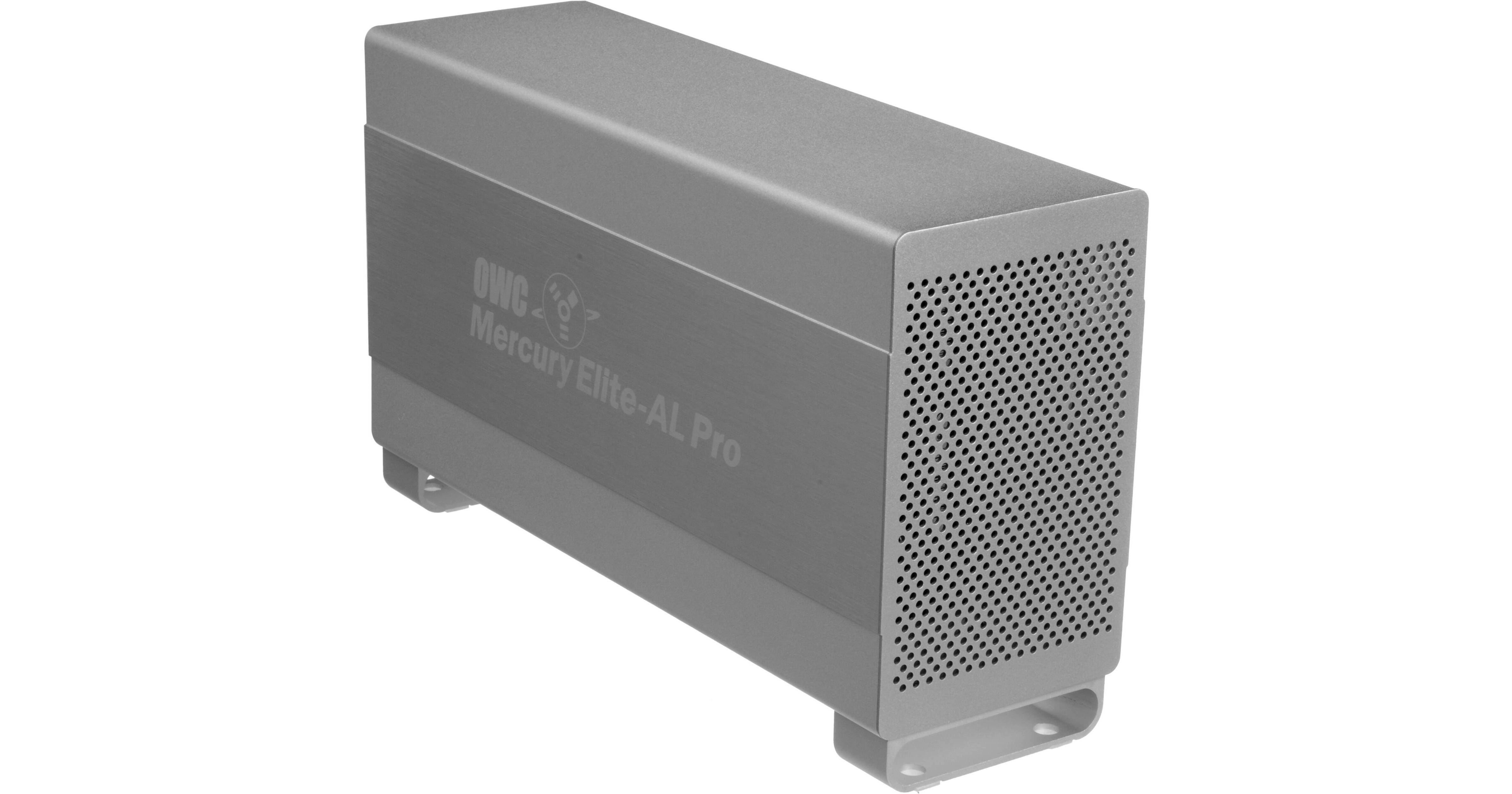
OWC 6 TB Mercury Elite-AL Pro Quad Interface External Dual Drive Array with RAID 0

BH #OWMEAP6 • MFR #OWCME8Q7T60H128
Print
OWC 6 TB Mercury Elite-AL Pro Quad Interface External Dual Drive Array with RAID 0
Key Features
  • Dual 3.5" SATA 3.0 TB Hard Drives
  • Drives Preconfigured Together in RAID 0
  • Hard Drive Disk Speed of 7200 rpm
  • 1x USB 2.0 and 1x eSATA Interface
The stylish 6 TB Mercury Elite-AL Pro Quad Interface External Dual Drive Array with RAID 0 from OWC is an external hard drive array that utilizes two high-capacity, high-performance hard drives and offers superb data transfer speeds. This enclosure contains two Hitachi Deskstar 7K3000 3.0 TB hard drives that spin at a swift speed of 7200 rpm, have a fast 6.0 Gbps SATA drive interface, and boast a total storage capacity of 6.0 TB. They also each boast a 64 MB buffer. The drives come preconfigured as a RAID 0 array, so that you can experience maximum data transfer performance from this array. In addition, this array utilizes an Oxford 944 Bridge chipset for increased speed.
More Details
No Longer Available
No Store Display
Ask an Expert
866-842-7675

OWC OWCME8Q7T60H128 Overview

The stylish 6 TB Mercury Elite-AL Pro Quad Interface External Dual Drive Array with RAID 0 from OWC is an external hard drive array that utilizes two high-capacity, high-performance hard drives and offers superb data transfer speeds. This enclosure contains two Hitachi Deskstar 7K3000 3.0 TB hard drives that spin at a swift speed of 7200 rpm, have a fast 6.0 Gbps SATA drive interface, and boast a total storage capacity of 6.0 TB. They also each boast a 64 MB buffer. The drives come preconfigured as a RAID 0 array, so that you can experience maximum data transfer performance from this array. In addition, this array utilizes an Oxford 944 Bridge chipset for increased speed.

RAID, or Redundant Array of Independent Disks, is a system that stores the same data on different drives, so that if one drive fails, you don't lose all your data. RAID 0, essentially 'No RAID,' also known as Striping Mode, allows for maximum performance as data is "striped" across the drives, using the full speed of the individual hard disks. This setting offers no redundancy and, thus, little protection against data loss, but it maximizes usable drive capacity.

For connecting the drive to your computer, you have numerous options. You can use one of two built-in FireWire 800 ports, the eSATA port, the FireWire 400 port, or the USB 2.0 port. The USB 2.0 port is also backwards compatible with computers that have older USB ports. You can transfer data at speeds up to 3.0 Gbps via the eSATA port, 800 Mbps via the FireWire 800 port, 400 Mbps via the FireWire 400 port, and 480 Mbps via the USB 2.0 port.

This external hard drive array comes formatted for Mac computers and is plug-and-play via the USB 2.0 port; however, you can reformat the drive to work with Windows as well. While you can easily use it to store additional files or backup your hard drive, you can also use it as an external boot drive for your Mac or Windows computer. Along with the drive, you'll receive the following software: Intech's Hard Disk SpeedTools Utilities, Prosoft's Engineering Data Backup, NovaStor's NovaBACKUP, Carbon Copy Cloner, and over 1.5 GB of other free programs.

High-Capacity, High-Performance
This unit utilizes a Oxford 944 Bridge chipset and features a storage capacity of 6.0 TB spread across 2 SATA drives that both spin at a fast 7200 rpm and that have 64 MB of cache apiece
Data Speeds
With one USB 2.0 port that's backwards compatible with older USB ports, one eSATA port, two FireWire 800 ports, and one FireWire 400 port, experience data transfer rates between your drive and your computer at the below speeds:

eSATA: up to 3.0 Gbps or 384 MB/sec
FireWire 800: up to 800 Mbps or 100 MB/sec
FireWire 400: up to 400 Mbps or 50 MB/sec
USB 2.0: up to 480 Mbps or 60 MB/sec
USB 1.1: up to 12 Mbps or 1.5 MB/sec
Portable
The variety of interfaces and the compact, shock-resistant design allow you to use the drive with a wide variety of computers and take it with you wherever you go
Stylish
This drive was created in mind to suit the look of the Power Macintosh G5 system, but has enough style to compliment any user's computer system. Also, a stylish, blue activity LED is recessed behind the front grille showing when your drive is being accessed
Bootable Startup Drive
You can also use the unit as an external startup drive for your Mac or Windows computer with any of the interfaces
Note:
Please review the specs for compatibility requirements
Time Machine Ready
Use the drive with Time Machine right out of the box and backup all your system files
Mac Formatted But Windows Compatible
Formatted for use with Mac computers but can be reformatted for use with Windows PCs
Warranty and Data Recovery
Three-year limited warranty with 48-hr turnaround time, plus complimentary 6-month level 1 data recovery
Prosoft Engineering Data Backup 3
Data Backup allows you to easily backup files to FireWire and USB drives, network drives, CDs and even DVDs. Make schedules so you don't need to 'think' about backing up your files. Prosoft does it for you. It's compatible with Mac OS X 10.2.8 or later
Carbon Copy Cloner
CCC 3 features an interface designed to make the cloning and backup procedure very intuitive. In addition to general backup, CCC can also clone one hard drive to another, copying every single block or file to create an exact replica of your source hard drive. It is compatible with Mac OS X 10.4 or later
NovaStor NovaBACKUP
Feature rich NovaBACKUP provides a powerful backup solution. Built-in support for hundreds of the most popular storage devices and a step-by-step backup and restore wizard makes NovaBACKUP extremely easy to use. It is compatible with Windows 2000 or later
Intech SpeedTools Utilities
SpeedTools consists of a suite of utilities managed by an application which controls the launching, documentation and version control of each individual component utility, such as Disk Defrag and QuickBack. Installing and removing the suite is easy and can also be customized if you want to pick and choose which utility components to install. The OEM Edition 3.6 is compatible with Mac OS 10.3.9 or later, while the classic version (also included) works with Mac OS 8.6 to 9.2.2

OWC OWCME8Q7T60H128 Specs

Performance
Capacity
6.0 TB
2x  3.0 TB disks
Buffer
64 MB per drive
Port
1x  eSATA
2x  FireWire 800 (9-pin)
1x  FireWire 400 (6-pin)
1x  USB 2.0/1.1. (5-pin)
Transfer Rate
Max Data Transfer Rates:

eSATA: up to 3.0 Gbps or 384 MB/sec
FireWire 800: up to 800 Mbps or 100 MB/sec
FireWire 400: up to 400 Mbps or 50 MB/sec
USB 2.0: up to 480 Mbps or 60 MB/sec
USB 1.1: up to 12 Mbps or 1.5 MB/sec
MTBF
Over 300,000 power-on hr
System Requirements
Macintosh System Requirements:

Mac OS 8.6 to 9.2.2 and an available USB 1.1 or FireWire 400 port

Mac OS X 10.2.8 or later and an available USB 2.0/1.1, FireWire 800/400 port, or eSATA port

Windows System Requirements:

Windows XP (64 bit) or later and an available USB 2.0/1.1, FireWire 800/400, or eSATA port

Linux Requirements:

Linux compatible via supported USB and FireWire interfaces
Boot Requirements
Below are the requirements for using the drive as an external boot disk.

eSATA General Requirement for either Mac or Windows Computers: Bootable eSATA host controller

Mac:
Built-in: Any SATA based Mac using a built-in SATA connection adapted to an eSATA connection will support booting. Port multiplier enclosures are not supported.
Card/HBA: Most eSATA expansion cards or host board adapters will not be bootable. Check with your specific card manufacturer regarding Mac boot support.

PC: Will boot as long as your BIOS supports booting from the eSATA interface. BIOS support will vary by motherboard and host board adapters.

FireWire 800 Boot/Startup
Mac: Intel Macs and some PowerPC Macs running OS 8.6 or later. Please note, non-Intel Macs will not be able to boot external enclosures that have over 2.2 TB support enabled. This is a hardware limitation of the computer.

PC: Will boot as long as your BIOS supports booting from the FireWire 800 interface. BIOS support will vary by motherboard and host board adapters.

FireWire 400 Boot/Startup
Mac: Intel Macs and some PowerPC Macs running OS 8.6 or later. Please note, non-Intel Macs will not be able to boot external enclosures that have over 2.2 TB support enabled. This is a hardware limitation of the computer.

PC: Will boot as long as your BIOS supports booting from the FireWire 400 interface. BIOS support will vary by motherboard and host board adapters.

USB 2.0 Boot/Startup
Mac: All Intel Macs. Unofficial support exists for various PowerPC models running OS 8.6 or later, but OWC cannot guarantee any particular boot support. Please note, PowerPC Macs will definitely not be able to boot external enclosures that have over 2.2 TB support enabled. This is a hardware limitation of the computer.

PC: Will boot as long as your BIOS supports booting from the USB 2.0 interface. BIOS support will vary by motherboard and host board adapters.
Power Requirements
5 A 100-240 V 50/60 Hz US/International Auto Switching
Environmental Requirements
Temperature:
41° to 131°F / 5.0° to 55°C (operating)
-40° to 149°F / -40° to 65°C (non-operating)

Relative Humidity:
While operating: 8.0 - 90% RH (Non-condensing)
While not-operating: 5.0 - 95% RH (Non-condensing)
Packaging Info
Box Dimensions (LxWxH)
11.75 x 9 x 5.75"

OWC OWCME8Q7T60H128 Reviews

See any errors on this page?
Whatever You Need, We've Got It