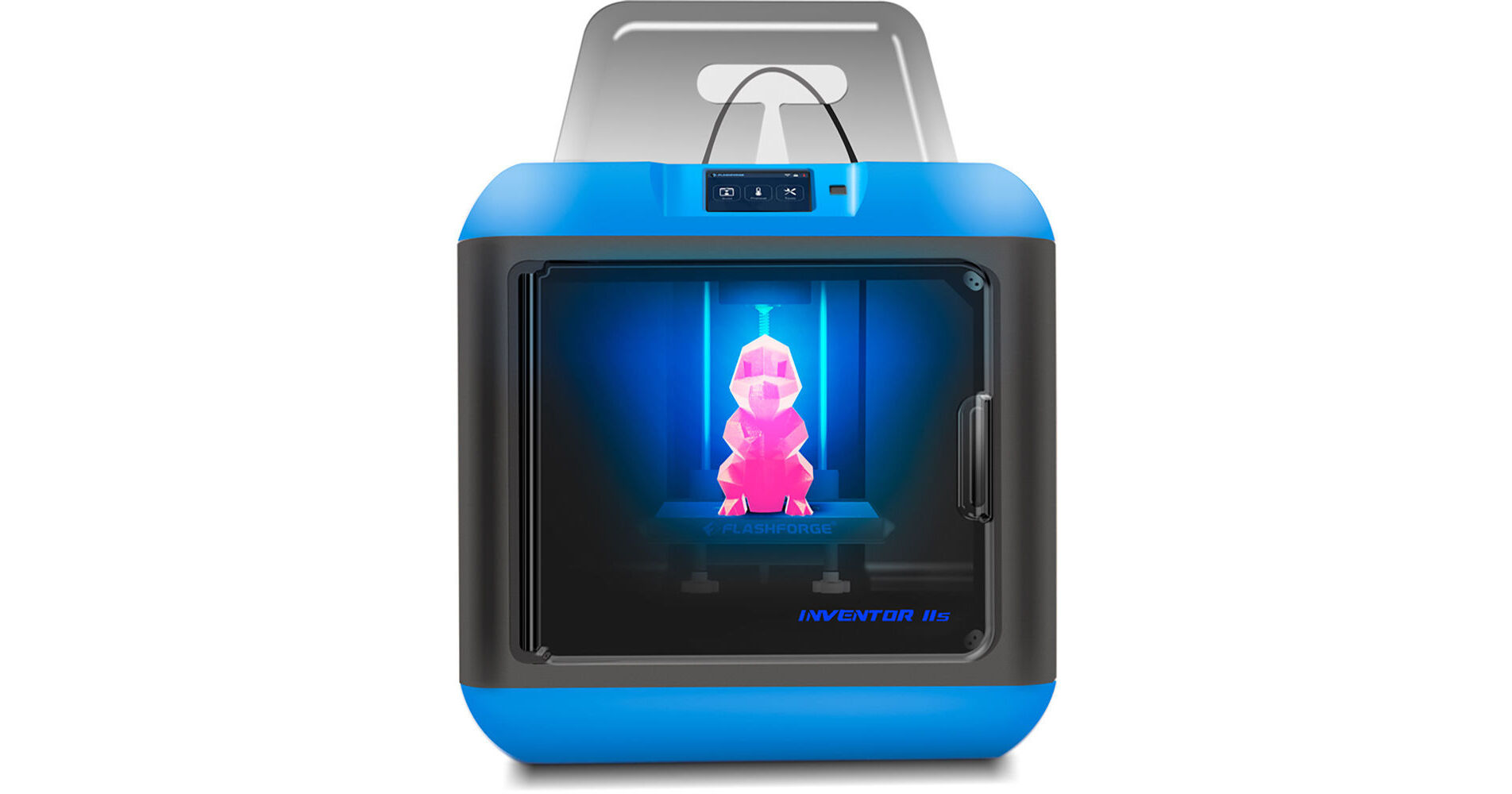
FlashForge Inventor 2S 3D Printer with Three Lesson Packs

Used Cat #3341361 • MFR #3D-FFG-INVENT2SE
Print
Key Features
  • Build Volume: 5.9 x 5.9 x 5.5"
  • 50- to 400-Micron Layer Resolution
  • Single Extruder Nozzle
  • Magnetic, Flexible Print Bed
Bundled with three lessons packs and 21 fully-planned lessons, the Inventor 2S 3D Printer from FlashForge is designed for students in grade 5-10. The lessons will teach students the basics of 3D printing, how to design and prepare models for 3D printing, the types of 3D printing and uses of 3D printers, parametric modeling, manufacturing, sustainability issues, CAD modeling and more. Free includes software ranges from TinkerCAD and Autodesk Fusion 360. All lessons also meet a range of educational standards.
More Details
Used
Warranty: B&H 90 Days
In Stock
No Store Display
Free 2-Day Shipping
Protect Your Gear
Add a protection plan from $59.95

FlashForge Inventor II S Overview

Bundled with three lessons packs and 21 fully-planned lessons, the Inventor 2S 3D Printer from FlashForge is designed for students in grade 5-10. The lessons will teach students the basics of 3D printing, how to design and prepare models for 3D printing, the types of 3D printing and uses of 3D printers, parametric modeling, manufacturing, sustainability issues, CAD modeling and more. Free includes software ranges from TinkerCAD and Autodesk Fusion 360. All lessons also meet a range of educational standards.

Equipped with one extruder that creates prints with a layer resolution of 50 to 400 microns, this 3D printer is compatible with various 1.75mm filaments, including PLA, PLA Color Change, Pearl, Elastic, TPU, Flexible, Metal-Filled, and Wood-Filled filaments. This 3D printer has a build volume of 5.9 x 5.9 x 5.5", a color touchscreen, and filament run-out detection. Users may print their compatible files via a wired USB connection, a USB flash drive, or Wi-Fi into a closed print chamber with a magnetic, flexible print bed. The closed print chamber also features an intelligent door that automatically senses when it is opened and closed in order to pause any active print jobs. Thanks to an integrated HD camera, users will be able to remotely monitor the printing process. The Inventor 2S is compatible with Windows 10, 8, 7, Vista, and XP, as well as macOS and Linux.

General Features
Filament run-out detection
Removable platform with the assisted platform calibration
50-400 microns layer resolution
Remotely monitor the printing process with a built-in HD camera
Magnetic flexible print bed
50 dB noise level
Wi-Fi connectivity
Intelligent door automatically senses opening/closing and pauses print jobs
Smart support lays out structural support in areas of overhang
Print bigger ideas by splitting large designs into multiple printable parts
What is Learnbylayers?
Learnbylayers is a curriculum for teachers who are looking to start 3D printing with their students. The curriculum is pre-planned with over 190 resources to use that are aligned to Flashforge3D printers.

Resources include lesson plans, teaching PowerPoint presentations, lesson tasks, homework tasks, CAD video tutorials, assessments, and more. The curriculum takes the stress away from teachers who are new to 3D printers and allows them to start teaching 3D printing straight away.
Beginners Lesson Pack
Ideal for grades 5 and 6 who have no experience with 3D printing, there are seven lessons introducing students to the basics of 3D printing and how to design and prepare models for 3D printing. All the modeling lessons are based around free TinkerCAD software, which is web browser based and designed for children. This lessons pack introduces students to basic slicing using FlashPrint software.
Intermediate Lessons Pack
Ideal for grades 7 and 8, this can build on the Beginners Lesson Pack or be used straight away with this age range. Lessons focus on different types of 3D printing, uses of 3D printers in everyday society, and an introduction to parametric modeling. The software used is Autodesk Fusion 360, which is free for educational uses. There are two slicing lessons using FlashPrint, teaching student more advanced custom settings for preparing files for 3D printing.
Advanced Lesson Pack
Ideal for grades 9 and 10, this lesson pack focuses on 3D printing and manufacturing along with sustainability issues involved with 3D printing. The CAD modeling lessons use Autodesk Fusion 360 and focus on more advanced design challenges encouraging independent learning and design thinking. As with all the lesson packs, resources include video tutorials to assist teaching and learning in lesson.
Autodesk CAD Suite
All the lessons are based around the Autodesk education CAD suite. The Beginners lesson pack uses TinkerCAD and the Intermediate lessons and the Advanced lesson pack uses Fusion 360.

Both are free to use for education and are cloud based. This means that students can continue their learning outside of the classroom once the lesson has finished.
FlashPrint Slicing Software
The software used for slicing models is FlashPrint, so the curriculum can be used with most FlashForge 3D printers. There are dedicated lessons teaching students how to use FlashPrint, so they can prepare their own models for 3D printing.
FlashPrint Software
The learning journey teaches students about how 3D printers work, where they are used in society and industry, how to design their own models, and then how to export and slice them for 3D printing. The ability of students to create their own designs for 3D printing is one of the most powerful features of learning about additive manufacturing. Learnbylayers embeds this into the CAD design lessons.
Lessons Mapped to Curriculum Standards
All lessons are mapped to the USA, UK, and Australian National educational standards. They are also mapped to the Cambridge International GCSE standards.

For schools in the USA, the lessons meet standards from Next Generation Science standards, Common Core Math standards, and the International Standards for Technology Education. Lessons are suitable for Grades 5 to 10.

In the UK, the lessons meet the KS3 and KS4 Subject content for Design and Technology with links to Math and Science suitable for 6-11.

In Australia, the lessons reflect the standards of the Design and Technologies content for 7, 8, 9, and 10.

FlashForge Inventor II S Specs

Printer
Print Technology
Fused Filament Fabrication (FFF)
Build Volume
5.51 x 55.12 x 5.91" / 14.0 x 140 x 15.0 cm
Number of Extruders
1
Layer Resolution
50 to 400 micron / 0.05 to 0.4 mm
Supported Extruder Nozzle Diameter
0.4 mm (Included)
Positioning Precision
XY Axis: 11 micron / 0.011 mm
Z Axis: 2.5 micron / 0.0025 mm
Filament Compatibility
1.75 mm Diameter:
Flexible Materials, PLA, TPU, Wood
Build Area
Build Area Type
Enclosed
Build Plate Features
Magnetic
Filament Spool Storage
Internal
Monitoring Camera
Yes
Connectivity
System Connection
1x USB-B
Wi-Fi
Yes
Software
Supported Operating Systems
Windows 10
Windows 8
Windows 8
Windows Vista
Windows XP
macOS X
Linux
Supported 3D File Types
.3mf, .gx, .obj, .stl
General
Dimensions (W x H x D)
17 x 17 x 17" / 431.8 x 431.8 x 431.8 mm

FlashForge Inventor II S Reviews

See any errors on this page?
Whatever You Need, We've Got It