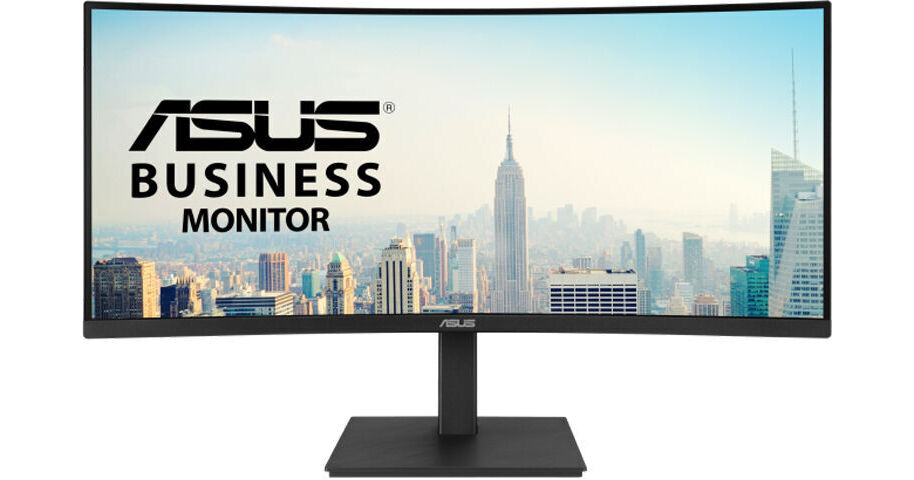
ASUS VA34VCPSR 34" 1440p HDR Curved Ultrawide Docking Monitor

BH #ASVA34VCPSR • MFR #VA34VCPSR
Print
ASUS VA34VCPSR 34" 1440p HDR Curved Ultrawide Docking Monitor
Key Features
  • 34" 1500R Curved 21:9 VA Panel
  • HDMI | DisplayPort | USB-C (96W)
  • WQHD (1440p) 3440 x 1440 at 100 Hz
  • 4 ms (GtG) Response Time
Enhance your productivity with the ASUS VA34VCPSR 34" 1440p HDR Curved Ultrawide Docking Monitor. In addition to having an ultrawide QHD 3440 x 1440 resolution with a 21:9 aspect ratio, this display features a 1500R curved design that allows you to see more at a glance.
More Details
Special Order
Expected availability: 7-14 Business Days
No Store Display
Free Standard Shipping
Protect Your Gear
Add a protection plan from $35.99
Savings Available:
Save Up to $5.00
Ask an Expert
800-606-6969

ASUS VA34VCPSR Overview

Enhance your productivity with the ASUS VA34VCPSR 34" 1440p HDR Curved Ultrawide Docking Monitor. In addition to having an ultrawide QHD 3440 x 1440 resolution with a 21:9 aspect ratio, this display features a 1500R curved design that allows you to see more at a glance.

The USB-C port allows you to transfer video, data, and up to 96W power over a single cable to a compatible laptop. You can also connect devices through the HDMI 2.1 and DisplayPort 1.4 inputs. A 3-port USB-A 3.2 Gen 1 hub allows you to attach up to 5 Gb/s compatible flash drives and other peripherals through the monitor. Additionally, the RJ45 port allows you to connect to compatible wired networks.

Immersive Curvature
With a 1500R curve, wide viewing angles, and ultrawide design with a 21:9 aspect ratio, this display envelopes your field of view.
Smooth Visuals
The 100 Hz refresh rate and 4 ms response time help to reduce motion blur from videos and fast scrolling text.
Rich Color
The 34" VA panel provides lifelike visuals with 1.07 billion colors. HDR10 support with a 3000:1 static contrast ratio and 300 nits brightness enhances images and videos with realistic highlights and deep shadows.
Built-In Stereo Speakers
Enjoy multimedia experiences with the 2W stereo speaker system. Connect a pair of headphones to the 3.5mm jack for listening privacy.
Ergonomic Design
Optimize your view by adjusting the height, tilt, and swivel.
UPC: 197105620759

ASUS VA34VCPSR Specs

Key Specs
Display Size
34"
Panel Type
VA LCD
Native Resolution
3440 x 1440
Maximum Brightness
300 nits / cd/m2
HDR Support
Yes: HDR10
Color Support
1.07 Billion Colors (10-Bit)
Finish
Anti-Glare
Touchscreen
No
A/V Inputs
DisplayPort 1.4 / HDMI 2.1
A/V Outputs
3.5 mm
USB I/O
USB-C 3.2 Gen 1
Built-In Speakers
Yes: 2x 2 W
Display
Size
34"
Panel Type
VA LCD
Aspect Ratio
21:9
Native Resolution
3440 x 1440
Maximum Brightness
300 nits / cd/m2
HDR Support
Yes: HDR10
Contrast Ratio
3000:1
Response Time
4 ms (GtG)
Refresh Rate
100 Hz
Variable Refresh Technology
Adaptive-Sync
Color Support
1.07 Billion Colors (10-Bit)
Viewing Angle (H x V)
178 x 178°
Curved Display
Yes: 1500R
Finish
Anti-Glare
Surface
Touchscreen
No
Connectivity
A/V Inputs
1x DisplayPort 1.4
1x HDMI 2.1
A/V Outputs
1x 1/8" / 3.5 mm
HDCP Support
Yes: Version 2.2
USB I/O
1x USB-C DP Alt Mode (Video Only)
3x USB-C (Unspecified Version)
Ethernet I/O
1x RJ45
Multi-Input Support (PIP/PBP)
Yes: Picture-in-Picture (PIP), Picture-by-Picture (PBP)
Speaker
Built-In Speakers
Yes: 2x 2 W
Electrical
Power Consumption
Typical: 32.0 W
Standby: 0.5 W
Input Power
100 to 240 VAC, 50 / 60 Hz
Power Adapter Type
Internal
General
Adjustments
Height Up to 5.1" / 130 mm
Tilt: 40° (-5 to 35°)
Swivel: 360° (-180 to 180°)
VESA Mounting-Hole Pattern
100 x 100 mm
Lock Slot
Yes: Kensington
Dimensions
31.9 x 20.1 x 10.4" / 80.9 x 51.1 x 26.5 cm (with Stand)
31.9 x 14.4 x 4.2" / 80.9 x 36.6 x 10.7 cm (without Stand)
Weight
20.55 lb / 9.32 kg (with Stand)
14.1 lb / 6.4 kg (without Stand)
Packaging Info
Package Weight
30.5 lb
Box Dimensions (LxWxH)
42 x 19.5 x 7.5"

ASUS VA34VCPSR Reviews

Amazing

By Rootshot
Rated 5 out of 5
Date: 2026-04-25

Great screen. Crisp and bright once configured. USB C works better than I expected. A complete docking station built into the monitor. Power supplied via USB provides enough current for my laptop. I have 3 systems connected: Mac Mini via HDMI, Linux via DisplayPort, and Windows via USB C. Very easy to switch input and do picture in picture / tile. Be sure to install the driver and app. The only downside is poor speaker sound.

See any errors on this page?
Whatever You Need, We've Got It