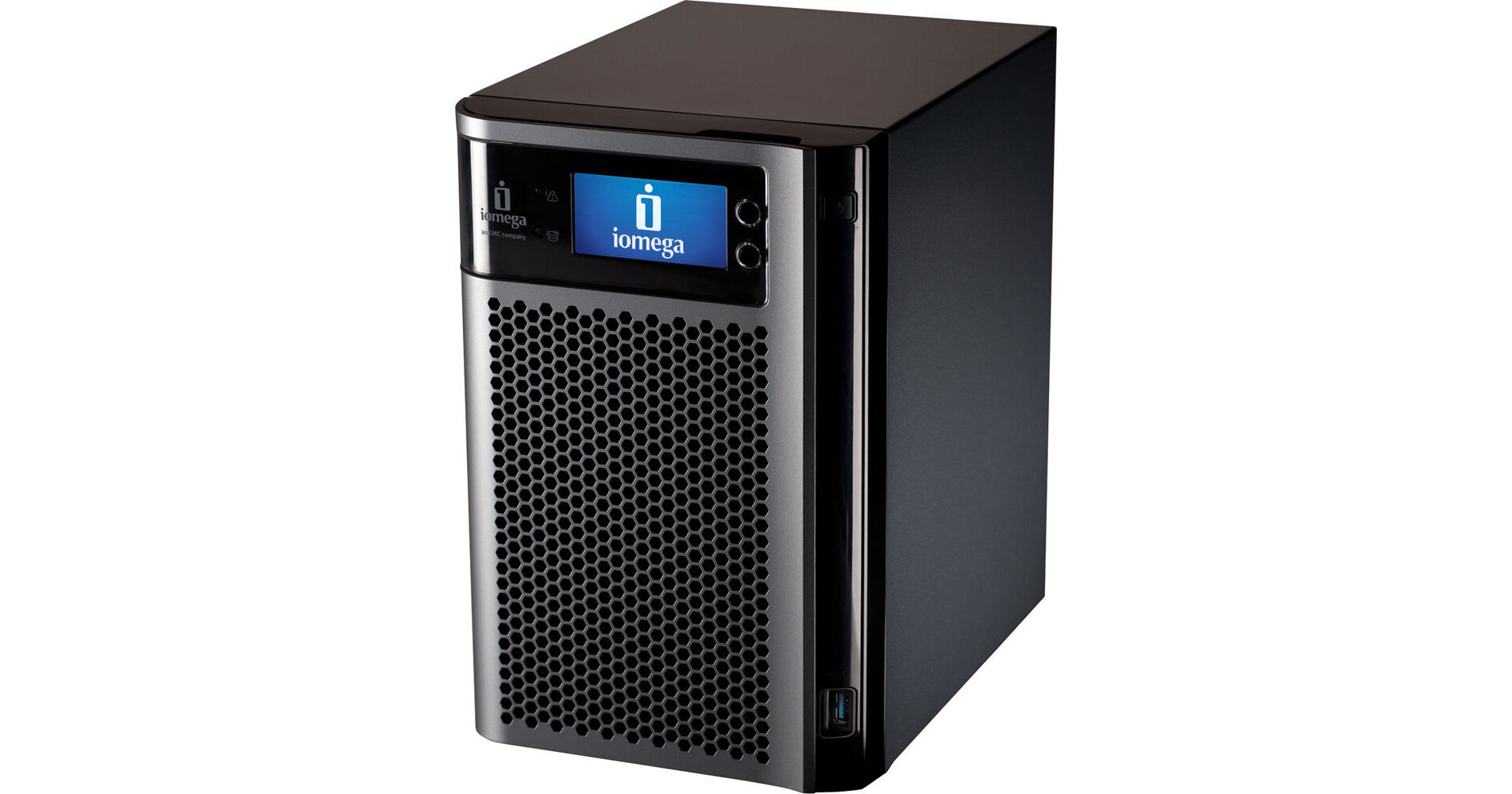
Iomega 6TB (3x2TB) StorCenter px6-300d Network Storage

BH #IOPX6300D6Q • MFR #35658
Print
Iomega 6TB (3x2TB) StorCenter px6-300d Network Storage
Key Features
  • 6x 2.5"/3.5" SATA Drive Bays
  • Dual Gigabit Ethernet
  • RAID 0, 1, 10, 5, 5+Hot Spare, 6, JBOD
  • iSCSI Block-Level Access
The 6TB (3x2TB) StorCenter px6-300d Network Storage from Iomega is a network storage enclosure, perfect for use in small offices, workgroups, and home networks. While it can house up to six 2.5" or 3.5" SATA hard drives or SSD drives, this version comes with three 2TB drives that boast a disk speed of 7200rpm and the SATA 3Gbps interface. This storage unit connects to your network via dual Gigabit Ethernet ports, and offers advanced features such as iSCSI block access, RAID support, and remote data access. It is compatible with Mac, Windows, and Linux clients.
More Details
No Longer Available
No Store Display
Ask an Expert
800-606-6969

Iomega px6-300d Overview

The 6TB (3x2TB) StorCenter px6-300d Network Storage from Iomega is a network storage enclosure, perfect for use in small offices, workgroups, and home networks. While it can house up to six 2.5" or 3.5" SATA hard drives or SSD drives, this version comes with three 2TB drives that boast a disk speed of 7200rpm and the SATA 3Gbps interface. This storage unit connects to your network via dual Gigabit Ethernet ports, and offers advanced features such as iSCSI block access, RAID support, and remote data access. It is compatible with Mac, Windows, and Linux clients.

Business users will be happy with the vast functionality of the device. It can be connected to a UPS monitoring port, act as a print server of an Axis IP security camera server, and supports rsync device-to-device data replication. Support for Microsoft's Active Directory, user quotas, and user-replaceable drives round out the server's impressive professional feature set.

Home users will be happy to know that the server features built-in support for the UPnP AV protocol. This allows media files stored on the drive to be streamed to DLNA-certified devices, which include many popular digital media players. It also features a BitTorrent client, which allows you to download files shared on the popular peer-to-peer file sharing network directly to the drive -- making it possible to download files when your computer is powered down!

Iomega Personal Cloud
Iomega Personal Cloud is the revolutionary technology that allows you to protect and share your data. Iomega Personal Cloud is a patent-pending, web-based computing architecture that connects your Iomega StorCenter network storage devices to other individuals and/or devices via the Internet. Unlike public and private cloud applications, Iomega's Personal Cloud technology is completely self-owned - so the content and accessibility are always under your control
Backup
Keeping a second copy of your data in an offsite location ensures availability in the event of an unforeseen disaster. Remote backups can run in the background after business hours to eliminate network bottlenecks
Copy Data
Users around the globe can sync files directly between computers as though they were on a local network
Collaboration
Easily set up a shared workspace so that local and remote users can view and edit documents (spreadsheets, presentations, and word processing documents, for example) - especially useful for helping geographically dispersed workers collaborate
Sharing
Sending large files can quickly choke your company's email system. And emailing sensitive files can raise security concerns. Iomega Personal Cloud offers functionality that makes it easy to securely copy and transfer large or confidential files
Security
Iomega Personal Cloud allows you to choose who has access to what data by invitation only. And, users can choose from three levels of security when sending data over a public network. At many smaller companies, locally stored files are at risk from theft, fire, software problems, and hardware failure. Cloud storage offers built-in redundancy at every level: hard drive, server, and datacenter
Low Maintenance
Once the system is set up there is almost no maintenance. You still have to manage user accounts, but jobs like array maintenance and monitoring the health of your data storage simply go away
Archiving
Archiving older files to a remote StorCenter frees up space on your primary StorCenter device for day-to-day business needs. Less capacity required for primary storage saves you money
Additional Features
Capacity
Empty bays are fitted with a drive carrier. This unit supports a capacity of 18GB. Carrier can accommodate 2.5" and 3.5" drives
SSD Support
For I/O intensive applications, the px6-300d can be fitted with solid state drives to boost performance
RAID Support
This server supports RAID 1, 10, 5, and 6. It also supports automatic RAID rebuild and hot swap. JBOD is also supported
Network File Protocols
Supports CIFS/SMB/Rally (Microsoft), NFS (Linux/UNIX), AFP/Bonjour (Apple), FTP, TFTP, HTTP, HTTPS, WebDAV, Windows DFS, SNMP
iSCSI Target
Provides block-level access for the most efficient storage utilization, especially for backup, database and email application performance. It can be used in parallel with file-level storage access via CIFS/NFS. Includes support for SCSI-3 persistent reservations
Built for Stellar Performance
·This unit supports solid state drives (optional)
·Dual core Intel Atom Processor
·2GB memory
·Dual GbE NICs
Flexible Configurations
·Diskless option, bring your own drives
·Storage pools with RAID expansion, migration and hot spares
·Advanced RAID levels including Hot Spare
Server-class Pedigree
Certified for VMware vSphere, Citrix XenServer, Windows Server 2003, Windows Server 2008, and Windows Server 2008 R2. EMC E-Lab tested
Business-Class Features
Windows Active Directory Trusted Domains, MSCS and Hyper-V Live Migration support
Advanced Networking Capabilities
·NIC bonding for failover and load balancing including 802.3ad link aggregation
·Jumbo frame support for 4000 and 9000 byte payloads
·VLAN Tagging capability to IEEE 802.1Q standard
·iSCSI persistent reservations for clustered Microsoft environments
Data Replication/Device to Device Data Copy Jobs
·One touch copying via the QuikTransfer button. Easily copy files to and from attached USB drives or any network share - including Iomega Personal Cloud locations - using the rsync or CIFS protocol
·Define your Copy Job to copy/synchronize files to and from connected drives and/or any other shared storage on your network
·Schedule jobs to run on a predetermined schedule
Expandability
Add storage capacity by connecting external USB hard disk drives. Supports read/write on Fat32, NTFS, ext2/ext3, or HFS+ formatted drives
Application Manager
Third party applications can be installed using the embedded application manager
Data Organization and Access
Windows DFS organizes folders and files on a network, such that they appear to be all in one directory tree on a single Iomega StorCenter system, even if the folders reside on many devices in many different locations. WebDAV (Web-based Distributed Authoring and Versioning) enables viewing, adding, or deleting files on a StorCenter from the web, via HTTP or HTTPS for added security
Power Savings
Automatic hard drive spin-down assures the most efficient (minimal) power consumption
Print Server
Intelligent print sharing capability for up to 3 USB printers connected to the StorCenter px6-300d
Uninterruptible Power Supply (UPS) Support
Enables unattended system shutdown via the USB port without data loss in the case of power failure
System Status
Consolidated resource on space utilization, device information, and status. In addition, you can manage controls such as device restart from here
Reporting
Email alerts and Event Logging provide up-to-the minute updates on the status of your device even when you are away from your computer. SNMP agent monitoring helps administrators centrally manage the StorCenter px6-300d
Security Camera
Built-in support for up to 10 UPnP (universal plug and play) network cameras by Axis and Panasonic to capture and store video without the need of a dedicated PC. Video is encoded as MPEG-4.

·Embedded Axis Video Hosting System solution (AVHS) for local to hosted cloud video storage and management
Powerful Backup Functionality
·Back up all the computers on your network simply by downloading and installing the available client backup software. Also compatible with today's most common backup software applications
·Time Machine Support- Allows Apple users to easily back up any Mac computers running OS X (10.5 or later) using Time Machine
·Personal Cloud Backup- Synchronize data between personal cloud member systems and the px6-300d
·Public Cloud Backup- Use one of the integrated 3rd party cloud-based storage services such as Amazon S3 or MozyConnect to replicate data from your px6-300d to your public cloud account
·Cloud Disaster Recovery- Utilize two px6-300d devices in different locations and the Iomega Personal Cloud function to create your own disaster recovery scheme
Total Data Protection
·Native Security Support- With robust username and password authorized access. Create additional users and secure their content with password protection
·User Quotas- Easily manage capacity by setting maximum limits per user
·RSA BSAFE technology protects installs and upgrades
·Data Protection Software- Iomega's QuikProtect backup software is available for download
Software Compatibility
Compatible with today's most common backup software, web browsers, media devices and computers
Built-in Audio Video Media Server UPnP DLNA Certified
·Stream content to DLNA media devices
·Built-in iTunes server
Social Media Sharing
Integrated Facebook, Flickr and YouTube sharing
Torrent Download Manager
Integrated peer-to-peer file transfer management
Digital Photography Tools
The enclosure supports Picture Transfer Protocol which automatically transfers photos from digital cameras when connected to the USB port. Photo-resizing and watermarking are also supported
Bluetooth Upload
Bluetooth Upload: Upload contacts, photos, and more from a cell phone, pocket PC, or BlackBerry phone (separately sold USB adapter required)

Iomega px6-300d Specs

Performance

Iomega px6-300d Reviews

See any errors on this page?
Whatever You Need, We've Got It