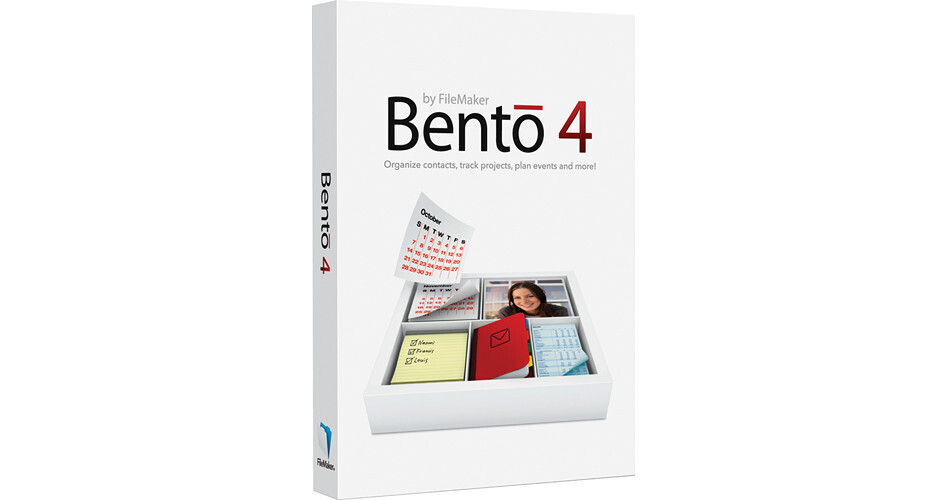
Bento 4 Database Software from FileMaker is a personal database software solution, designed specifically for use with Mac OS X Leopard, Snow Leopard, and Lion. The software integrates with Address Book, Mail, and iCal, helping you to create databases to organize your busy life. It also works with iPhoto, allowing you to add robust information to images and link them to your contacts, projects, and events.
This version of Bento packs a variety of new features not found in Bento 3. In terms of entering data, Bento 4 can provide save the geographical location where new data was entered or old data was modified.* This feature is particularly great if you use Bento for field research, taking surveys, real estate sales, or anything else that involves entering info while traveling. Bento 4 allows you to print whatever kinds of labels that you create, such as inventory tags, name tags, mailing labels, and more. Plus, this version of Bento gives you more flexibility to tweak your printed labels or forms more carefully for the exact look that you want. For managing your calendar of events, you can search by date and you can create a time-sensitive list so you don't forget anything important.
In terms of templates, you can lock any forms that you create. You can also export any Bento template that you're using or have created as well as any data within it. You can also share the template and any data with other Bento users. If you are ever in need of template ideas, you can get on the Bento Template Exchange and download templates that other users have created -for free! Various other features have been improved as well -notably with Table View, Form View, and Simple Lists. Integration with Bento 4 is extended for iPhone and iPod touch owners; a companion application is available for download in the app store, allowing you to access and update your databases while on the go.
In addition to the new or improved features, Bento 4 still bears the carefully designed interface, matching the simplicity and elegance of the Japanese lunch box with which it shares its name. You'll be able to use it to share contact lists, project plans, event details, and other information with up to 5 Bento users on your local network, allowing you to keep colleagues, friends, and classmates up to date.
· Supports more than 250 Avery and Dymo labels, including Standard and A4 formats.
· Create your own custom labels formats for your unique needs.
· Specify which fields from Bento are included on the label.
· Include a picture that is stored with each record so it changes for each label based on what's stored in Bento.
· Add a static image that stays the same for all labels, such as your company logo.
· Add static text that stays the same for all labels, such as your event name.
· Specify font style, font size, color, and alignment.
· Save custom labels with each library to reprint previously designed labels instantly.
· Share your custom labels by exporting your library template. When others import your template, they will get the labels that are saved with it.
· Specify what label on which to start for printing on partially used label sheets.
· See a preview of your labels on-screen before sending to your printer.
· Set page margins when printing forms.
· Print forms without field borders.
· Print forms without field labels.
· Use new printer-friendly themes that look great on-screen and on paper.
· Export any individual library or group of libraries as a template, and choose to include the data contained in the library as well.
· Send the file to another Bento user via email or other electronic method.
· The recipient simply double-clicks on the file to import the template and the data including forms, fields, label designs, text, files, pictures, videos, and more.
· Choose to have location data filled in manually or auto-populated.
· Includes your latitude and longitude.
· Map locations in Safari with a single click.
· Great for capturing location data with Bento for iPhone or Bento for iPad and syncing back to Bento for Mac.
Search options include choices for:
· Is Today
· Is Not Today
· Before Today
· After Today
Display new Smart Collections under your iCal Tasks library for items that are:
· Due Today
· Upcoming
· Overdue
· Upload your favorite templates to the Bento Template Exchange directly from within Bento with a few simple clicks.
· And because uploading templates is so much easier with Bento 4, be sure to visit the Bento Template Exchange to see all the new templates posted by Bento users from around the world.
· Click the lock in the bottom right hand of corner of the form toolbar to prevent unwanted changes.
· Click it again to unlock the form.
· Assign field types to data stored in Simple Lists, including time, date, duration, currency, text, number, rating, and more.
· Add calculations to add, subtract, multiply, and divide columns.
· Turn on the Summary Row to automatically display sums, counts, average, minimum and maximum values.
· This new feature is perfect for calculating how much was spent on an event, how many people are attending, and getting quick stats for any type of data stored in simple lists.
· Double-click a row number in Table view to go directly to the Form view for that record.
· Improved form flow makes it easier to place new fields to the right of other fields.
· Start working with new libraries immediately now that Bento adds the first record automatically - eliminating the extra step of adding the first record yourself.
· Drag a picture or file onto a blank area of a form to create a Media field or File list automatically - eliminating the extra step of creating the new field first.
· When a new field is created, it's automatically added to your form - eliminating the extra step of having to drag it onto the form.
· Performance has been improved when launching Bento, importing data, and deleting libraries. Results will vary depending on file size, number of fields, and field contents.
· Free updates are available for download from the App Store or by tapping the Update button on your iPhone or iPad.