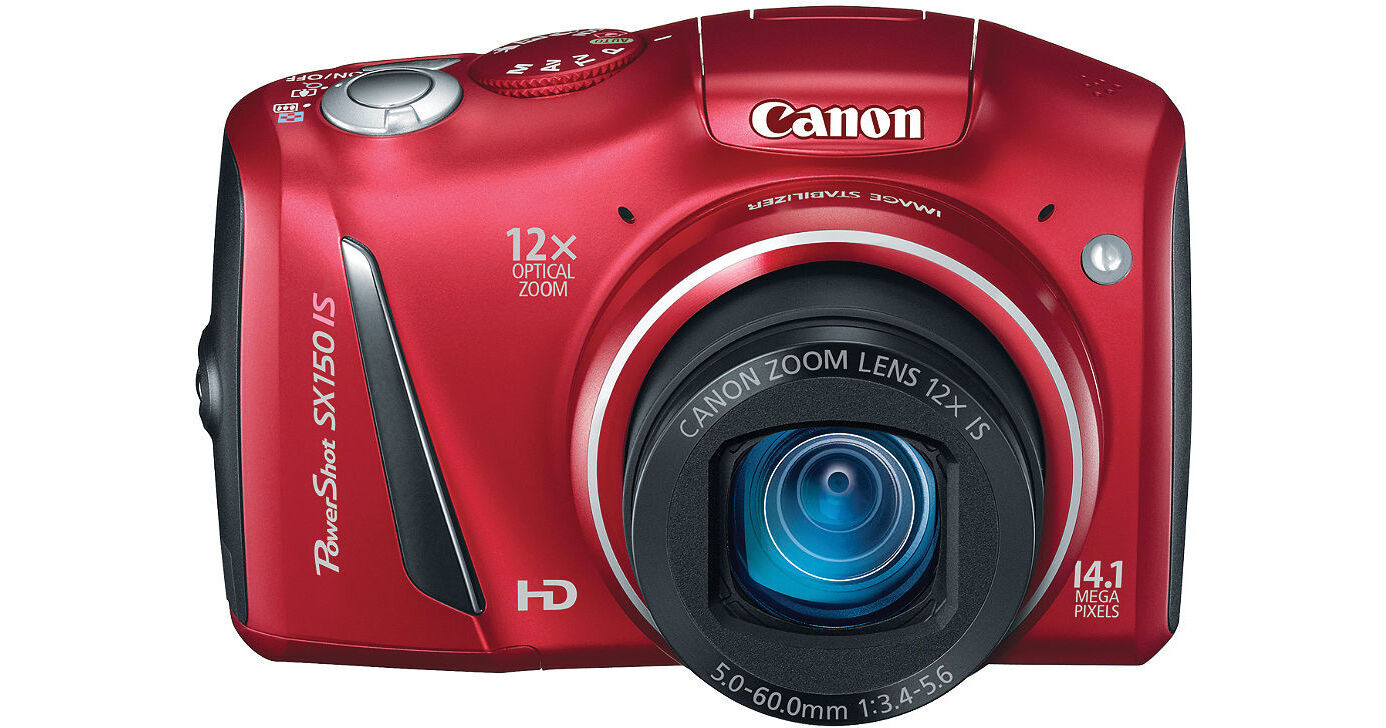
Canon's PowerShot SX150 IS Digital Camera is a convenient way to capture the memories unfolding all around you. As is one of the hallmarks of the point-and-shoot genre, the SX150 is small and lightweight. Take it everywhere you go and be ready for any spur-of-the-moment photo ops!
Let's take a look at the specs first. The SX150 IS presents with a 14.1MP resolution. That translates into detailed images that keep their quality even when blown up as large prints. The camera's 1/2.3" CCD sensor works together with Canon's DIGIC 4 Image Processor for the capture and efficient recording of those stills and of the camera's 720p HD video.
The high def video function is paired up with stereo recording. That makes for movies worthy of sharing with family and friends on the big screen, otherwise known as your HDTV. The SX150 IS's video features don't end there, however. The camera sports a dedicated movie button for starting and stopping recording, a wind filter for cutting down on wind noise while shooting, and a 12x optical zoom for clear, high-quality close-ups. Additionally, the camera also supports Apple's iFrame format which is compatible with both Mac and Windows computers, eliminating the need for conversions.
Of course, you're going nowhere if your camera doesn't have a high-powered lens. The SX150 comes with a Canon 12x zoom lens. Aside from putting 12x optical zoom at your fingertips, this lens features a focal range of 28-336mm (35mm equivalent). That means even the tightest group shot or the sweeping vistas can all be captured with this one lens. And no digital camera is worth its salt these days without image stabilization. The SX150 IS has an optical image stabilizer with 6 specific modes for capturing the steadiest pictures possible.
On the back of the camera you'll find a 3.0" LCD for composing and reviewing shots, not to mention navigating through the menu. As a side note, the menu provides access to speakers of 27 languages, making this Canon accessible to peoples across the world. Other features worth mentioning here include the convenience of AA battery power and a built-in flash.
Now, when it comes to shooting modes point-and-shoot is fine, but sometimes you just want to express yourself more fully. With the SX150 IS you can. The camera provides a myriad of choices which can be found the Smart AUTO function. The ultimate mode of course is Manual, which lets you have complete control of exposure, aperture, and shutter speed. Additional modes such as Foliage, Snow, Fisheye, and Poster Effect, among others, give you fun and unique ways to show off your artistic inclinations.
Shooting Modes/Special Scene Modes:
Manual: You have complete control of exposure, selecting both aperture and shutter speed manuallyAperture-Priority: You set the aperture, controlling depth-of-field. The camera automatically selects the shutter speedShutter-Priority: You select the shutter speed to stop or blur action, and the camera finds the appropriate aperture. With slow exposure times, Canon's noise reduction system activates to ensure low image noiseProgram: Access advanced exposure compensation features while shooting mostly automaticallySmart AUTO: The camera automatically selects the best shooting settings for optimal quality based on subjects and environmental factors to provide point-and-shoot simplicityEasy Mode: In Easy mode, shooting is simple and relaxed-the camera handles all the settings automaticallyPortrait: The camera sets a large aperture, focusing the subject and artistically blurring the background to make your subject "pop"Landscape: Increases depth-of-field for sharp and sweeping landscape shotsKids & Pets: Reduced focusing time freezes fast-moving subjects, so you won't miss those special shotsSmart Shutter: The camera automatically takes the photo when people smile, wink, or get into frameLow Light: For high quality image capture in an amazing range of dimly-lit situationsBeach: Get clear shots of people at a sunny beach without darkened facesFoliage: Capture brilliant shots of autumn foliage, greenery and blossomsSnow: Shoot clear snow scenes without darkened subjects or an unnatural bluish tintFireworks: Grab brilliant images of skyrocketing fireworksFisheye Effect: Add a classic photo distortion without fisheye lensMiniature Effect for Movies & Stills: Emphasizes perspectives for a miniature effect by blurring upper and bottom portions of the imageToy Camera Effect: Simulates photos taken with "toy" or pinhole cameras, darkening the image at the edges to create a vignette effectMonochrome: Choose from three single-tone effects: Black-and-White, Sepia, or BlueSuper Vivid: Super Vivid intensifies existing hues, saturating the scene with bright colorsPoster Effect: Poster Effect combines several similar shades into one color, turning subtle gradations into eye-catching, scene-popping contrastsColor Accent: Choose to retain a single color in your image while other colors turn monochromeColor Swap: Select a color and replace it with a color you specify for special effectsDiscreet Mode: Disables flash, AF assist beam, and all camera sounds with one mode dial setting - so you can capture images in quiet areasMovie: Record video in stereo sound. Unwanted scenes can be deleted in playback modeiFrame Movie: The Apple movie format, iFrame makes it easier and quicker to import and upload videos while retaining high image quality
Normal: Corrects for a wide range of camera movement when shooting stillsPanning: Panning motion is detected so that IS does not interfere with desired camera movementHybrid: Corrects for shift-type camera shake, which typically occurs in macro (close-up) shootingDynamic: Effective for video shooting at wide-angle focal lengths, eliminating the unwanted shaking that typically occurs while walkingPowered: Compensates for hand movement shooting video at the telephoto end of the zoom range, where camera shake is magnifiedTripod: When tripod use is detected, the Image Stabilizer is stopped because it is not needed