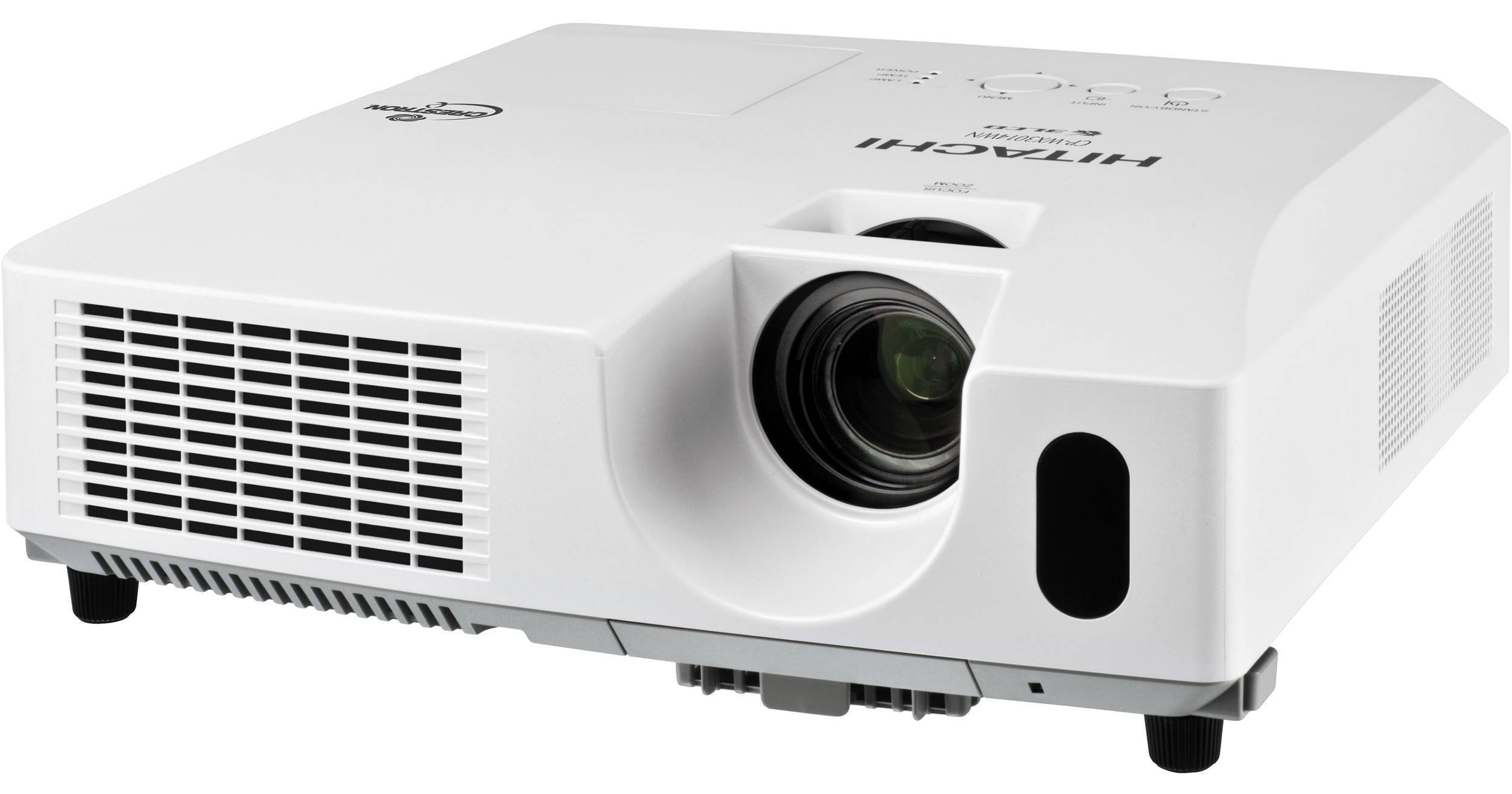
Hitachi CP-WX3014WN 3000 Lumens WXGA Projector

BH #HICPWX3014WN • MFR #CP-WX3014WN
Print
Hitachi CP-WX3014WN 3000 Lumens WXGA Projector
Key Features
  • 3000 ANSI Lumens
  • WXGA (1280 x 800)
  • Contrast Ratio 3000:1
  • Extended 6000 Hr Hybrid Filter Life
The WXGA-resolution (1280 x 800) Hitachi CP-WX3014WN 3000 Lumens WXGA Projector has 3000 ANSI lumens of projection power at a 3000:1 contrast ratio so it will give you a fine image, even when you can't achieve theater-level darkness.

Its 0.59" (1.5 cm) 3LCD imaging panels (the part that creates the image) deliver sharper and brighter pictures with superior grayscale detail. Smooth, seamless color combined with an unparalleled grayscale range delivers incredible detail to every image displayed by the CP-WX3014WN.

Those images can be in a wide variety of formats. Of course, the CP-WX3014WN can project in 720p, 1080i and 1080p high definition. Its international credentials are equally impressive. It can project images in the NTSC, NTSC 4.43, PAL, PAL-M, PAL-N, and SECAM video formats and it has a 100 to 240V AC 50/60Hz power supply.

No matter where you use it, if you need to make presentations, you'll appreciate the remote control as a mouse function. Just plug one end of a USB cable (available separately) into your laptop and the other into the projector's USB type B port and you're no longer tied to your computer when presenting.

The CP-WX3014WN makes your audience's life easier too. It can display all four closed captioning channels as well as all four text channels from programming sources that provide CC. CC is useful not only for the hard of hearing but also for people learning English as a second language and for everybody when you have to project in a noisy environment like gyms or trade shows.

If you are working in a noisy environment your CP-WX3014WN won't be part of the problem for another reason. Its fan noise is a mere 36 dB in standard mode and in eco mode it runs at 29 dB, literally quieter than a whispered conversation.

More Details
No Longer Available
No Store Display
Ask an Expert
800-606-6969

Hitachi CP-WX3014WN Overview

The WXGA-resolution (1280 x 800) Hitachi CP-WX3014WN 3000 Lumens WXGA Projector has 3000 ANSI lumens of projection power at a 3000:1 contrast ratio so it will give you a fine image, even when you can't achieve theater-level darkness.

Its 0.59" (1.5 cm) 3LCD imaging panels (the part that creates the image) deliver sharper and brighter pictures with superior grayscale detail. Smooth, seamless color combined with an unparalleled grayscale range delivers incredible detail to every image displayed by the CP-WX3014WN.

Those images can be in a wide variety of formats. Of course, the CP-WX3014WN can project in 720p, 1080i and 1080p high definition. Its international credentials are equally impressive. It can project images in the NTSC, NTSC 4.43, PAL, PAL-M, PAL-N, and SECAM video formats and it has a 100 to 240V AC 50/60Hz power supply.

No matter where you use it, if you need to make presentations, you'll appreciate the remote control as a mouse function. Just plug one end of a USB cable (available separately) into your laptop and the other into the projector's USB type B port and you're no longer tied to your computer when presenting.

The CP-WX3014WN makes your audience's life easier too. It can display all four closed captioning channels as well as all four text channels from programming sources that provide CC. CC is useful not only for the hard of hearing but also for people learning English as a second language and for everybody when you have to project in a noisy environment like gyms or trade shows.

If you are working in a noisy environment your CP-WX3014WN won't be part of the problem for another reason. Its fan noise is a mere 36 dB in standard mode and in eco mode it runs at 29 dB, literally quieter than a whispered conversation.

3LCD Technology
A sophisticated, innovative technology that utilizes three chips to deliver vibrant, true-to-life and consistent images for the most demanding audiences
Hybrid Filter
The hybrid filter lasts for more than 4000 hours, ten times longer than conventional filters. This extension in maintenance intervals reduces the overall cost of ownership significantly
Blackboard/Whiteboard Mode
Projecting onto colored or shiny backgrounds can make images appear either dull or uncomfortably bright. This mode ensures optimal brightness whether the screen is black, green or shiny white
Low TCO
Significantly extended maintenance intervals resulting from long-life parts reduce the total cost of ownership
PC-Less Presentations
Simply plug in a memory stick, SD card, or even a portable hard disk drive and present without the need of a laptop
Advanced Networking
Manage and control multiple projectors over LAN. Turn the projector on and off, schedule email alerts and monitor projectors all via the network
Wireless Networking
Wireless networking offers quick, easy and secure network access. Browser based software provides easy management, control and monitoring of networked projectors
AMX Device Discovery
When integrated with an AMX controller, the relevant communication modules and drivers are downloaded to the projector automatically
HDMI Connection
Get the highest quality image by connecting the latest in A/V equipment to the projector with HDMI (High-Definition Multimedia Interface)
Long Lamp Life
Using eco mode, lamp life is extended to more than 6000 hours - equivalent to the projector being used for three hours a day over a period of ten years
Template Function
This unique Hitachi feature allows you to project different patterns of lines and grids onto a whiteboard, blackboard or flip chart, making writing and drawing easier
Virtually Maintenance Free
Hitachi projectors are designed to be easy to use and require minimal maintenance. Long-life parts significantly extend the maintenance intervals, reducing cost and any inconvenience
Daytime Mode
It can be harder to see a projected picture when the sun is shining brightly. Projections are always vivid and colorful in a bright environment with daytime mode
Quick On/Off
Plug in, turn on and present. The quick on/off feature and automatic resolution equals fast set-up
Input Source Naming
Personalize devices and inputs to the projector
My Button
Assign custom functions or common tasks to a programmable button on your remote control
Messenger
Send text messages and announcements to multiple, networked projectors at the same time. This is ideal for projecting daily work schedules and university campus notifications to multiple classrooms simultaneously
Centralized Reporting Function
Using a single PC, create HTML reports for a group of networked projectors to simplify maintenance requirements
Audio Pass Through
When all you need is sound and not pictures, this convenient feature lets you hear the projector's speakers while the rest is on stand-by - helping to preserve lamp life
Vertical Keystone Correction
Correct misaligned images automatically with vertical keystone correction
Progressive Scan
Typically with moving images, each frame of video is shown in two halves - odd lines and even lines. Progressive Scan enables every line of a video frame to be displayed simultaneously resulting in crisp, smooth motion and reduced flicker and judder
On Screen Display (OSD)
The new menu is much easier to use. Navigating through the different options is easier, while settings are clearly named
Basic Functions
Freeze, magnifying, blank, auto adjustment, search, page up and down (for USB mouse function)
Picture Adjustments
Equalizing gamma correction, 2-3 pull down for NTSC, progressive scan, noise reduction
Advanced Features
My screen, My memory, My button, My text, My source, blackboard/whiteboard mode, daytime mode, input source naming (English), resolution setting, template, closed caption (for NTSC only), audio pass through
Outward
Easy lamp replaces from top. Air filter slides towards front side or top
Security Systems
Security bar, PIN-lock, My screen password, keypad-lock, Kensington slot, transition detector, My text lock, security label
Network
Campus notification system, configure and control projector via Web browser, receive alerts via e-mail, projector management via SNMP, Crestron RoomView, scheduling, My image, displaying text data transferred via the network, command control via network, AMX device discovery, PJ Link, network bridge
Miscellaneous
Indicator lights (lamp, temp, power), ceiling mount image, rear projection image, serial number label on side, MAC/PC support: PJ control software, MAC address label on side, LiveViewer software
On-Screen Display Languages
English, French, German, Spanish, Italian, Norwegian, Dutch, Japanese, Portuguese, Simplified Chinese, Traditional Chinese, Korean, Swedish, Russian, Finnish, Polish, Turkish, Arabian, Persian, Czechoslovakian, Danish, Hungarian, Romanian, Slovenian, Croatian, Greek, Lithuanian, Estonian, Latvian, Thai, Portuguese (Brazil)

Hitachi CP-WX3014WN Specs

Key Specs
Display System
-Chip 0.59" Polysilicon TFT LCD
Maximum Brightness
3000 Lumens
Image Display
Display System
-Chip 0.59" Polysilicon TFT LCD
Supported Resolutions
VGA
SVGA
XGA
WXGA
WXGA+
SXGA
SXGA+
UXGA
Maximum Brightness
3000 Lumens
Aspect Ratio
4:3
Lens
Projection Size
30 to 300" / 762.00 to 7620.00 mm
Features
Ceiling Mountable
Yes
General
Expected Lamp Life
Medium Brightness: 3000 Hours
Low Brightness: 6000 Hours
Fan Noise
Medium Brightness: 35 dB
Low Brightness: 29 dB
Power Consumption
Medium Brightness: 460 W
Dimensions (W x H x D)
12.5 x 3.9 x 11.3" / 31.8 x 9.9 x 28.7 cm (Exclusing feet and extrusions)

Hitachi CP-WX3014WN Reviews

See any errors on this page?
Whatever You Need, We've Got It