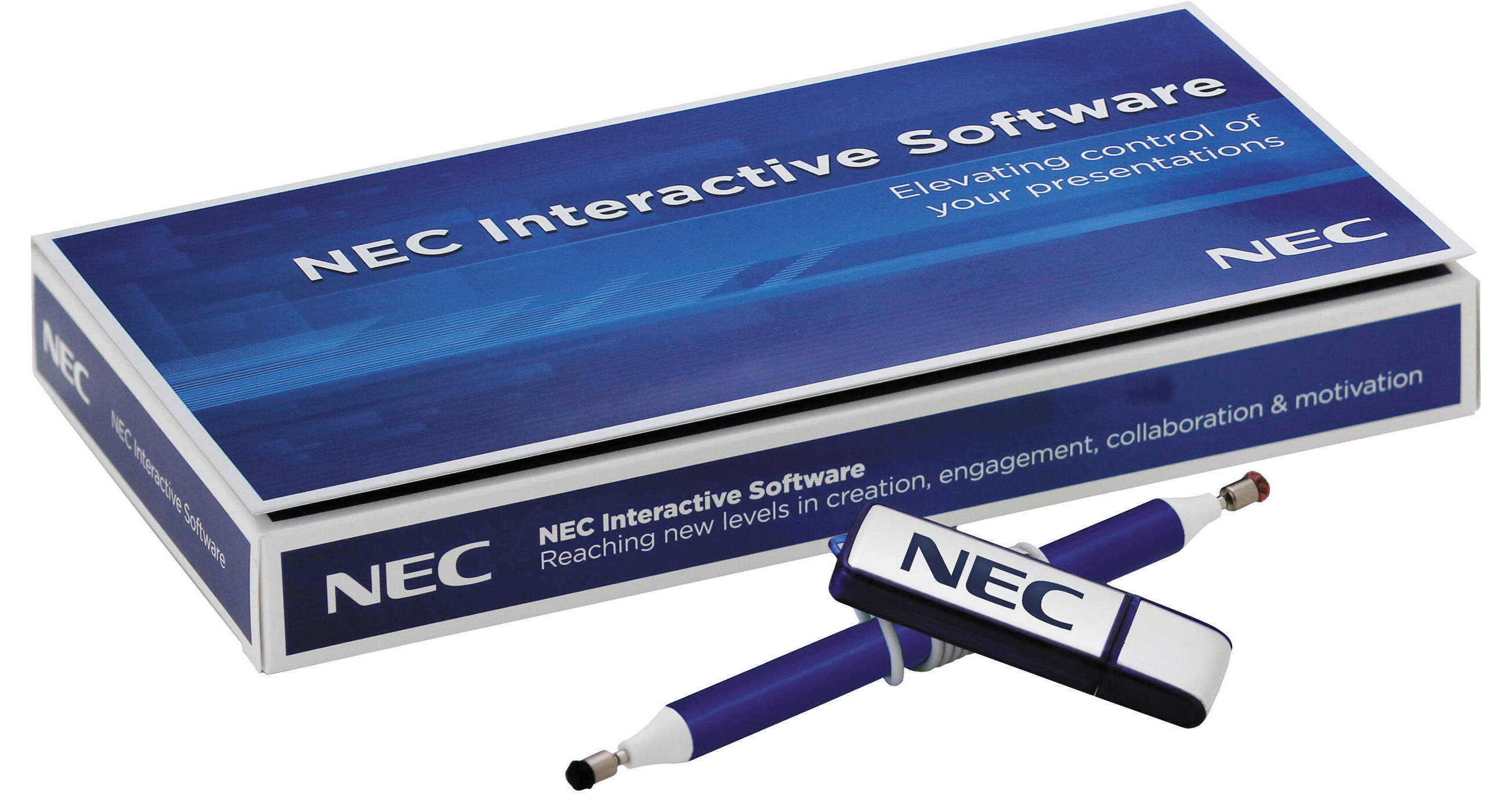
The NP01SW-25 Interactive Software from NEC builds on the advancements of interactive whiteboards and puts a whole new level of control and interactivity in the classrooms, auditoriums, conference rooms or anywhere you give presentations.
Compatible with the Apple iPad, it serves as a virtual remote control for most NEC projectors. You can create handwritten and drawn lessons on any background and save them for future playback.
It includes interactive software for PC or Mac, a stylus, a USB flash drive with video tutorial and NEC Image Express software with license key and setup guide.
Lesson Creation / Playback
With NEC's interactive software, you can create lessons/presentations with ease and save them for repeated use. As you create, the software automatically records so that a timeline can be created and used at a later date. You can also determine preset sections of the lesson in the recorded timeline by pressing the add stop icon, which will allow more options while teaching with lesson playback. The lesson creation feature eliminates the hassle of repeatedly writing the same lessons on the chalkboard for multiple classes throughout the day and even from year to year. Lesson playback allows you to use the same lesson over and over, but customize for each individual class, whether you need to stay on a topic for a longer period of time or skip ahead to the next section
Annotation Mode
Within the annotation mode, you can draw over your current desktop. You can adjust the width, spacing, opacity and color of your line when drawing or writing. There are 35 colors to choose from, and when used in a collaborative environment, it allows each student to be assigned a different color to represent their work. Within the toolbar, you will find the undo, redo and clear screen icons that allow you to undo and redo your most recent drawings, as well as clean the screen entirely. There also are five pen tips from which you can select functions such as paintbrush or spray can format
Image Express Utility
NEC's interactive software also benefits from its integration with the Image Express Utility software suite, which eliminates the need for cables, and saves schools and companies money on their installations. With Image Express Utility, meeting environments connect all
participants together, allowing file sharing, including annotated files. Meetings become collaborative as the leader of the meeting can pass the ball to other attendees to view and share their desktops. For installations where connection to the school or company network
is not desired, an ad-hoc connection can be achieved, creating a dedicated network in each room
Projector Control
NEC's interactive software enables full remote control of your NEC projector over the network. This eliminates the need for an expensive control system or the potential loss of the handheld remote control. With the virtual remote, you can switch between video and computer inputs. Clicking these buttons will switch from the various sources connected to your NEC projector, such as a DVD player or laptop. Remember, you can use the virtual remote just as you would your regular IR remote without additional hardware. Now you don't have to worry about replacement batteries or a lost or stolen remote. Just use your iPad to
power the projector on and off, change input settings, view lamp life information, eco mode settings and much more
Why Tablets Over Whiteboards?
Annotate in real time over your computer's desktop using image on the iPad - no more guessing as experienced with traditional tablets/slates
Teachers can always be facing students while teaching
Can be passed around the class, increasing interactivity with students
Lightweight and transportable
Works with an existing projector and screen - no need for new equipment
The loss of interactive pens become obsolete
No need for students to walk to the front of the room
Works with any educational software
Built-in projector control eliminates the need for costly external hardware
Teachers can always be facing students while teaching
Can be passed around the class, increasing interactivity with students
Lightweight and transportable
Works with an existing projector and screen - no need for new equipment
The loss of interactive pens become obsolete
No need for students to walk to the front of the room
Works with any educational software
Built-in projector control eliminates the need for costly external hardware