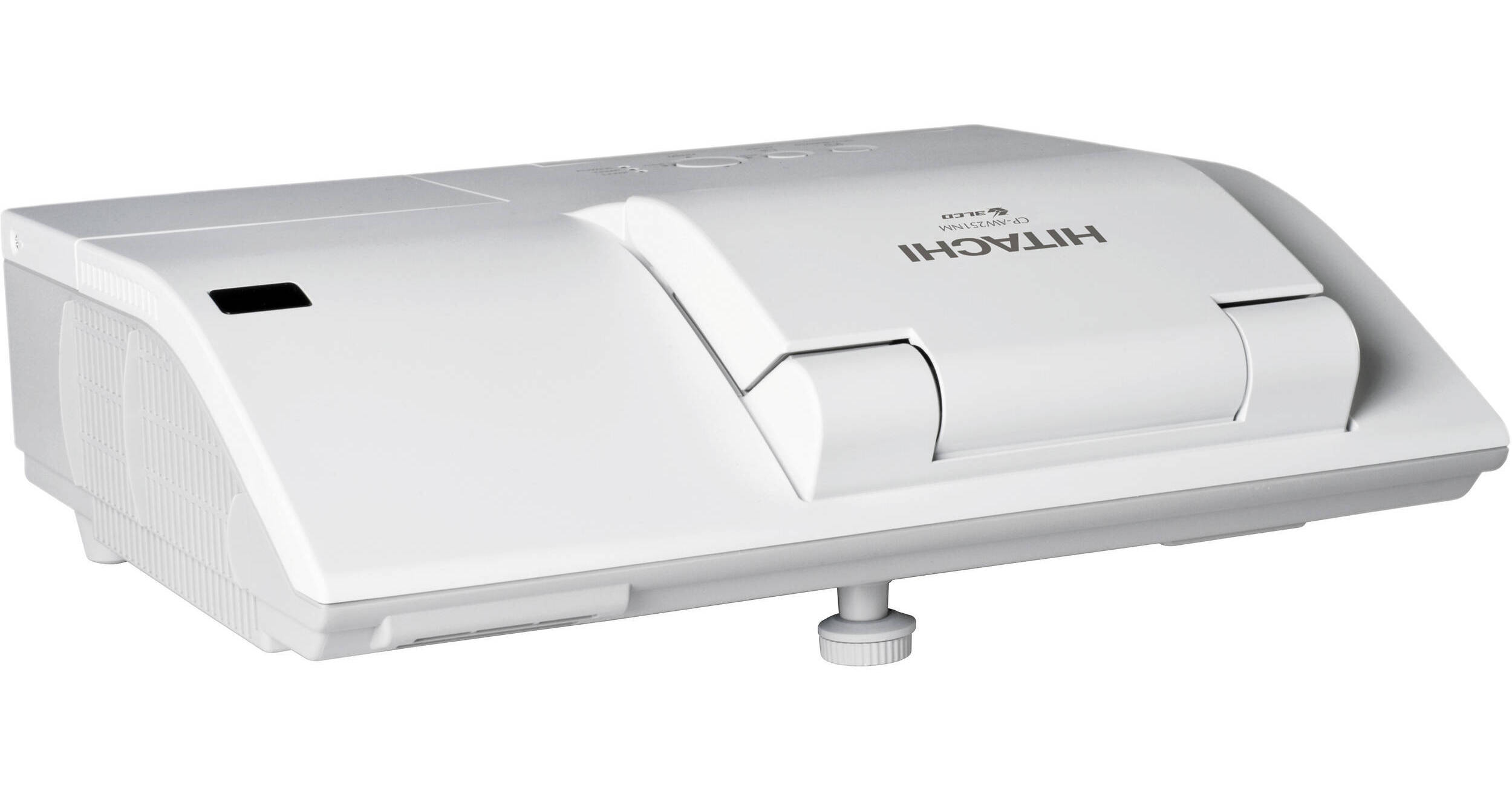
Hitachi CP-AW251N Ultra Short Throw Projector

BH #HICPAW251N • MFR #CP-AW251N
Print
Hitachi CP-AW251N Ultra Short Throw Projector
Key Features
  • 2500 Lumens
  • WXGA Resolution (1280 x 800)
  • 10W Audio Output
  • HDMI (HDCP Compliant)
The WXGA-resolution (1280 x 800) Hitachi CP-AW251N Ultra Short Throw Projector cranks out 2500 ANSI lumens of projection power at a 2000:1 contrast ratio to give you a bright, vivid image, even when you can't achieve theater level darkness.

Its 3LCD, 3 chip imaging panels (the part that creates the image) deliver sharper and brighter pictures with superior grayscale detail. Smooth, seamless color combined with an unparalleled grayscale range delivers incredible detail to every image displayed by the CP-AW251N. Those images can be in a wide variety of formats. Of course, it can project in 720p, 1080i and 1080p high definition. Its international credentials are equally impressive. It can project images in the NTSC, NTSC 4.43, PAL, PAL-M, PAL-N, and SECAM video formats.

What is really special about the CP-AW251N is how it can display an 80" (2 m) diagonal image from a throw distance of 20" (0.5 m). Not only does this prevent image obstruction, but it also means that there are no shadows interfering with the image and the absence of light in the presenter's face.

The CP-AW251N makes your audience's life easier too. It can display all four closed captioning (CC) channels as well as all four text channels from programming sources that provide CC (CC1, CC2, CC3, CC4, T1, T2, T3, T4). Closed captioning is useful not only for the hard of hearing but also for people learning English as a second language or for anyone trying to convey information in a noisy environment.

More Details
No Longer Available
No Store Display
Ask an Expert
800-606-6969

Hitachi CP-AW251N Overview

The WXGA-resolution (1280 x 800) Hitachi CP-AW251N Ultra Short Throw Projector cranks out 2500 ANSI lumens of projection power at a 2000:1 contrast ratio to give you a bright, vivid image, even when you can't achieve theater level darkness.

Its 3LCD, 3 chip imaging panels (the part that creates the image) deliver sharper and brighter pictures with superior grayscale detail. Smooth, seamless color combined with an unparalleled grayscale range delivers incredible detail to every image displayed by the CP-AW251N. Those images can be in a wide variety of formats. Of course, it can project in 720p, 1080i and 1080p high definition. Its international credentials are equally impressive. It can project images in the NTSC, NTSC 4.43, PAL, PAL-M, PAL-N, and SECAM video formats.

What is really special about the CP-AW251N is how it can display an 80" (2 m) diagonal image from a throw distance of 20" (0.5 m). Not only does this prevent image obstruction, but it also means that there are no shadows interfering with the image and the absence of light in the presenter's face.

The CP-AW251N makes your audience's life easier too. It can display all four closed captioning (CC) channels as well as all four text channels from programming sources that provide CC (CC1, CC2, CC3, CC4, T1, T2, T3, T4). Closed captioning is useful not only for the hard of hearing but also for people learning English as a second language or for anyone trying to convey information in a noisy environment.

Ultra Short Throw
Featuring an ultra short throw lens which will project a 80" (2 m) image at 20" (0.5 m) from edge of projector. This not only prevents shadows caused by obstructions but also means no shadows and no light shining in the presenter's eyes
Power Saving Standby Mode
Power saving mode reduces the standby power consumption to less than 1W
Color Light Output
The color light output spec measures the brightness of red, green, and blue, which create all the possible spectrum of colors. Smooth, seamless colors combined with an unparalleled grayscale range deliver incredible detail to every image displayed by a Hitachi 3LCD projector
White Light Output
2500 lumens of white light output in conjunction with equal color light output project bright, clear, true to life images in any classroom or conference room.
Perfect Fit 2
Perfect Fit 2 enables the user to adjust individual corners and sides independent of one another. Perfect Fit 2 provides vertical and horizontal digital correction of either barrel or pin cushion distortions. This feature helps correct geometric and complicated distortions. Perfect Fit 2 allows the projected image to fit correctly to the screen quickly and easily
HDMI Input (HDCP)
Digital connectivity allows for highest image quality from your HD device. Compliant with HDCP
10W Audio Output
10W audio output eliminates the need to connect external speakers
Serial Number and MAC Address Label on Side
A label is affixed to side of projector to more easily access and read the model name and serial number while mounted in ceiling use. This is a convenience for installers, end user and auditors for instant accessibility
PIN Lock / MyScreen / MyText
PIN lock protection can limit projector users. MyScreen PIN lock keeps captured images on the startup screen. Users can set a school's name or company's logo to MyScreen, clearly identifying ownership. MyText provides the ability to write text on the startup screen such as model name, serial number or location
MyButton / MySource - Doc Camera
Two customizable buttons on the remote control allow users to create a shortcut for any projector command such as: Direct input (RGB1, S-video, etc.), picture mode or filter reset. For connection to a document camera, MySource allows users to add a third document camera source button
IR Remote Frequency Change
To avoid conflict with fluorescent lights or IrDA (IR signal) from notebook PCs, the frequency of the IR remote control can be changed from the menu
Template Function
Line templates in the projector menu can help when writing on a whiteboard. There are four types of line templates to choose from
Display via USB
Connect to your computer using the USB port
Microphone Input
Research studies have shown that the use of microphones improve classroom test scores. The CP-AW251N provides a dedicated microphone jack that even works in standby mode
Transition Detector and Security Bar
A security sensor located inside the projector recognizes when the projector has been moved. Moving the projector without using the correct PIN Code will disable the projector
Input Source Naming
Users can name input sources in simple language instead of factory default name
Present Content via LAN
Hitachi's suite of networking software allows you to easily send content directly from your PC to the projector via your LAN connection
PJMessenger
PJMessenger function allows you to send and display text messages and audio alerts on your networked projectors. It is an easy and efficient way to send campus wide announcements
PC Less Presentation
By using a USB memory stick or other storage device, you can use the projector without a computer. Menus are easy to see with a thumbnail display. Additionally there is also a slideshow function
Network Control, Maintenance and Security
Projector management application (PJMan) allows users to monitor and control multiple projectors over LAN. Features include scheduling of events, e-mail alerts for reactive and routine maintenance. Crestron RoomView Express and AMX Device Discovery is embedded into the projector which provides out of the box compatibility with Crestron and AMX systems
Drawing Function with Optional Tablet (TB-1)
The optional Hitachi wireless tablet and pen allows you to engage your audience by annotating over any image
Tabletop Presentation
Make any tabletop a projection screen using the optional tabletop stand. Ideal for a small group environment or in a room with limited space
2000:1 Contrast Ratio
Contrast can be automatically controlled through an active iris to add depth perspective during both bright and dark scenes
Hybrid Filter (4000 Hours Between Maintenance)
Hitachi's hybrid filter consists of a two-stage, layered design and an electrostatic filter, providing dust protection for up to 4000 hours
5000 Hour Lamp Life (Eco Mode)
Another key to low total cost of ownership is a long life lamp. The lamp is rated at 3000 hours in standard mode and 5000 hours in eco mode

Hitachi CP-AW251N Specs

Key Specs
Display System
-Chip LCD
Maximum Brightness
2500 Lumens
Throw Ratio
0.3:1
Image Display
Display System
-Chip LCD
Supported Resolutions
VGA
SVGA
XGA
WXGA
WXGA+
SXGA
SXGA+
UXGA
Maximum Brightness
2500 Lumens
Aspect Ratio
16:10
Scan
Horizontal: 15 to 106 kHz
Vertical: 50 to 120 Hz
Lens
Throw Ratio
0.3:1
Features
Ceiling Mountable
Yes
General
Expected Lamp Life
Medium Brightness: 3000 Hours
Low Brightness: 5000 Hours
Fan Noise
Medium Brightness: 35 dB
Low Brightness: 29 dB
Power Consumption
Medium Brightness: 310 W
Standby Mode (Lamp Off): < 0.3 W
Dimensions (W x H x D)
13.6 x 11.9 x 4.0" / 34.5 x 30.2 x 10.2 cm
Packaging Info
Box Dimensions (LxWxH)
18.1 x 7.1 x 14.4"

Hitachi CP-AW251N Reviews

See any errors on this page?
Whatever You Need, We've Got It