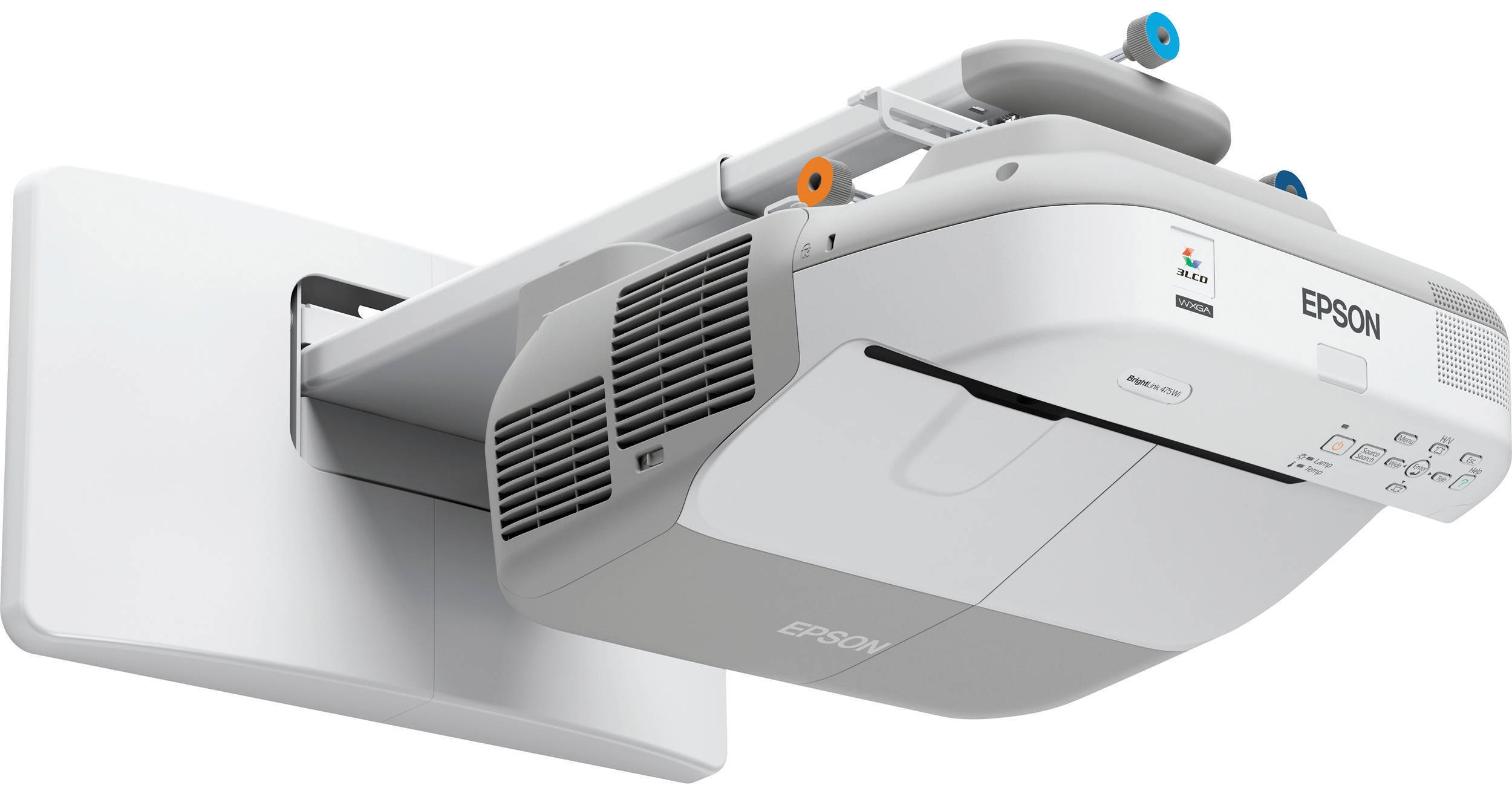
The Epson BrightLink 475Wi Interactive Projector with Mount is such an unusually powerful communications tool it's hard to decide where to start. But we'll give it a shot.
First let's go over the usual stuff. It's got 2600 lumens of brightness and a 3000:1 contrast ratio. So, it's got plenty of projection power to show a big bright picture in a normally lit room.
The 475Wi can handle input in the NTSC, PAL and SECAM TV standards and its 100 to 240 V AC power supply rounds out its international capabilities.
This projector comes with a bunch of programs (both PC and Macintosh versions). This high-performance, network-ready projector and interactive pens integrate interactive functionality into one machine without the constraints or expense of an interactive whiteboard. Annotate from any source. Once you've installed the software on your computer you can actually write on your presentations as you give them using special inkless interactive pens (two pens are included.). You don't need any special kind of electronic white board. Use a standard white board, blackboard, a wall-even wood paneling in a pinch.
In education, in business, in any situation where you need to capture and hold your audience's attention in a way that's both practical and imaginative you can't do better than the Epson BrightLink 475Wi Interactive Projector.
3 chips for full-time, vibrant color
25% less electricity required per lumen of brightness when compared to 1-chip DLP projectors
Over 20 years of road-tested reliability built into every projector
Delivers both audio and brilliant HD video content with just one cable.
Compatible with the latest laptops, Blu-ray and media players
Works with wired or wireless dynamic or condenser microphones.Br> Adjust the volume using the projector remote control.
Audio pass thru if external speakers are wanted
Export your file as a .jpg, .pdf, .tif, .png, .ppt or .iwb
Create digital notes that can be saved and edited
Record a session
Add, delete and move pages
Place and move text and objects
Use advanced shape and line tools
TeamBoard Draw! is available for Windows and Mac and ships in the box with BrightLink. Installation is optional and is not required for interactive functionality if another annotation software program is preferred
A/V mute - control your presentation; it's right at your fingertips
Sleep mode - set from 1 to 30 minutes to save energy when the projector is in A/V mute or no signal is detected
Direct power on / off - power the projector on and off with the flip of a wall switch
Quick source search
Operating angle:
Rear
Right / Left: ±55 degrees
Upper / Lower: +75 to +15 degrees
Front
Right / Left: ±30 degrees
Upper / Lower: 0 to +60 degrees
Operating distance: 19.7' (6 m)
Multiple pen support: Yes, Dual pen
Interactive pen functions: Mouse functions (left and right click), Electronic pen, LED battery status indicator
Interactive pen power: AA battery, rechargeable
Compatible pen battery types: Sanyo eneloop: HR-3UTG / HR-3UTGA6, Manganese dry cell, alkaline dry cell, interactive pen dimensions: 6.5 x 1" (165.1 x 25.4mm)
Interactive pen weight (without battery): 1.2 oz. (34 g)
Computer interactivity / input
Interactive and whiteboard modes, Dual user
PC-free input
Annotation, single user
Calibration method: Automatic or manual
Interactive connectivity: USB cable required
Interactive software requirements:
Easy interactive driver:
Windows and Linux: No driver required
Macintosh: Mac OS X 10.3.9, 10.4.x, 10.5.x, 10.6.x, 10.7.x
Easy interactive tools
Microsoft Windows XP SP2, Windows XP SP3 (Home Edition / Professional), Windows Vista3, Windows Vista SP13, Windows Vista SP23 (All editions except for Starter), Windows 74, Windows 7 SP14 (All editions except for starter)
Macintosh OS X 10.4.x, Mac OS X 10.5.x, Mac OS X 10.6.x, Mac OS X 10.7.x
TeamBoard Draw! Software (included)
Windows XP SP33, Windows Vista4, Windows 74, QuickTime player and Flash player installed
Macintosh Intel Mac OS X 10.5x or later
RM Easiteach Next Generation (optional)
Windows XP SP33, Windows Vista4, Windows 74
Apple Macintosh 10.5 or later
PC-Free Annotation: Supported, single user
PC-Free Annotation Tools: Epson Easy Interactive Tools
PC-Free Annotation Sources: Document cameras, DVD / Blu-Ray player, iPod / iPad devices
16:9: 0.27-0.37
16:10: 0.27-0.37