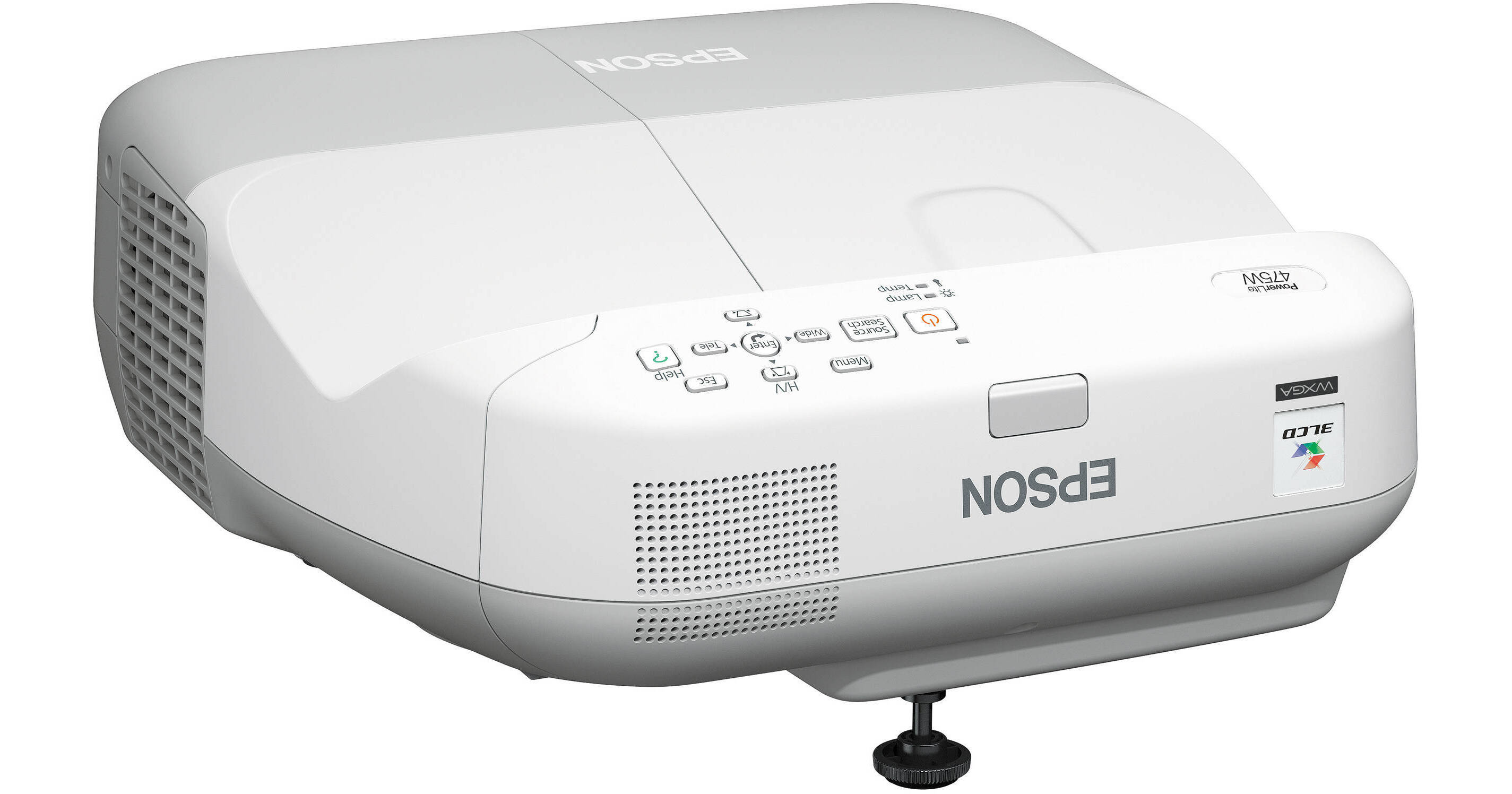
Ideal for wall-mount installations in classrooms or conference rooms, the PowerLite 475W Multimedia Projector from Epson offers the perfect solution - all at the perfect price. This budget-friendly ultra-short-throw projectors minimize shadow interference and glare, to ensure optimum viewing of your presentations. Using a built-in short-throw lens, they enable you to project an 80" (2 m) image from just 8" (0.2 m) away.
The PowerLite 475W is equipped with a microphone input and a premium 16W speaker to enhance any lesson with captivating audio. Convenient microphone input allows you to connect a microphone to the projector and amplify your voice through the projector's built-in speakers.
Easily monitor and control the networked beamer remotely, using the RJ-45 connection and EasyMP monitor software. HDMI digital connectivity and advanced networking capabilities offer even more flexibility for teaching scenarios today and in the future. This high-performing projector is sure to engage any audience.
25% less electricity required per lumen of brightness when compared to 1-chip DLP projectors
Over 20 years of road-tested reliability built into every projector
Large images to engage any audience - project an 80" (2 m) image from approximately 8" (0.2 m) away
Minimal shadow interference - no need to worry about obscuring the screen with shadows cast by the presenter
Minimal glare - unlike traditional front-projection technology, these projectors make it more comfortable for presenters since they do not have to deal with light shining in their eyes
Wall mount installation makes these projectors ideal for use with interactive or standard dry-erase whiteboards
Easy replacement - top-loading lamp means you don't have to uninstall the projector from the wall mount
Get amazing images and 30% more image area than with a standard 4:3 projector, plus the capability to display 4:3 and 16:9 content, without sacrificing image quality
Future-ready connectivity ensures compatibility with the latest laptop, Blu-ray and media playing devices
Control power on / off, source, volume, page up / down functions and more from your computer
No special applications or software necessary; simply use your Web browser in Windows or Mac
Display your presentation
Transmit audio
Control your presentation via remote control
Eliminate the need for three separate cable connections
Display material from any networked location, or in up to four different classrooms simultaneously
Present remotely to support distance learning applications
Connect wirelessly, via a network access point or optional wireless module, to give teachers the freedom to move around the classroom and interact with students for a more engaging learning environment
A/V mute - pause your presentation to direct focus elsewhere or take a quick break
Sleep mode - set from 1 to 30 minutes to save energy when no signal is detected
Direct power on / off - power the projector on / off with the flip of a wall switch
Save time and maintenance costs - power classroom projectors on and off without having to go to each individual classroom; set schedules for automatic events
Receive e-mail alerts when attention is required
Crestron RoomView enabled - monitor / control your projector with RoomView software, without the need for an A/V control box
Broadcast your message - advertise events or broadcast instructions to all networked Epson projectors
Includes adjustments for horizontal roll, horizontal rotation, vertical tilt, horizontal shift, distance extensions and vertical height adjustments for precise installations
Large, color-coded dials provide intuitive guidance on adjustments
+/- 5 degrees vertical keystone correction - allows for easy adjustments when the projector is placed above or below the center of the projection screen
+/- 5 degrees horizontal keystone correction - allows for off-center positioning, so you can still present a rectangular image
Designed to be recycled
Epson America, Inc. is a SmartWay Transport Partner
Convenient microphone input allows you to connect a microphone to the projector and amplify your voice through the projector's built-in speakers
The microphone can even be used while the projector is in standby mode, which saves energy and costs
Audio pass-through feature enables you to use the audio out port with external speakers, even when the projector is in standby mode, saving lamp life and energy
Helps save money - no need to pay for an additional decoder and installation
Effective and easy to use - easily enabled or disabled through the projector remote or menu
Fast wireless 802.11 b/g/n connectivity - with the optional wireless module via either:
Included software (Mac and PC) or optional quick wireless connection USB key for fast, ad hoc, wireless connectivity (PC only)
High efficiency filter - 2x the surface area of previous filters for better protection against dust; cleaning schedule up to 5000 hours
Simply display the template by selecting the customizable user button on the projector remote control
Operating distance: Front / Rear: 19.7' (6 m)