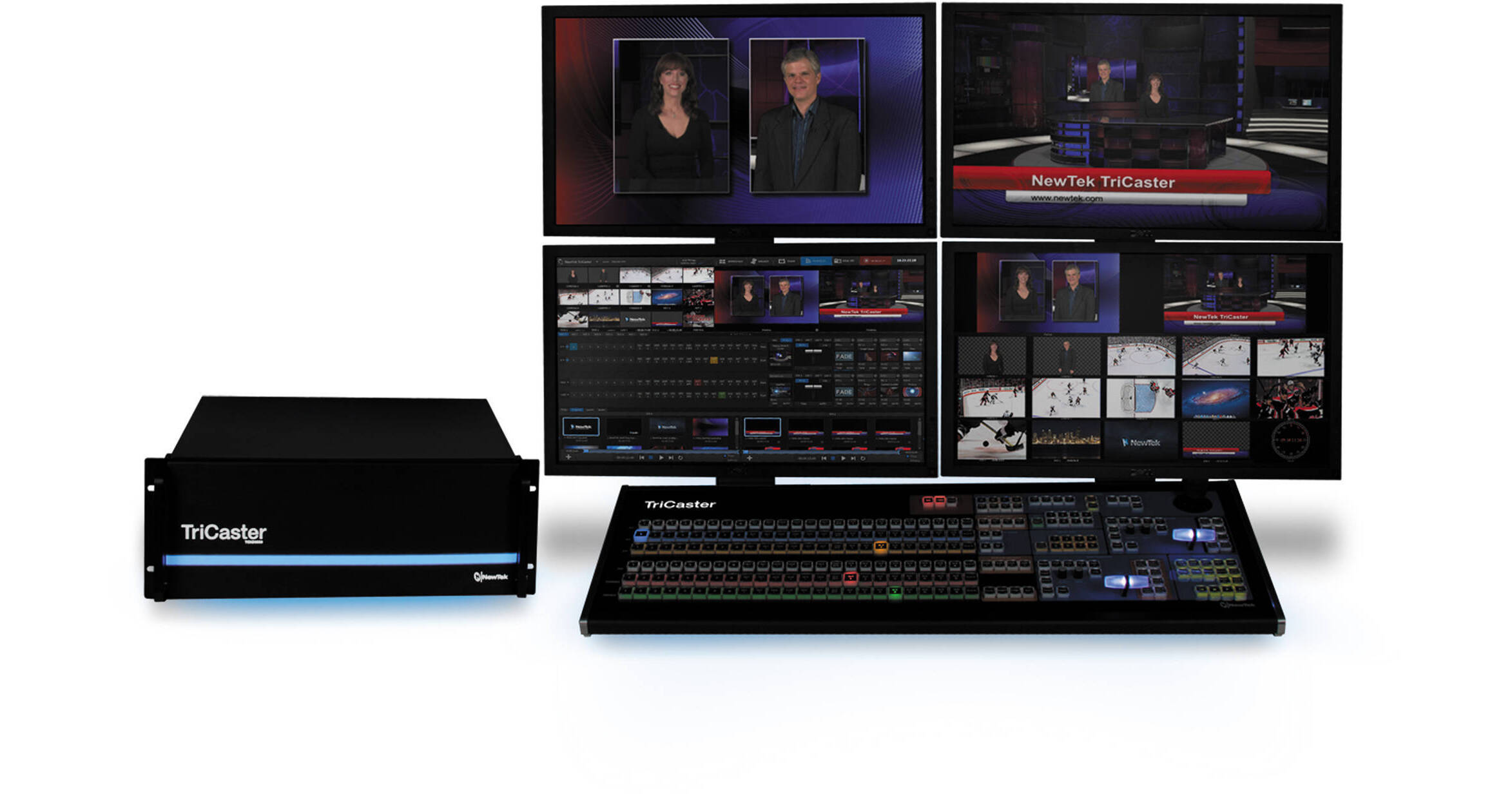
The NewTek TriCaster 8000 is an eight-camera input, tightly integrated hardware and software solution for streaming video online and for producing live events. The TriCaster comes with an appropriate control surface and a powerful user interface. Altogether, the package offers built-in multitrack ISO recording with broadcast, projector, and online output options, completely customizable visuals, powerful 3D effects, video playback, graphics, transitions, virtual sets, and more.
Digital and analog outputs are available for streaming to broadcast machines, live projectors, and to video routers. You can also connect to a network via Ethernet and stream videos directly to the web. At the same time, you can store files to very high-capacity internal drives, as well as to additional, optional external drives.
The 8000 is a 4 RU device designed for large-scale, multicamera production in native full-resolution HD.
Ask Our Experts800-606-6969
Hello, Log InAccount & Orders
Video Chat with a Pro Video Expert - Live
NewTek TriCaster 8000
Key Features
- Web/TV Streaming & Live Productions
- 24 x Channels / 8 x Camera Inputs
- Output to 14 Display Destinations
- Built-In Multitrack ISO Recording
The NewTek TriCaster 8000 is an eight-camera input, tightly integrated hardware and software solution for streaming video online and for producing live events. The TriCaster comes with an appropriate control surface and a powerful user interface. Altogether, the package offers built-in multitrack ISO recording with broadcast, projector, and online output options, completely customizable visuals, powerful 3D effects, video playback, graphics, transitions, virtual sets, and more.
More DetailsNo Longer Available
NewTek 8000 Overview
Production of Any Scale
The versatility of the 24-channel TriCaster 8000 lets you scale up or down to accommodate every program imaginable. Expand coverage with massive multicamera production through external video routers. Add a dedicated audio operator and social media producer. Send eight independent output feeds to 14 destinations for broadcast, stream, or display—even over the network transmission to another TriCaster. For smaller programs, shrink the production down and let one operator handle the show.
TriCaster Software
User Interface
Elegant and intuitive, the TriCaster 8000 user interface provides complete control over live production, streaming, recording, and social media publishing operations.
Workspace
Create a view that works for you. Customize the user interface and multiview monitors, populating a variety of layouts with your preferred combination of inputs, outputs, scopes, clocks, or images.
Recordable Macros
Make your favorite series of commands automatic. Record any sequence of operations as a macro event and trigger it with a mouse click, keystroke, or control surface action. Talent can also trigger macros by making contact with configurable on-screen hotspots.
Social Media Share
Publish content instantly to popular social media sites like YouTube, Facebook, and Twitter, upload to FTP sites, or transfer to network locations. Share clips and stills during live production, or upload your full-length show within moments after production wraps.
Live Streaming
Launch live streaming video of your show to the web with simultaneous archive, at the touch of a button. TriCaster 8000 includes presets for the most common streaming profiles, in resolutions up to 720p, with support for custom multi-bit rate stream profiles.
Grab
The unique view from every angle is up for grabs. Snap photos from one or all cameras, simultaneously. Build a collection of HD still images to post to social media sites, or use during the show.
Recording
Capture video from up to eight individual sources simultaneously, with integrated IsoCorder multitrack, multi-format recording technology. Files are recorded at native resolution, and compatible with every major non-linear editing application, computer operating system, and media sharing website.
Live Desktop Monitors
Create a custom workspace layout with your choice of virtual monitors. Full field rate displays also include convenient options for additional customization, including safe areas, VU meters, and alpha channel transparency display.
Cameras
Connect up to eight live cameras or video sources, of any connection type or resolution. TriCaster 8000 also supports direct connection and input control of upstream external video routers, making countless additional cameras and video sources available from the switcher.
Network Sources
Share computer screens or displays from wireless Apple AirPlay devices like iPad, iPhone, or iPod, connected to the same local network. TriCaster 8000 also accepts network output signals from NewTek 3Play systems and other TriCaster 8000 systems.
Look-Ahead Preview Monitor
Set up and preview your next shot before it goes live, including any titles and overlays to be applied.
Program Monitor
View the primary video output signal being broadcast, streamed, projected, and/or recorded.
DDRs
Load and play back video clips, packages, and motion graphics. TriCaster 8000 offers native support for an extensive range of file formats, allowing you to work with essentially any media asset you're given.
Graphics
Display images, apply titles, or present static graphics. Choose and edit templates in a variety of styles and designs, or import your own graphics for a custom-branded live production.
Frame Buffer
Store any image, title, or graphic as a selectable source, or dedicate the frame buffer channel to a shareable watch folder for updating assets remotely, using any preferred graphic design application.
M/E Buses
Mix multi-source compositions or create complex video effects, and configure for output to the main switcher any overlay channel, input into another M/E bus, or as an alternative recording mix. TriCaster 8000 features eight M/E buses, each a complete switcher with independent keying and positioning effects per selected source, four layers of overlay, the powerful TransWarp effects engine, and presets. M/E buses also support 3D video production, real-time motion tracking, macro hotspots, and live virtual sets.
M/E Re-Entry
Create sophisticated, layered effects for virtually any application. Every switcher channel is available as a source for an M/E bus, including other M/Es, allowing for incredibly deep and complex effects operations.
Live Virtual Sets
Up the production value of any presentation with a multi-source virtual set, complete with real-time reflections and specular highlights. The TriCaster 8000 includes 24 HD virtual sets in a variety of styles and settings, each with multiple angles, customizable pan, zoom, and pedestal animations, and support for motion tracking and hotspots.
M/E Effects
Apply titles, graphics, and spectacular effects to M/E compositions. Each M/E bus is equipped with four fully configurable overlays, each with independent keying, positioning effects, transition controls, and support for TransWarp effects.
Live Production Switcher
Control productions of any scale, in all resolutions up to 1080p. Integrate multiple cameras, video feeds, media sources, graphics, transitions, and effects without any extra hardware or external devices.
TransWarp Effects
Supported on every available effects channel, the TransWarp effects engine is simply the most powerful integrated effects system in live production. TriCaster 8000 electrifies live video, DSKs, and overlays with full-color animation store transitions, complete with embedded audio and 3D warping of video. The integrated Animation Store Creator application also allows you to build custom transitions and effects, with eye-catching visuals like real-time cloth dynamics, 3D transformations, and motion overlays.
Switcher Effects
Apply titles, graphics, and spectacular effects to live video. The switcher supports dynamic TransWarp effects on the primary video layer and on each of the four, fully configurable DSKs. Each DSK also includes independent keying, positioning effects, and transition controls.
Multichannel Audio Mixer
Deliver pristine sound with adjustable audio controls for internal and external sources, plus outputs, including audio-follows-video, sub-mix routing, and a seven-band equalizer and compressor/limiter on every source and output. Touchscreen and tactile remote control are also in the mix, via the companion iPad audio mixing app and native support for Avid Artist Series audio control surfaces.
Media
Load video clips, motion graphics, sounds, titles, and stills of virtually any file format for live playback or overlay. Build playlists before or during a show, and save frequently used video and graphics collections as presets.
NewTek 8000 Specs
| Channels | |
| Video Inputs | |
| Network Sources | |
| Media | |
| Frame Buffer | |
| Mix / Effect Buses | |
| Macros | |
| DSKs | |
| Effects and Transitions | |
| Virtual Sets | |
| Hotspots | |
| Video Output | |
| Recording | |
| Recording Capacity | |
| Social Media Publishing | |
| Live Streaming | |
| Audio Inputs | |
| Audio Outputs | |
| Audio Mixing | |
| Supported Formats | |
| Playback Media Formats | |
| Export Media Formats | |
| Monitoring | |
| Signal Monitoring | |
| Processing | |
| Fail-Safe | |
| Rack Height | |
| Power | |
| Dimensions | |
| Weight |
Packaging Info
| Package Weight | |
| Box Dimensions (LxWxH) |
NewTek 8000 Reviews
See any errors on this page?