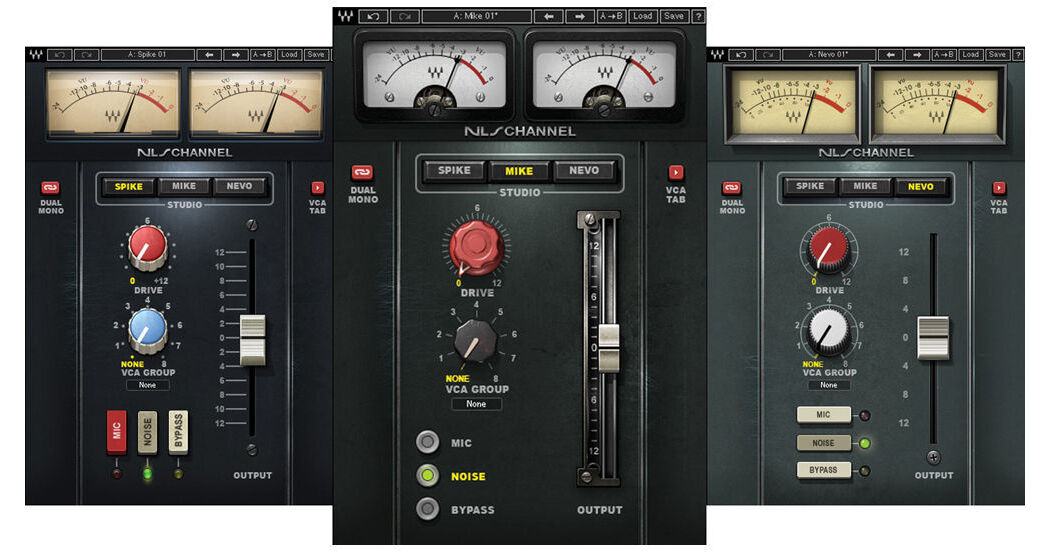
NLS TDM from Waves is a classic analog console modeling plug-in that brings the warm sounds of yesteryear to your DAW. It allows you to add depth, crunch, analog noise, and harmonic distortion to your individual tracks, busses, or both.
Waves NLS models an SSL 4000G, a vintage EMI 12345 Mk 4, and a customized 60/92 Neve 5116 console. No two pieces of analog gear sound the same, so Waves sampled over 30 channels on each console, plus their master busses. Within NLS, different modeled channels can be selected on each of the three consoles, creating a non-linear summing system. Offering a larger sound, more headroom, and a wider stereo image, non-linear summing is the natural effect of an analog environment. Through tireless research and innovation, Waves has made this luxury available for in-the-box digital mixing.
NLS offers the ability to mix and match channels from the three different consoles. Create your ideal mix with electric guitars through the Neve, while drums go through the SSL, and vocals go through the EMI. The possibilities are endless, and only available from Waves.
- Studio: sets the console type
- Drive: adds harmonic distortion, increasing input signal and decreasing headroom
- Output/Trim: controls gain adjustment
- VCA Group: assigns the NLS instance to a VCA Group, for global control via the VCA Groups Console
- Link: toggles between Dual Mono and Stereo mode (NLS stereo Channel only)
- Mic: simulate mic input levels (NLS Channel only)
- Bypass: deactivates analog harmonics, noise and frequency response effects
- Noise: activates modeled analog noise
- VCA Tab: shows and hides the VCA Groups Console section
- Meter: displays output signal peak dBFS values
- Auto: enables automation writing and reading for the VCA Groups Console
- Group Bypass: bypasses the NLS effect on all instances assigned to that VCA Group
- Group Noise: controls the noise for all the NLS instances assigned to that VCA Group
- Group Drive: sets the drive offset value for all NLS instances assigned to that VCA Group
- Group Trim: sets the output gain offset value for all NLS instances assigned to that VCA Group
- Group Studio: sets the studio type for all NLS instances assigned to that VCA Group
- Group Name: a text field which allows you to customize the name of each VCA Group