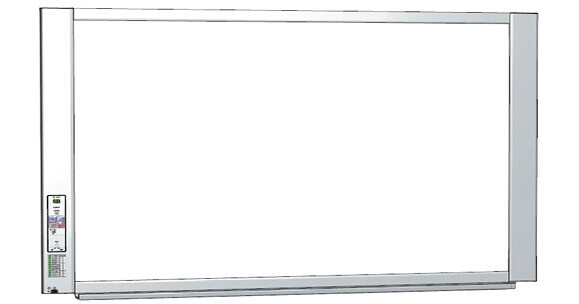
The Plus N-20W Widescreen Electronic Copyboard is a digital whiteboard with the ability to capture notes shown on the screen for printing. The ability to both print and save to a single file on a computer makes the unit especially useful for engaging students and colleagues in a variety of instructional applications, including classrooms and business meetings. The N-20W was designed from the ground up for ease-of-use, making it a breeze to setup and simple to operate.
Network Function
Connect to your network using an Ethernet cable. You'll have two options for saving and sharing your work over the network:
- Save your copyboard data to the board's internal memory. Approximately 100 pages can be stored. Using an assigned IP address, your team can access the images on the board from their computers using a web browser. The data on the board is accessible in standby mode as well. You can benefit from added security by password protecting the board
- When connected to the network, you can save to an FTP server so that everyone on your team has access to the saved information
Mobile App (iOS/Android)
The mobile app is compatible with both Apple iOS and Android systems. The app allows you to "scan" by tapping a button on your smartphone, iPhone or iPad. Then, you can save the image to your device, as well as the phone of anyone else in the room with that app. This app also allows for audio and video recording during a meeting and can store them together with any scanned images, so all your meeting information is in one place
Two Panels of Writing Space
You'll have two panels of writing space at your disposal; simply move the sheet forward or backward electronically or with a touch of your hand
Built-in Software
No need to install software, simply connect your computer (Mac or PC) to the board using a USB cable whenever you want to save an image
PDF, JPG and PNG Support
Save image files to USB memory or a PC in either PDF, JPG or PNG formats
Smooth Hand Scrolling
The surface of this board is easy to move when using your hand. The scrolling force needed has been reduced to just 7 ounces (previous model required 3 pounds). The board scans in 15 seconds (previous model was 8 seconds)
Magnet Attachable
Magnets can be attached to the board surface
Digital Storage of Your Work
Store and retrieve the data from the board through either a direct PC connection, or by using a USB memory stick. Images are saved in color as JPG, PNG, or PDF files. Once the image data has been downloaded to your computer, you can distribute copies of work using email and send to absent audience members, insert board writing into business documents, edit and enhance your work using software, and reduce clutter with compact digital files
Color Printing of Your Work
Print the contents of the board in color using compatible inkjet printers. Use the printer in either the copyboard's wall-mounted or floor-standing configuration. By using plain paper copies, you can present your audience with a copy of what's written on the board. Listeners can commit their attention to the presentation rather than taking notes and maintain consistency by preventing errors or omissions in drawings, charts and diagrams. Additionally, it's handy to have paper copies on hand to refer to later