Video Chat with a Photography Expert - Live

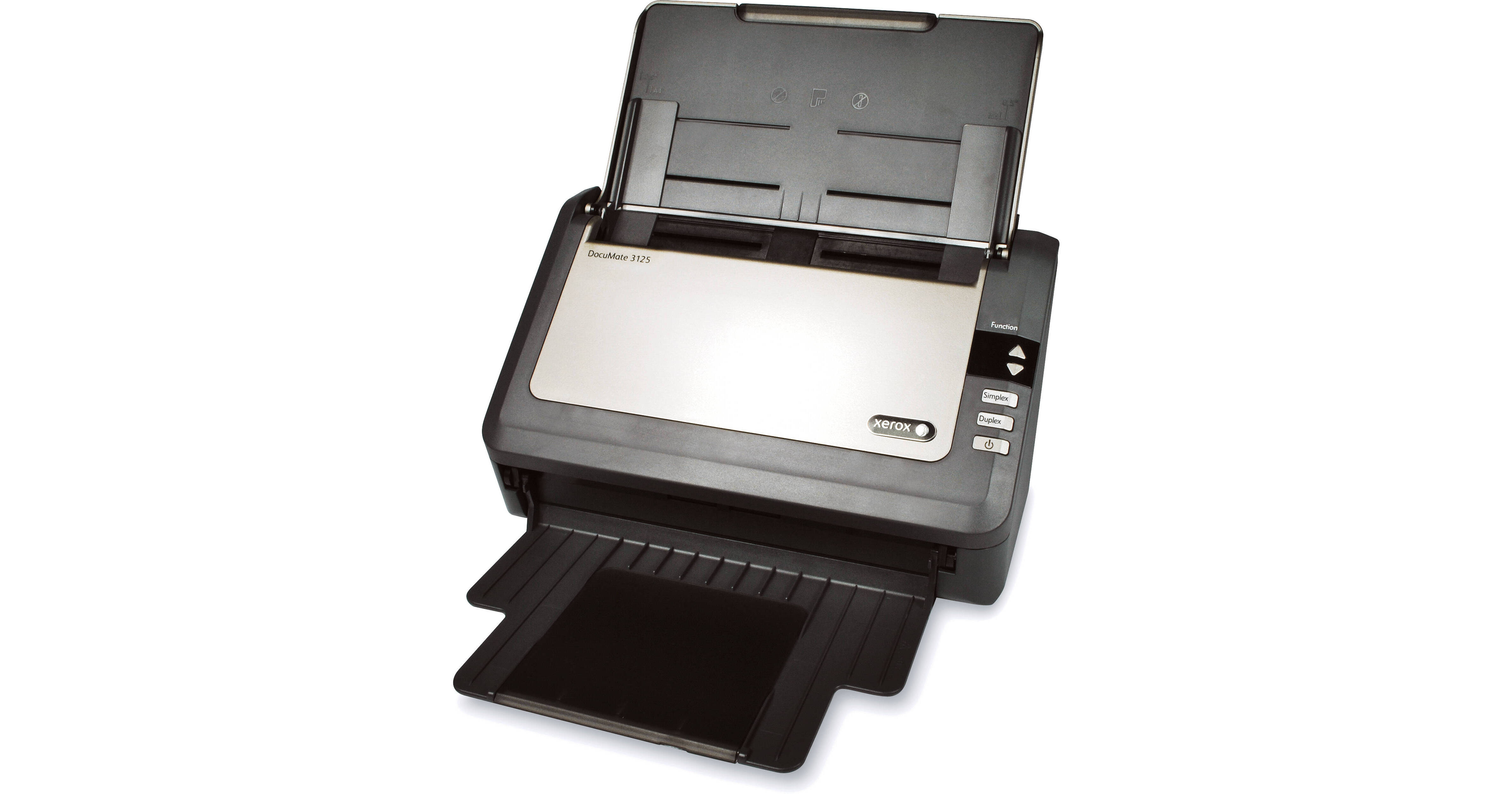
Xerox DocuMate 3125 Document Scanner

BH #XED3125S • MFR #XDM31255M-WU
Print
Xerox DocuMate 3125 Document Scanner
Key Features
  • Automatic 2-Sided Scanning
  • Scan 40ppm/70ipm
  • 50-Page ADF
  • 9 Programmable 1-Touch Scan Buttons
The DocuMate 3125 Document Scanner from Xerox seamlessly converts your documents into usable digital files at a rate of 40 ppm (simplex) or 70 ipm (duplex). The 50-page automatic document feeder lets you scan single- and double-sided pages in 1 easy step. The scanner accepts pages as large as 8.5 x 38" as well as plastic cards such as credit, ID, and licenses, both embossed and unembossed. Additionally, the ADF and paper feed is designed so that plastic cards can even be fed through the ADF, there's no need to feed them through a manual slot.
More Details
No Longer Available
No Store Display
Ask an Expert
800-606-6969

Xerox 3125 Overview

The DocuMate 3125 Document Scanner from Xerox seamlessly converts your documents into usable digital files at a rate of 40 ppm (simplex) or 70 ipm (duplex). The 50-page automatic document feeder lets you scan single- and double-sided pages in 1 easy step. The scanner accepts pages as large as 8.5 x 38" as well as plastic cards such as credit, ID, and licenses, both embossed and unembossed. Additionally, the ADF and paper feed is designed so that plastic cards can even be fed through the ADF, there's no need to feed them through a manual slot.

The scanner's high 3000-page/day duty cycle is ideal for both small and home offices as well as large work groups. The DocuMate 3125's compact design and retracting paper trays provide a small enough footprint to fit right on your desktop within easy reach. This way, when you need to scan, simply place your document in the feeder and press one of the 9 programmable one-touch buttons to begin scanning. The buttons can be programmed to scan to a specific destination. You can scan a file and have your computer attach it to an email or send it as a fax. Need to edit a document? Use the included OCR software to scan the document, convert the image into text, and edit the text in an application such as Microsoft Word. Additionally, you can create a shortcut to scan to a specific folder. The included software also provides the option to turn your scanned document into a searchable PDF.

Be More Productive
The Xerox DocuMate 3125 color sheetfed scanner quickly converts your documents, plastic cards and forms into digital files, then securely saves them on your computer or in the cloud ready to be accessed another day when needed. It can scan up to 44 images per minute (ipm) in duplex and includes a 50-page Automatic Document Feeder (ADF) that handles everything from business cards to A4/Letter size documents. The Xerox DocuMate 3125 has an exceptionally small footprint and will fit comfortably on any desk (especially when folded closed). It is the perfect solution for organizations that need to quickly convert paper documents into searchable PDF files to be shared, organized and protected
Advanced certified TWAIN and ISIS drivers allow you to communicate with hundreds of Enterprise Content Management (ECM) and Document Image Management (DIM) software solutions making the DocuMate 3125 perfect for any office environment
Scanning At The Touch Of A Button
The DocuMate 3125 scanner allows users to scan to the "destination" of their choice by pressing a single button, eliminating the multiple steps usually required to save scanned documents in popular file formats. Simply select one of 9 preset (yet completely user configurable) destinations, and your documents will be scanned with the correct settings for resolution, color, cropping, and file format. Final images are delivered to virtually any application, folder or device - all at the touch of a button
Scan With Confidence
Take a random stack of documents from your desk. Unless they came directly from a laser printer, they probably have a few marks on them, highlighted notes, stamps, wrinkles or smudges. The DocuMate 3125 includes software that enables your scanner to instantly improve the visual clarity of every document that you scan. It intelligently adjusts every page after being scanned to a crisp and clean image. And it not only improves image quality for the human eye, but the computer's eye as well. Since OCR results are directly related to the clarity of scanned text, OCR accuracy is dramatically increased when you improve image quality
Visioneer OneTouch
OneTouch is an easy-to-use utility that connects the DocuMate scanner with a powerful set of scanner settings to greatly improve the efficiency of your workflow - so that with one touch the document is scanned automatically to email, Microsoft Word, your printer, a file folder, or to one of many cloud destinations
Acuity
Acuity enables your scanner to instantly improve the visual clarity of every document that you scan. Using advanced algorithms and dynamic thresholding Acuity will intelligently correct documents containing imperfections, improve quality of scanned images for archiving, increase OCR accuracy, and save time
DriverPLUS
DriverPLUS is a new generation of driver technology that is based on TWAIN 2.1 specifications that provides advanced features and greater reliability for both users and system integrators. DriverPLUS combines the features of advanced 32- and 64-bit native Windows-based TWAIN and WIA drivers PLUS new Acuity optimization software and a sophisticated user interface
Visioneer Capture SE-Scan
Visioneer Capture SE-Scan lets you edit and release document batches to PC, network and cloud services like Google Drive, Batch Explorer and Preview workspace lets users organize and complete scan batches for delivery. Flexible interface with automatic batch separation and advanced indexing with Zonal OCR and barcode support
Text-Searchable PDF
Transform volumes of paper or photos into organized digital files that can be quickly found, used and shared. In searchable PDF format, the user can instantly search documents for keywords or phrases. This provides additional archival benefits beyond traditional storage, and the widely accepted PDF format lets everyone view and print documents - on any computer

Xerox 3125 Specs

Key Specs
Scanner Type
Automatic Document Feeder (ADF)
Scanner Maximum Resolution
600 dpi (Optical)
Scanner Color Depth
24-Bit (External)
Scanner
Type
Automatic Document Feeder (ADF)
Maximum Resolution
600 dpi (Optical)
Scan Modes
Color, Grayscale
Color Depth
24-Bit (External)
Grayscale Depth
8-Bit (Internal)
Light Source
LED
Image Sensor
1x Contact Image Sensor (CIS)
Duplex Scanning
Yes
Single Pass Duplex
Yes
Scan Speed
Simplex Speed
40 ppm in Color/Grayscale
Duplex Speed
70 ipm in Color/Grayscale
Automatic Image Corrections
Yes
Scanner Media Handling
Scan Sizes
Minimum: 2 x 3" / 5.1 x 7.6 cm
Maximum: 8 x 38" / 20.3 x 96.5 cm
Media Thickness
ADF: Up to 51.2 mil / 1.3 mm
Paper Capacity
50x Sheet
Multi-Feed Detection
Yes
Media Weight
13 to 32 gsm
Daily Duty Cycle
3000 Scans
Special Media Support
Business Card
Connectivity
Inputs/Outputs
Unspecified USB 2.0
Wireless
No
Scanner Drivers
ISIS
Operating System Support
Windows
Environmental
Operating Temperature
50 to 95°F / 10 to 35°C
Operating Humidity
10 to 85%
General
Power Source
AC Adapter
Battery
No
AC Input Power
100 to 240 VAC, 50 / 60 Hz
Power Consumption
30 W (Maximum)
Certifications
ENERGY STAR, WEEE, as per Manufacturer
Dimensions (W x H x D)
11.2 x 6.7 x 6.5" / 284 x 170 x 165 mm
Weight
5.1 lb / 2.3 kg
Packaging Info
Package Weight
8.6 lb
Box Dimensions (LxWxH)
15.9 x 10 x 9.9"

Xerox 3125 Reviews

See any errors on this page?
Whatever You Need, We've Got It