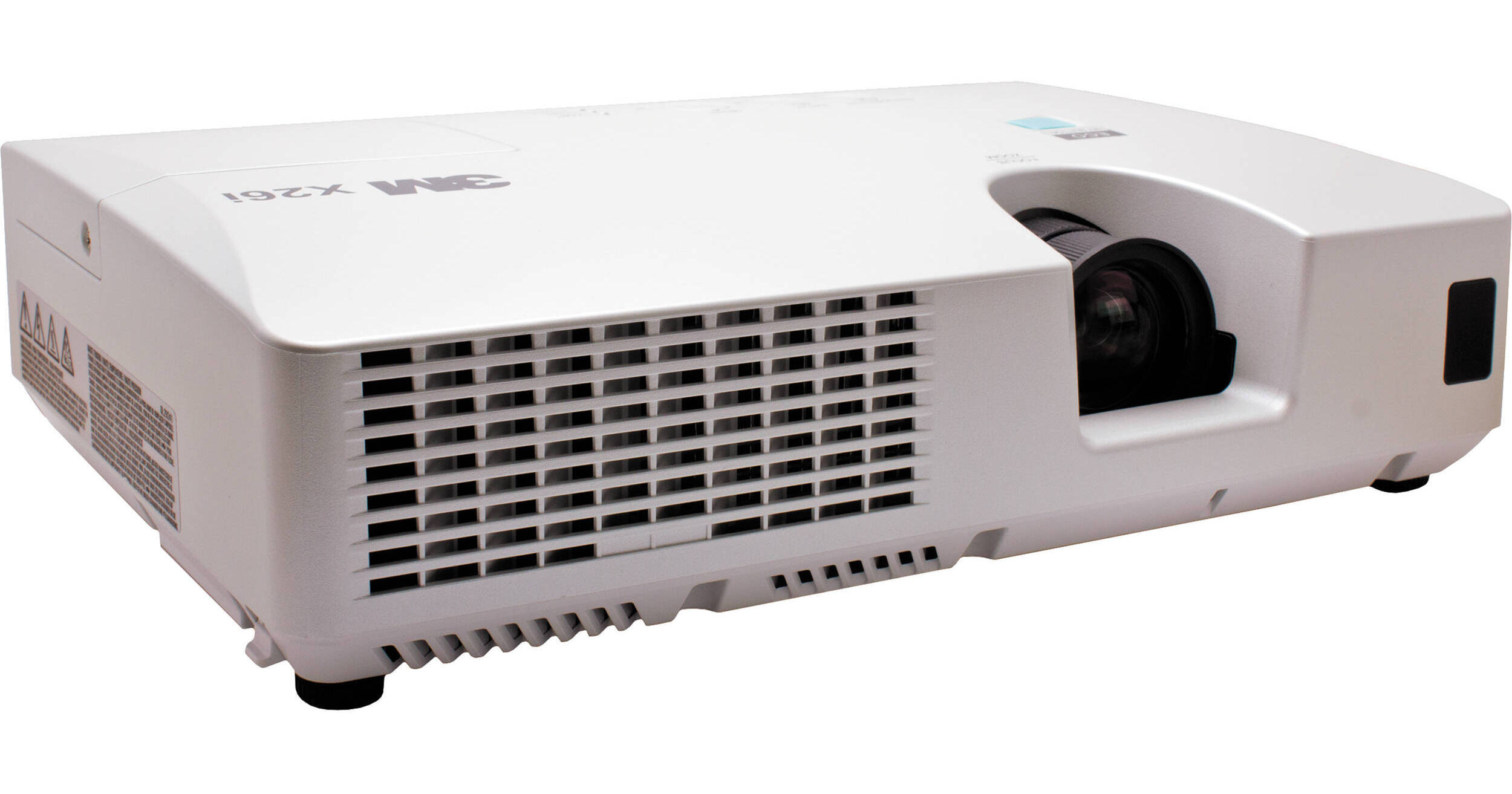
3M X26i Digital Projector

BH #3MX26I • MFR #78-9236-7733-6
Print
3M X26i Digital Projector
Key Features
  • 3200 Lumens
  • 2000:1 Contrast Ratio
  • HDMI x 1
  • XGA (1024×768) Native Resolution
With 3200 lumens and a 2000:1 contrast ratio, the 3M X26i Digital Projector possesses the image power to project vivid, saturated pictures in a variety of lighting situations. The device delivers crisp and bright presentations that help capture the attention of the audience while leaving a lasting impression. Using networking technology, the 3M X26i Digital Projector has taken digital projection to the next level for business, educational and organizational environments.

The unit houses a hybrid filter, which minimizes maintenance and makes cleaning much less frequent for longer operation. The new hybrid air filter reduces operating costs by delivering at least 4000 hours in normal operating conditions, which combines with the long life lamp and LCD panel to offer an almost set and forget maintenance interval.

The unit is loaded with features and offers a formidable price to performance ratio. Now if you are looking for a reasonably priced projector to own, the X26i is the projector for you.

More Details
No Longer Available
No Store Display
Ask an Expert
866-264-7509

3M X26i Overview

With 3200 lumens and a 2000:1 contrast ratio, the 3M X26i Digital Projector possesses the image power to project vivid, saturated pictures in a variety of lighting situations. The device delivers crisp and bright presentations that help capture the attention of the audience while leaving a lasting impression. Using networking technology, the 3M X26i Digital Projector has taken digital projection to the next level for business, educational and organizational environments.

The unit houses a hybrid filter, which minimizes maintenance and makes cleaning much less frequent for longer operation. The new hybrid air filter reduces operating costs by delivering at least 4000 hours in normal operating conditions, which combines with the long life lamp and LCD panel to offer an almost set and forget maintenance interval.

The unit is loaded with features and offers a formidable price to performance ratio. Now if you are looking for a reasonably priced projector to own, the X26i is the projector for you.

Optional Wireless Connectivity
The 3M X26i projector features wireless presentation capabilities, eliminating the need to pass around a connection cable when multiple presenters are in the room. It can also display up to four individual computer presentations simultaneously, and individual user names can be displayed for the connected computers, making it easier to keep track of the displayed presentations. Additionally, the LiveViewer software provides a quick and easy connection wizard for setting up a wired or wireless network presentation
PC-Less Presentations
By using a USB memory device, you can present .jpg, .png, .bmp and .gif files from the projector without being connected to a computer. This is ideal for those who give mobile presentations or for those who have security concerns about carrying their PC to different locations. Just store files like your digital camera pictures as .jpg data files on a USB memory device and insert either into the designated slot on the projector connection panel, and you're ready to display
Software Capabilities
The 3M X26i offers networking capability, while the PJMan software gives users the ability to control, diagnose and manage a group of projectors from a single, remote location. Images can also be transferred via LAN connection to individual or multiple projectors. These images are stored in the projector's memory and can be displayed using My Image feature. My Image can be recalled and displayed locally using the projector's remote control, or remotely over the LAN connection. Additionally, email notifications are automatically sent to the system administrator for routine maintenance and error alerts. When multiple computers have access to the projector via the network, a designated user can control presentation privileges (and block unwanted access), ensuring that the current presentation is not interrupted unexpectedly. Users can schedule routine and special projector events, including power on, power off, input selection and other settings
E-Shot
For special announcements, emergency information distribution, a unique sign in a hotel lobby or conference center, the downloadable E-shot software function can transmit up to four still pictures or files to a single projector connected via the local area network
Hybrid Filter
Thanks to the X26i hybrid filter, maintenance and cleaning are much less frequent, making longer operation possible. The new hybrid air filter reduces operating costs by delivering at least 4000 hours in normal operating conditions, which combines with the long life lamp and LCD panel to offer an almost fit and forget maintenance interval. With the lamp door on top and a side-mounted filter, maintenance and replacement of these parts can be done easily, even when the projector is ceiling-mounted
Quick Start and Instant Off
The image will appear in just three seconds after power on and the unit can be instantly powered off after a presentation
Input Source Naming
Change the name of any input to one of your own choosing for easier use (i.e. change RGB input to computer or component to DVD)
Auto Vertical Keystone
Automatically performs keystone correction for an ideal screen setting, simply by pressing the button
Resolutions Preset
Recognizes and resizes special resolutions, such as WXGA, and places them in the optimum position. User's own resolutions can also be stored as custom modes
My Screen Lock
Users can personalize the startup screen with a warning or ownership message and lock this screen with a pin code number
Transition Detector
Locks the projector from use if the projection angle or settings are changed from the installed position. Requires a user-set numeric code for reactivation
Whiteboard, Blackboard and Daytime Modes
Whiteboard mode helps reduce peak white brightness of projection on a whiteboard, reducing annoying glare. Blackboard Mode helps provide better color balance when projecting onto a colored background. Daytime mode allows the viewer to see vivid images, even in high-glare environments
Anti-Theft Security Bar
Serving as both a visible and actual deterrent, a steel security bar is connected to the chassis to help provide a strong anchor point for a lock chain

3M X26i Specs

Key Specs
Display System
0.63" Polysilicon TFT LCD
Maximum Brightness
3200 Lumens
Image Display
Display System
0.63" Polysilicon TFT LCD
Supported Resolutions
1600 x 1200
Maximum Brightness
3200 Lumens
Aspect Ratio
4:3
16:9
14:9
Scan
Horizontal: 31.5 to 106 kHz
Vertical: 56 to 120 Hz
Lens
Throw Ratio
1.5 to 1.7:1
Projection Size
30 to 300" / 762.00 to 7620.00 mm
Features
Ceiling Mountable
Yes
General
Expected Lamp Life
Medium Brightness: 3000 Hours
Low Brightness: 5000 Hours
Fan Noise
Medium Brightness: 37 dB
Low Brightness: 30 dB
Security
,
Power Consumption
Medium Brightness: 320 W
Low Brightness: < 0.4 W
Dimensions (W x H x D)
12.5 x 3.9 x 11.3" / 31.8 x 9.9 x 28.7 cm

3M X26i Reviews

See any errors on this page?
Whatever You Need, We've Got It