Video Chat with a Photography Expert - Live

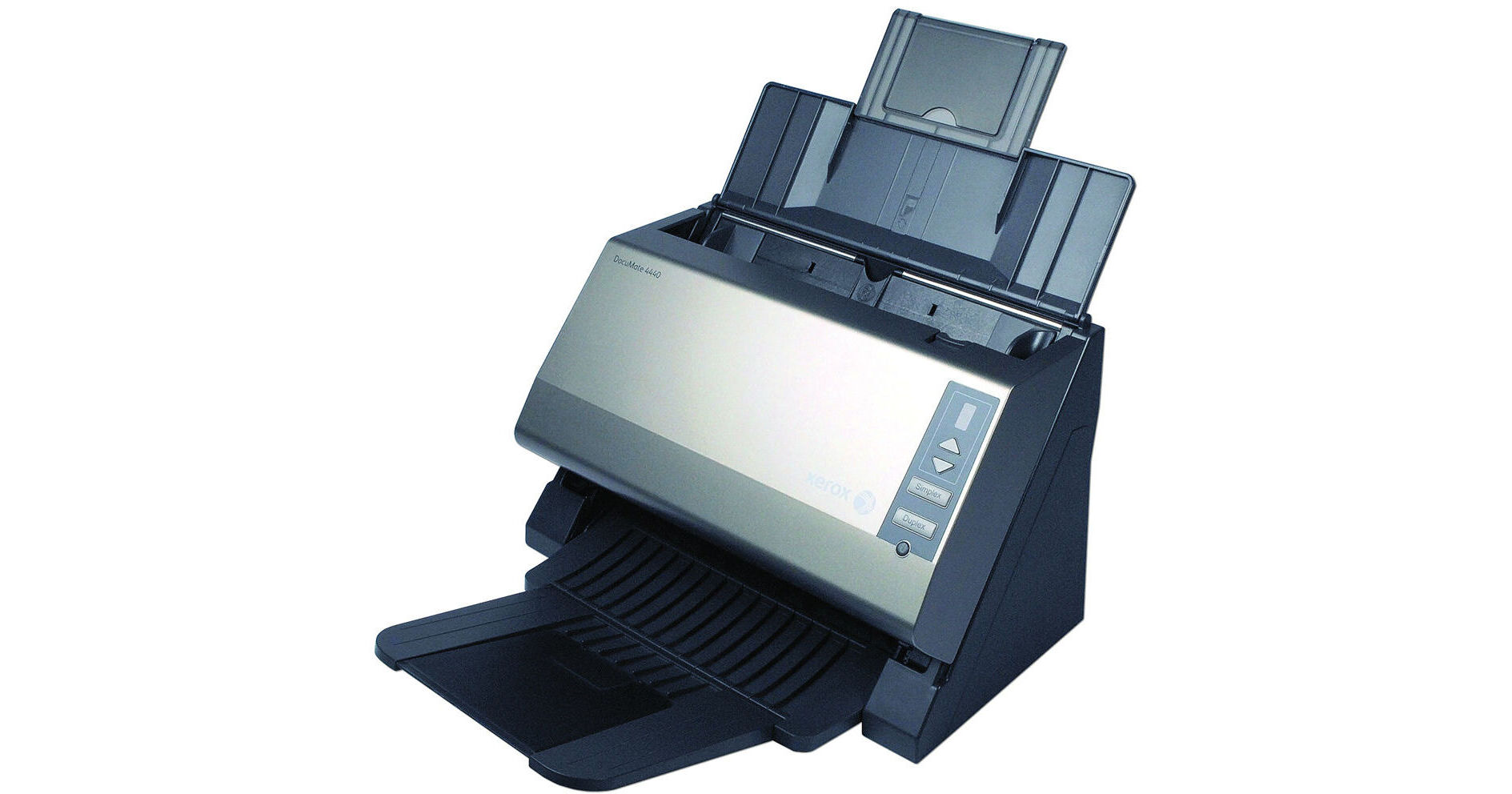
Xerox DocuMate 4440 Document Scanner

BH #XED4440S • MFR #XDM44405M-WU
Print
Xerox DocuMate 4440 Document Scanner
Key Features
  • Automatic 2-Sided Scanning
  • Scan 40 ppm/80 ipm
  • 50-Page ADF
  • Scan Pages Up To 8.5x38"
The DocuMate 4440 Document Scanner from Xerox seamlessly converts your documents into usable digital files at a rate of 40 ppm (simplex) or 80 ipm (duplex). The 50-page automatic document feeder lets you scan single- and double-sided pages in 1 easy step. The scanner accepts pages as large as 8.5x38" as well as plastic cards such as credit, ID, and licenses, both embossed and unembossed. Additionally, the ADF and paper feed is designed so that plastic cards can even be fed through the ADF, there's no need to feed them through a manual slot.

The scanner's high 4000-page/day duty cycle is ideal for both small and home offices as well as busy environments. The DocuMate's compact design and retracting paper trays provide a small enough footprint to fit right on your desktop within easy reach. This way, when you need to scan, simply place your document in the feeder and begin scanning.

Get the most out of your scanner with the included software suite. Visioneer OneTouch allows you to specify commonly used scan settings and save it as a profile to improve your workflow. Additionally, you can scan a file and send it to an email recipient. Need to edit a document? Use the included OCR software to scan the document, convert the image into text, and edit the text in an application such as Microsoft Word. Additionally, you can create a shortcut to scan to a specific folder. The included software also provides the option to turn your scanned document into a searchable PDF.

When you have a large stack of papers to scan, it can be tedious to have to check each page for accuracy. The DocuMate 4440 comes with Kofax VirtualReScan technology built in which helps ensure a higher rate of OCR accuracy as well as general image accuracy by inspecting each page as it passes through the scanner. If it detects a distortion such as stretched and skewed images, or brightness and contrast errors it fixes them automatically.

More Details
No Longer Available
No Store Display
Ask an Expert
800-606-6969

Xerox 4440 Overview

The DocuMate 4440 Document Scanner from Xerox seamlessly converts your documents into usable digital files at a rate of 40 ppm (simplex) or 80 ipm (duplex). The 50-page automatic document feeder lets you scan single- and double-sided pages in 1 easy step. The scanner accepts pages as large as 8.5x38" as well as plastic cards such as credit, ID, and licenses, both embossed and unembossed. Additionally, the ADF and paper feed is designed so that plastic cards can even be fed through the ADF, there's no need to feed them through a manual slot.

The scanner's high 4000-page/day duty cycle is ideal for both small and home offices as well as busy environments. The DocuMate's compact design and retracting paper trays provide a small enough footprint to fit right on your desktop within easy reach. This way, when you need to scan, simply place your document in the feeder and begin scanning.

Get the most out of your scanner with the included software suite. Visioneer OneTouch allows you to specify commonly used scan settings and save it as a profile to improve your workflow. Additionally, you can scan a file and send it to an email recipient. Need to edit a document? Use the included OCR software to scan the document, convert the image into text, and edit the text in an application such as Microsoft Word. Additionally, you can create a shortcut to scan to a specific folder. The included software also provides the option to turn your scanned document into a searchable PDF.

When you have a large stack of papers to scan, it can be tedious to have to check each page for accuracy. The DocuMate 4440 comes with Kofax VirtualReScan technology built in which helps ensure a higher rate of OCR accuracy as well as general image accuracy by inspecting each page as it passes through the scanner. If it detects a distortion such as stretched and skewed images, or brightness and contrast errors it fixes them automatically.

Key Features
  • Scans Insurance and ID cards through ADF
  • Scans documents at 40 ppm simplex, 80 ipm duplex
  • Visioneer OneTouch scanning to multiple applications
  • Kofax VRS delivers perfect scans from imperfect originals
  • Ultrasonic Double Feed Detection
  • Create searchable PDF files
Healthcare & Insurance Applications
The versatility of the DocuMate 4440 is an attractive solution for healthcare and insurance applications. ID and insurance cards, as well as paper documents, can be scanned through the automatic document feeder (ADF) which holds up to 50 pages. Fast scanning speeds of 40 ppm and 80 ipm in duplex plus a 4,000 page/day duty cycle means this scanner will be a high productivity addition to your document capture workflow, ready for anything
Manage The Chaos
Ultrasonic Double Feed Detection is built into the DocuMate 4440 so that you'll never miss a page due to a misfeed or a stapled document going through the scanner. Kofax VRS (VirtualReScan) technology is integrated into the scanner driver so that you get perfect scans from imperfect originals. Kofax VRS also eliminates the need to rescan documents through automatic cropping, straightening, brightness control and edge clean-up. All this is integrated into Visioneer OneTouch so your entire scanning requirements are achieved at the touch of a button. In the end, paper becomes information and flows through the organization under your control
Effortless Control
The DocuMate 4440 is powered by Visioneer OneTouch technology to scan documents instantly to one of 9 preset, yet completely configurable destinations. Visioneer OneTouch takes control of your document and scans it using the optimal settings for resolution, color, duplex, auto-crop, auto-straighten, file format and then delivers it to virtually any application, folder or device at the touch of a button! Working together with Kofax VRS technology, imagine the workflow possibilities of delivering perfect scanned paper documents in a searchable PDF format to email or Microsoft SharePoint or a custom web application for your enterprise, all at the touch of a button. Not only is this a productivity gain but greatly reduces the training requirements for scanner users, further helping your return on investment
Visioneer OneTouch
Visioneer OneTouch is an easy-to-use utility that connects the DocuMate scanner with a powerful set of scanner settings to greatly improve the efficiency of your workflow - so that with one touch, the document is scanned automatically to email, Microsoft Word, your printer, or simply a file folder
In addition to scanning directly to all popular destinations, Visioneer OneTouch also links the DocuMate 4440 with industry-leading document management software, such as Xerox DocuShare, Microsoft SharePoint, and DocuWare - forming an easy-to-use workflow from paper to a selected destination. A Software Development Kit (SDK) is also available which provides the ability to develop specific links and integrate them into the Visioneer OneTouch control panel quickly and easily
Kofax VirtualReScan technology
Visioneer OneTouch with Kofax VRS technology is an integrated software solution that combines the ease of Visioneer OneTouch scanning with the superior image quality achieved with Kofax VRS. This award winning patented technology automatically insures the best possible image quality and OCR accuracy for scanned document images. As pages pass through the scanner, VRS performs a multipoint inspection of each document, instantly checking and adjusting alignment (skew), brightness, contrast and image clarity
Nuance PaperPort
Millions of professionals rely on PaperPort to save time and money by transforming paper documents into searchable digital documents. PaperPort combines the efficiency of document management, the convenience of superbly scanned documents and the power of creating PDF files, to bring a new level of operational proficiency to your organization
Create Text Searchable PDFs
Transform volumes of paper or photos into organized digital files that can be quickly found, used and shared. In searchable PDF format, the user can instantly search documents for keywords or phrases. This provides additional archival benefits beyond traditional storage, and the widely accepted PDF format lets everyone view and print documents - on any computer
Nuance OmniPage Pro
OmniPage Pro provides a precise OCR and layout retention solution, quickly turning scanned documents into editable, formatted text. The text can then be used in virtually any word processing, desktop publishing or web publishing program

Xerox 4440 Specs

Scan Quality
Scanner Type
Dual CCD
Optical Resolution
600 dpi
Color Depth
Color: 24 bit
Grayscale: 8 bit
Black: 1 bit
Performance
Scan Speed
Simplex: 40 ppm
Duplex: 80 ipm (@ 200 dpi)
Scan Area
3.37 x 2.0 to 8.5 x 38.0" (86 x 51 to 216 x 965 mm)
Media Weight
9.0 to 34.0 lb (34 to 128 g/m2)
Media Capacity
50 pages
Thickness
0.051" (1.3 mm) maximum card thickness
Duty Cycle
4000 pages/day
Connectivity
Interface
Hi-Speed USB 2.0
Compatible with USB 1.1
OS Compatibility
Windows 7 (32/64-bit), Vista (32/64-bit), XP (32-bit, SP 2/3)
System Requirements
Processor: Intel Pentium 4 or equivalent
Memory: 2 GB RAM
Disk Space: 350 MB available disk space
Optical: CD/DVD-ROM drive
Interface: USB port
Physical
Light Source
Dual cold cathode fluorescent lamp
Front Panel Controls
Up/Down, Duplex, Simplex, Power
Power Requirements
100 to 240 VAC, 24 V DC, 2A
Power Consumption
Operating: ≤ 30 W
Power Save: ≤ 5.3 W
Power Off: ≤ 1.0 W
Certifications
Energy Star, RoHS, UL, C-UL, TUV/GS, FCC Class A, CE, WEEE
Temperature & Humidity
Operating Temperature: 50 to 95 °F (10 to 35 °C)
Operating Humidity: 15 to 85%
Dimensions
Minimum: 11.6 x 7.0 x 7.6" (295 x 177 x 194 mm)
Trays Extended: 11.6 x 12.8 x 15.7 (295 x 325 x 400 mm)
Weight
8.0 lb (3.6 kg)

Xerox 4440 Reviews

See any errors on this page?
Whatever You Need, We've Got It