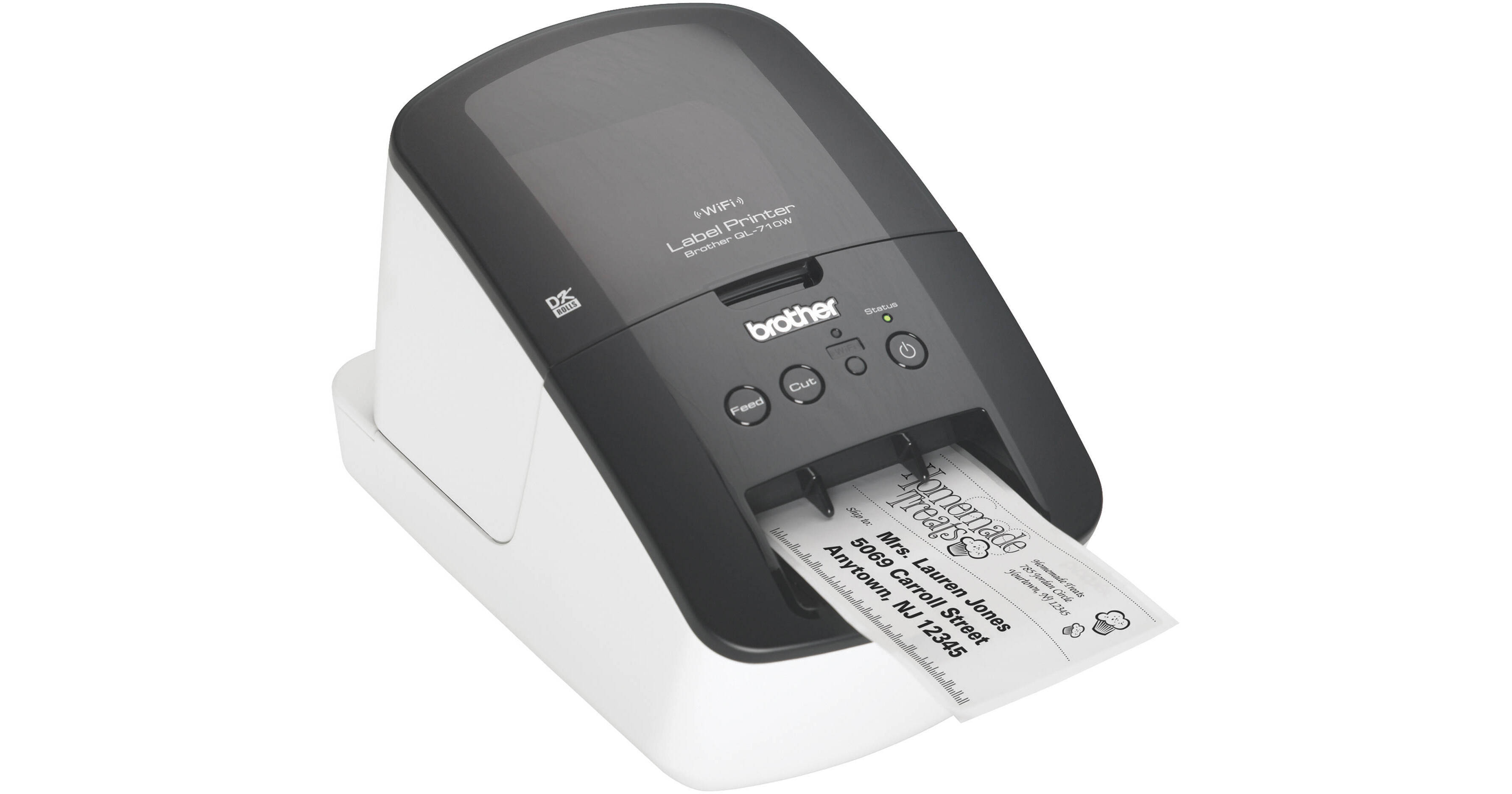
Brother QL-710W High-Speed Label Printer W/ Wireless Networking

BH #BRQL710W • MFR #QL-710W
Print
Brother QL-710W High-Speed Label Printer W/ Wireless Networking
Key Features
  • Print 93 Labels/Minute
  • Print Long Banners Up To 3.0'
  • Wi-Fi Connectivity
  • Print From Apple & Android Devices
The QL-710W High-Speed Label Printer W/ Wireless Networking from Brother provides high-speed labeling at up to 93 labels per minute. The 300 x 600 dpi resolution and the durable auto cutter (good for up to 300,000 labels) make it an ideal choice for a heavy use in a fast-paced environment. In addition to traditional labels, you can even print long banners up to 3 feet in length.

As a computer-based label printer, the QL-710W can be connected to a computer via the included USB cable or to a network using the built-in Wi-Fi connectivity. The included software provides step-by-step instructions to creating your own labels, including templates. Also included is software for creating labels from files such as a csv or an Access Database (.mdb). Instead of having to use 1 computer for label printing, allow the other computers on your network to print as well. Additionally, you can print directly from any Apple or Android device by downloading the free Brother iPrint&Label app from the App Store or Marketplace.

In addition to standard labels, the printer comes with software for creating barcodes and postage stamps. Instead of running to the post office to buy stamps, do it at home right on your own desk. Additionally, it allows you to print the exact postage you need. The barcoding software allows you to generate barcodes in most common formats including UPC codes, postal barcodes, European Article Numbers, and ISBN codes.

More Details
No Longer Available
No Store Display
Ask an Expert
800-606-6969

Brother QL-710W Overview

The QL-710W High-Speed Label Printer W/ Wireless Networking from Brother provides high-speed labeling at up to 93 labels per minute. The 300 x 600 dpi resolution and the durable auto cutter (good for up to 300,000 labels) make it an ideal choice for a heavy use in a fast-paced environment. In addition to traditional labels, you can even print long banners up to 3 feet in length.

As a computer-based label printer, the QL-710W can be connected to a computer via the included USB cable or to a network using the built-in Wi-Fi connectivity. The included software provides step-by-step instructions to creating your own labels, including templates. Also included is software for creating labels from files such as a csv or an Access Database (.mdb). Instead of having to use 1 computer for label printing, allow the other computers on your network to print as well. Additionally, you can print directly from any Apple or Android device by downloading the free Brother iPrint&Label app from the App Store or Marketplace.

In addition to standard labels, the printer comes with software for creating barcodes and postage stamps. Instead of running to the post office to buy stamps, do it at home right on your own desk. Additionally, it allows you to print the exact postage you need. The barcoding software allows you to generate barcodes in most common formats including UPC codes, postal barcodes, European Article Numbers, and ISBN codes.

Print up to 93 labels per minute
Easy connectivity - print from virtually anywhere or share on a network
Create cost-effective paper labels for packages, envelopes, file folders, discs, banners, and more
Capable of printing postage for packages and envelopes, right from your desk
Print labels wirelessly using the free, Brother iPrint&Label app download
Prints pre-sized, easy-peel, rounded-corner labels. Also prints on continuous-length paper and film tapes for banners and signs up to 3.0' long
Use the automatic cutter for precise cuts after each label is printed or to create custom-sized labels
Convenient, drop in tape rolls. No ink or toner needed
High-resolution (up to 300 x 600 dpi) printing, for crisp text and graphics
Windows and Mac compatible
Easy to integrate and manage on a network using Brother's network management tools and free bPAC software development kit
"Label Collection" feature provides pre-designed labels and banners with commonly-used text

Brother QL-710W Specs

Print Method
Direct thermal printing via thermal head
Resolution
300 x 600 dpi
Cutter
Automatic
Cutter Life
Die-Cut Labels: up to 300,000
Continuous Labels: up to 150,000
Print Speed
Up to 93 labels/minute
Up to 5.9" (150 mm)/second
Tape Sizes
Die-cut & continuous
Maximum Tape Width
2.4" (6.10 cm)
Maximum Print Width
2.3" (5.9 cm)
Minimum Printable Width
0.5" (1.27 cm)
Maximum Label Length
39.37" (1.0 m)
Font Styles
True Type
Symbols for Windows
1379
Mirror Printing
Yes
Vertical Printing
Yes
Rotate Printing
Yes
Date/Time Stamp
PC generated
Multiple Copies
Up to 9999
Bar-Code Types
CODE39, CODE128, UCC/EAN128(GS1-128), ITF(I-2/5), CODABAR(NW-7), UPC-A, UPC-E, EAN13, EAN8, ISBN-2(EAN13 AddOn2), ISBN-5(EAN13 AddOn5), Laser Barcode, POSTNET, RSS(RSS14 Standard, RSS14 Truncated, RSS14 Stacked, RSS14 Stacked Omni, RSS Limited, RSS Expanded, RSS Expanded Stacked), PDF417(Standard, Truncate, Micro), QR code(Model1, Model2, Micro), Data Matrix(ECC Square, ECC Rectangular), MaxiCode(Model2, Model3, Model4, Model5)
Database File Compatibility
Windows: csv, txt, mdb, xls, Microsoft SQL Server Database
Mac: csv, txt
Software
P-touch Editor 5.0 for Windows
P-touch Address Book 1.1 for Windows
P-touch Editor 5.0 for Mac
P-touch Update Software (Windows & Mac)
Networking
Wi-Fi 802.11 b/g/n
Interface
USB
Wireless (802.11 b/g/n)
Ethernet
Android, Apple iOS
Serial
OS Compatibility
Windows: XP, Vista, Windows 7, Server 2003, Server 2008
Mac: OS X 10.5.8 to 10.7
Control Panel
Buttons: On/Off, Wi-Fi, Feed, Cut
Lights: Wi-Fi, Status
Power Requirements
120 VAC, 60 Hz, 1.8 A
Temperature & Humidity
Operating Temperature: 50 to 95°F (10 to 35°C)
Operating Humidity: 20 to 80%
Dimensions
5.0 x 9.3 x 6.0" (128 x 236 x 153 mm)
Weight
2.65 lb (1.2 kg), excluding rolls
Packaging Info
Package Weight
5 lb
Box Dimensions (LxWxH)
11.9 x 9.5 x 7.5"

Brother QL-710W Reviews

See any errors on this page?
Whatever You Need, We've Got It